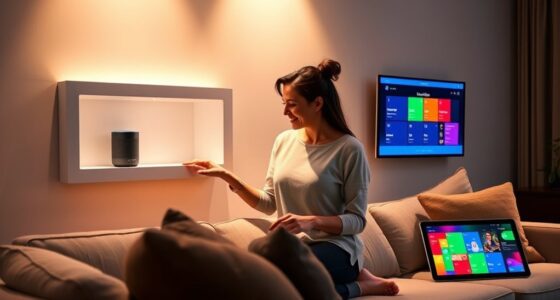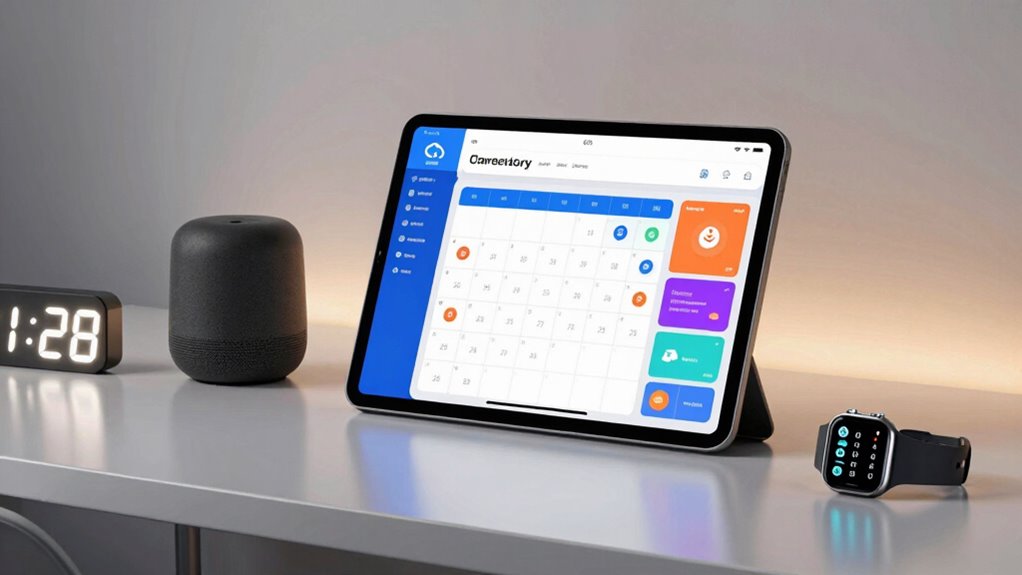

When managing caregiver schedules, a reliable and intuitive smart calendar can make all the difference. The best options blend large, clear displays with smart features like reminders, chore tracking, and easy sharing. The 15.6″ Smart Digital Calendar stands out as the overall top pick thanks to its expansive touchscreen and family-friendly features. For those prioritizing simplicity, the Dragon Touch 10.1-inch Digital Calendar offers a straightforward experience at a more affordable price. However, tradeoffs exist, such as screen size versus ease of use or feature depth versus simplicity. Continue reading for a detailed comparison to find the best fit for your caregiving needs.

Get health and wellness essentials delivered free with Prime
- Fast, free delivery on millions of items
- Prime Video, Amazon Music and more included
- Member-only deals all year
Key Takeaways
- Larger screens like the 15.6-inch models excel for visibility, especially in busy caregiving environments.
- Touchscreen responsiveness and user interface quality significantly impact ease of daily use.
- Built-in chore charts and photo frames add value for family management but can increase complexity.
- WiFi connectivity and app integrations are essential for remote access and updates.
- Price varies based on feature set; simpler models are more affordable but may lack advanced scheduling tools.
| 15.6″ Smart Digital Calendar for Family, FHD Touchscreen Wall Calendar |  | Best Overall Family Hub for Versatile Scheduling | Display Size: 15.6 inches | Resolution: 1920×1080 | Touchscreen: Yes | VIEW ON AMAZON | See Our Full Breakdown |
| 10.1-Inch Smart Digital Calendar with Touchscreen, WiFi, and Photo Frame |  | Best for Compact, Multi-Function Scheduling | Display: 10.1-inch IPS HD touchscreen | Resolution: 1280×800 | Memory: 32GB | VIEW ON AMAZON | See Our Full Breakdown |
| Digital Calendar 10.1″ Touchscreen, Smart Wall Organizer with Chore List and Photo Frame |  | Best for Interactive Home Management | Screen Size: 10.1 inches | Connectivity: Google Calendar, iCloud, Outlook | Features: Chore list, meal planner, photo frame, weather updates | VIEW ON AMAZON | See Our Full Breakdown |
| Skylight Calendar – 15.4″ Touchscreen Digital Calendar & Chore Chart, White |  | Best for Large, Interactive Family Scheduling | Display Size: 15.4 inches | Connectivity: Wi-Fi | Compatibility: Google, iCloud, Outlook, Cozi, Yahoo | VIEW ON AMAZON | See Our Full Breakdown |
| Dragon Touch 10.1 inch Digital Calendar Chore Chart – Interactive Touchscreen Family Planner |  | Best for Easy Setup and Family Organization | Screen Size: 10.1 inches | Connectivity: Wi-Fi | Compatibility: iOS, Google Calendar | VIEW ON AMAZON | See Our Full Breakdown |
| 15.6-Inch Smart Digital Calendar & Chore Chart with Photo Frame |  | Best Overall for Versatile Family Hub | Display: 15.6-inch 1080P touchscreen | Storage: 64GB | Connectivity: WiFi | VIEW ON AMAZON | See Our Full Breakdown |
| Dragon Touch 10.1 Inch Digital Calendar Chore Chart – Interactive Touchscreen Family Planner and Smart Display |  | Best for Easy Setup and Mobile Management | Model Year: 2025 | Brand: Dragon Touch | UPC: 850065712260 | VIEW ON AMAZON | See Our Full Breakdown |
| Digital Calendar 10.1 Inch Electronic Family Planner with Touchscreen and Chore Chart |  | Best Budget-Friendly Compact Choice | Size: 10.1 inches | Display Type: Touchscreen | Connectivity: Wi-Fi | VIEW ON AMAZON | See Our Full Breakdown |
| smart calendars for caregiver scheduling | Connectivity | Features | Compatibility |
|---|---|---|---|
| 15.6" Smart Digital Calendar f | — | — | — |
| 10.1-Inch Smart Digital Calend | WiFi | — | Google Calendar, Outlook, iCloud, Cozi, Yahoo |
| Digital Calendar 10.1" Touchsc | Google Calendar, iCloud, Outlook | Chore list, meal planner, photo frame, weather updates | — |
| Skylight Calendar | Wi-Fi | Interactive chore chart, meal planning, shared calendars | Google, iCloud, Outlook, Cozi, Yahoo |
| Dragon Touch 10.1 inch Digital | Wi-Fi | Chore chart, dinner planner, photo display | iOS, Google Calendar |
| 15.6-Inch Smart Digital Calend | WiFi | Interactive chore chart, meal planner, to-do list, digital photo frame, auto-rotation, auto-dimming | Google, iCloud, Outlook, Cozi, Yahoo |
| Dragon Touch 10.1 Inch Digital | — | — | — |
| Digital Calendar 10.1 Inch Ele | Wi-Fi | Chore chart, meal planner, digital picture display | — |
More Details on Our Top Picks
15.6″ Smart Digital Calendar for Family, FHD Touchscreen Wall Calendar
This 15.6-inch Full HD touchscreen stands out for its large, clear display, making it easy for families to see schedules at a glance. Unlike smaller devices such as the 10.1-Inch Smart Digital Calendar with Touchscreen, its size fosters better visibility for multi-user households. It supports app synchronization and personalized colors, helping each family member manage their routines without confusion. However, it requires initial setup and app syncing, which may be a hurdle for less tech-savvy users. While it excels at basic scheduling, it lacks deeper smart home integrations that some competitors offer. This device makes the most sense for families seeking a central, visual scheduling hub that doubles as a family photo frame.
Pros:- Large, clear Full HD display enhances visibility
- Supports multiple members with personalized colors
- Includes meal planning, chore tracking, and reminders
- Transforms into a digital photo frame for family memories
Cons:- Requires setup and app synchronization for full functionality
- Limited smart home integration capabilities
Best for: Large families needing a shared, easy-to-see central calendar with multimedia features
Not ideal for: Individuals or small households with limited space or minimal tech setup experience
- Display Size:15.6 inches
- Resolution:1920×1080
- Touchscreen:Yes
- Mounting Options:Wall mount or tabletop
- App:Whale Framely
Our verdict“Ideal for tech-savvy families who want a versatile, visual hub for daily routines and memories.”
10.1-Inch Smart Digital Calendar with Touchscreen, WiFi, and Photo Frame
This 10.1-inch device combines scheduling, photo display, and task management into a compact package, making it suitable for smaller spaces or individual use. Compared to the Digital Calendar 10.1″ Touchscreen, its WiFi and app support allow seamless syncing with Google Calendar, Outlook, and iCloud, offering flexibility in app integration. Its high-definition touchscreen provides vibrant visuals, but setup can be complex for those unfamiliar with WiFi configurations. The device’s built-in 32GB memory supports family photos, adding a personal touch. However, reliance on WiFi means it may lose functionality during outages, and system updates can complicate synchronization. This pick is best for users who want a multi-purpose device that fits in tight spaces and offers rich visual features.
Pros:- Combines calendar, photo frame, chore chart, and task management
- Seamless WiFi syncs with popular calendar apps
- High-quality HD touchscreen with vibrant visuals
- Built-in 32GB memory for family photos and videos
Cons:- Setup can be complex for non-technical users
- Dependent on WiFi for full functionality
Best for: Individuals or small families seeking a stylish, space-saving scheduling device with multimedia capabilities
Not ideal for: Users desiring a device with extensive smart home integrations or simple plug-and-play setup
- Display:10.1-inch IPS HD touchscreen
- Resolution:1280×800
- Memory:32GB
- Connectivity:WiFi
- Compatibility:Google Calendar, Outlook, iCloud, Cozi, Yahoo
- App Support:AiMOR app (iOS 3.8.0 / Android 4.0.7)
Our verdict“Best suited for users wanting a compact, multimedia-rich scheduling device with flexible app support.”
Digital Calendar 10.1″ Touchscreen, Smart Wall Organizer with Chore List and Photo Frame
This 10.1-inch touchscreen functions as a smart wall organizer, supporting Google Calendar, iCloud, and Outlook for seamless scheduling. Unlike the more multimedia-focused Dragon Touch 10.1 inch Digital Calendar Chore Chart, it emphasizes interactive chore lists and meal planning, making it excellent for motivating kids and simplifying home routines. Its photo slideshow adds a personal touch, but it requires Wi-Fi for synchronization and lacks a built-in backup power source. The small display size might be a limitation for users who prefer larger, more visible screens. This device is ideal for households wanting an engaging, interactive way to manage chores and schedules without sacrificing simplicity.
Pros:- Syncs with multiple calendar services for seamless scheduling
- Interactive chore list motivates kids and simplifies task management
- Includes a photo slideshow for cherished memories
- Easy to wall-mount and set up
Cons:- Requires Wi-Fi for calendar sync
- Limited to 10.1-inch display, may be small for some users
Best for: Families with children who benefit from interactive chore management and visual scheduling
Not ideal for: Users needing a larger display or deep smart home integrations
- Screen Size:10.1 inches
- Connectivity:Google Calendar, iCloud, Outlook
- Features:Chore list, meal planner, photo frame, weather updates
Our verdict“Perfect for families wanting an engaging, interactive device to coordinate chores and schedules in a smaller space.”
Skylight Calendar – 15.4″ Touchscreen Digital Calendar & Chore Chart, White
The Skylight Calendar’s 15.4-inch touchscreen makes it one of the largest options in this roundup, suited for busy households that need a prominent scheduling display. Its seamless Wi-Fi syncing supports Google, iCloud, Outlook, Cozi, and Yahoo, matching capabilities of the smaller 15.6″ Smart Digital Calendar but with a slightly larger form factor. The device’s interactive chore charts, meal planning, and family calendar features foster organization and fun, especially with added options like Disney mode. However, its size can be a drawback for limited space, and premium features might incur extra costs. This device is ideal for larger homes that want a visually commanding, feature-rich family organizer.
Pros:- Large, easy-to-see touchscreen display
- Supports multiple calendar services for flexible syncing
- Interactive chore charts and Disney mode add fun and motivation
- Customizable avatars for family members
Cons:- Requires Wi-Fi for full functionality
- Design may be bulky for small spaces
Best for: Large families or busy households needing a sizable, engaging scheduling hub
Not ideal for: Small apartments or users with limited wall space who prefer compact devices
- Display Size:15.4 inches
- Connectivity:Wi-Fi
- Compatibility:Google, iCloud, Outlook, Cozi, Yahoo
- Features:Interactive chore chart, meal planning, shared calendars
Our verdict“Best for households that want a sizable, feature-rich digital calendar to manage family routines visually and interactively.”
Dragon Touch 10.1 inch Digital Calendar Chore Chart – Interactive Touchscreen Family Planner
The Dragon Touch 10.1-inch device emphasizes simplicity, with straightforward setup and auto-syncing with iOS and Google Calendar. Compared with the Digital Calendar 10.1″ Touchscreen, it offers easier initial setup, making it suitable for families who want quick deployment without technical hurdles. Its customizable chore chart, dinner planner, and photo display make it a practical choice for everyday family management. On the downside, additional paid features can add up, limiting some functionalities unless extra costs are accepted. This device works well for users prioritizing ease of use and basic scheduling over extensive smart features.
Pros:- Easy to set up and sync with multiple calendars
- Interactive chores and meal planning tools
- Can double as a digital photo frame
- Simplifies family organization
Cons:- Paid features may involve additional costs
- Limited to basic calendar and organization functions
Best for: Families seeking a simple, user-friendly planner with basic family management features
Not ideal for: Power users looking for extensive smart home integrations or multimedia features
- Screen Size:10.1 inches
- Connectivity:Wi-Fi
- Compatibility:iOS, Google Calendar
- Features:Chore chart, dinner planner, photo display
Our verdict“Ideal for users who want a straightforward, easy-to-use family planner with essential features and minimal setup fuss.”
15.6-Inch Smart Digital Calendar & Chore Chart with Photo Frame
This device stands out for its ability to combine scheduling, chore management, and family memories into a single touchscreen hub. Compared with the Dragon Touch 10.1-inch model, it offers a larger display and richer features like auto-rotation and auto-dimming, making it ideal for busy households that need a central command. Its support for multiple calendar services and customizable widgets means everyone can personalize their tasks without cluttering the main view. The main tradeoff is the steeper learning curve to fully utilize its features and reliance on WiFi, which could disrupt functionality during connectivity issues. For families seeking a comprehensive, wall-mounted organization station, this model provides a robust, all-in-one solution.
Pros:- Combines family scheduling, chore management, and photo display in one device
- Supports multiple users with synchronized calendars and personalized task lists
- Auto-rotating and auto-dimming display for optimal viewing
Cons:- May require a learning curve for full feature utilization
- Dependent on WiFi connectivity for syncing and sharing
Best for: Tech-savvy families who want a large, multifunctional family command center
Not ideal for: Households with limited WiFi or those preferring simple, straightforward scheduling tools
- Display:15.6-inch 1080P touchscreen
- Storage:64GB
- Connectivity:WiFi
- Compatibility:Google, iCloud, Outlook, Cozi, Yahoo
- Features:Interactive chore chart, meal planner, to-do list, digital photo frame, auto-rotation, auto-dimming
Our verdict“This model is best for families that want an all-in-one digital hub with customizable, interactive features.”
Dragon Touch 10.1 Inch Digital Calendar Chore Chart – Interactive Touchscreen Family Planner and Smart Display
The Dragon Touch 10.1-inch model appeals for its straightforward setup and seamless app synchronization, making it suitable for families new to digital scheduling. Unlike the larger 15.6-inch device, its compact size fits smaller spaces and is less visually overwhelming, particularly for households with limited wall space. Its broad compatibility with popular calendar apps and remote management via mobile app makes it easy for caregivers to oversee schedules from anywhere. However, its smaller display limits visibility for larger families or multi-tasking at-a-glance monitoring. Advanced features may also require paid app upgrades, which could be a deterrent for budget-conscious users. This device is well-suited for those seeking a simple, mobile-friendly family planner.
Pros:- Easy to set up and syncs seamlessly with various calendar apps
- Versatile functionality including chore chart, dinner planner, and photo display
- Large 10.1-inch touchscreen with clear display
Cons:- Requires Wi-Fi connection for full features
- Some advanced functions may involve additional paid app features
Best for: Families who prioritize quick setup, mobile control, and a compact device
Not ideal for: Large households or users needing a large, highly visible display for everyone
- Model Year:2025
- Brand:Dragon Touch
- UPC:850065712260
- Model Number:TM10
Our verdict“Ideal for families seeking an easy-to-manage, mobile-compatible digital planner with a compact footprint.”
Digital Calendar 10.1 Inch Electronic Family Planner with Touchscreen and Chore Chart
This 10.1-inch digital calendar offers a practical solution for organizing family schedules, chores, and meals at an attractive price point. Compared to the larger 15.6-inch model, it sacrifices some display real estate but remains user-friendly, especially for smaller spaces or less tech-savvy users. Its straightforward Wi-Fi setup and support for multiple calendar services make it easy to keep everyone on the same page without complicated configurations. The dual function as a digital picture frame adds a personal touch, while its limited size can make it less effective for larger families or those who prefer a highly visible, at-a-glance overview. The lack of a built-in battery or portability means it’s best for fixed placement. This is a solid choice for budget-conscious households wanting core scheduling features.
Pros:- Easy setup with Wi-Fi and multiple calendar sync options
- Combines schedules, chores, and meal planning in one device
- Functions as a digital picture frame for family photos
Cons:- Limited to 10.1-inch display size, less visibility for large families
- No portable features or built-in battery
Best for: Small families or individuals looking for an affordable, straightforward digital family planner
Not ideal for: Large households or those needing a large, prominent display for multiple users
- Size:10.1 inches
- Display Type:Touchscreen
- Connectivity:Wi-Fi
- Syncs With:Google, iCloud, Outlook, Cozi, Yahoo
- Features:Chore chart, meal planner, digital picture display
- Warranty:1 year
Our verdict“A practical, budget-friendly option for small households or individuals wanting essential scheduling features in a compact device.”

How We Picked
Products were evaluated based on screen size, ease of use, feature set, build quality, and connectivity options. Priority was given to models that simplify caregiver scheduling while offering essential features like reminders, shared access, and chore tracking. We also considered user reviews and value for money, aiming to recommend options suitable for different caregiver scenarios—from tech-savvy families to those seeking straightforward solutions. The ranking reflects a balance of performance, usability, and price point, ensuring caregivers can find a smart calendar that fits their specific needs.| smart calendars for caregiver scheduling | Connectivity | Compatibility | Features |
|---|---|---|---|
| 15.6" Smart Digital Calendar f | — | — | — |
| 10.1-Inch Smart Digital Calend | WiFi | Google Calendar, Outlook, iCloud, Cozi, Yahoo | — |
| Digital Calendar 10.1" Touchsc | Google Calendar, iCloud, Outlook | — | Chore list, meal planner, photo frame, weather updates |
| Skylight Calendar | Wi-Fi | Google, iCloud, Outlook, Cozi, Yahoo | Interactive chore chart, meal planning, shared calendars |
| Dragon Touch 10.1 inch Digital | Wi-Fi | iOS, Google Calendar | Chore chart, dinner planner, photo display |
| 15.6-Inch Smart Digital Calend | WiFi | Google, iCloud, Outlook, Cozi, Yahoo | Interactive chore chart, meal planner, to-do list, digital photo frame, auto-rotation, auto-dimming |
| Dragon Touch 10.1 Inch Digital | — | — | — |
| Digital Calendar 10.1 Inch Ele | Wi-Fi | — | Chore chart, meal planner, digital picture display |
Factors to Consider When Choosing Smart Calendars For Caregiver Scheduling
Choosing the right smart calendar for caregiver scheduling involves assessing several key factors. It’s important to consider display size, as larger screens improve visibility, especially for seniors or those with visual impairments. Ease of use is critical; a touchscreen interface that responds well and a simple setup can save time and reduce frustration. Connectivity features like WiFi and app integrations enable remote updates and sharing, which are vital for caregiving coordination. Additionally, consider whether features like chore lists, photo frames, or reminder systems align with your caregiving style. Finally, balance your budget with the desired feature set, as more advanced models tend to cost more but offer greater flexibility.Display Size and Readability
Large displays, such as 15.6 inches, make it easier for all family members to see schedules at a glance, reducing miscommunication. Smaller screens, like 10.1 inches, are more discreet and space-efficient but may require zooming or scrolling. Consider the environment where the calendar will be used—larger screens are better for common areas, while smaller ones work for personal spaces. Keep in mind that larger displays can sometimes be more fragile or cumbersome to mount. Prioritize readability and practicality based on your caregiving setting.
Ease of Use and Interface
The responsiveness of the touchscreen and intuitive navigation are critical for quick updates and daily use. A complicated interface can lead to frustration, especially for less tech-savvy caregivers or seniors. Look for models with clear menus, straightforward icons, and minimal setup steps. Some calendars include voice commands or remote controls, which can be beneficial in busy caregiving situations. Remember, a device that’s easy to operate will encourage consistent use and reduce errors in scheduling.
Connectivity and App Integration
WiFi-enabled calendars that connect to companion apps enhance flexibility, allowing caregivers to update schedules remotely or from different devices. Compatibility with popular platforms like Google Calendar or Apple Calendar can streamline scheduling across devices. Consider whether the calendar supports notifications and reminders via email or app alerts, which help keep everyone on the same page. A lack of connectivity options might limit the calendar’s usefulness in dynamic caregiving environments where updates are frequent and need to be accessible from anywhere.
Additional Features and Functionality
Features like chore lists, photo frames, or integrated reminder systems can add significant value, especially in managing daily routines and family communication. However, these extras can also complicate the interface or increase the device’s cost. Think about what features are essential for your caregiving style. For example, a simple calendar with clear scheduling might suffice for some, while others may benefit from a device that also tracks medications or appointments. Avoid paying for features you won’t use, but don’t overlook tools that can genuinely simplify your routine.
Price and Value
Prices in this category range widely depending on screen size, features, and build quality. While basic models offer affordability, they might lack important functionalities like remote access or notifications. Conversely, premium options with large screens and extensive features come at a higher cost but may provide more seamless coordination and peace of mind. Consider your budget carefully—sometimes investing a bit more upfront can save time and reduce ongoing frustration. Balance the feature set against your actual caregiving needs to find the best value.
Frequently Asked Questions
Can these smart calendars be used by seniors who are not tech-savvy?
Many of these calendars are designed with simplicity in mind, featuring large icons, responsive touchscreens, and straightforward interfaces. Larger screens, like the 15.6-inch models, are particularly helpful as they improve visibility and reduce the need for zooming or complex navigation. Some models also include voice commands or remote controls, which can further ease use for seniors. It’s important to choose a calendar that prioritizes user-friendliness to ensure consistent adoption without frustration.
Are these smart calendars suitable for remote caregiving coordination?
Yes, most of these calendars offer WiFi connectivity and app integrations, making remote updates and monitoring straightforward. Caregivers can check schedules, modify appointments, or add chores from any location with internet access. This flexibility is especially valuable for families managing caregiving from afar or coordinating multiple caregivers. Look for models that support notifications and multi-user access to maximize the benefits of remote management.
Do these calendars support multiple users or family members?
Most models in this roundup support multiple profiles or shared access, allowing different family members or caregivers to view and edit schedules. This feature helps prevent conflicts and keeps everyone updated in real-time. However, the ease of sharing varies; some calendars require app setup, while others can connect directly via WiFi. Confirm that the device’s sharing capabilities align with your family’s tech comfort level to ensure smooth coordination.
How durable are these devices for everyday use?
Durability varies depending on build quality and design. Larger, wall-mounted models tend to be quite sturdy and are suitable for everyday use in shared spaces. Smaller, portable options are generally less robust but more flexible. When choosing a device, consider the environment—if it’s in a busy area, opt for models with protective screens or mounts. Proper placement and handling can extend the lifespan of these digital calendars in a caregiving setting.
Is it worth investing in a high-end model with extra features?
Investing in a premium model makes sense if you need advanced functionalities like extensive remote access, detailed chore management, or integration with other smart home devices. Higher-end calendars often offer larger screens and more responsive interfaces, reducing user frustration. However, if your needs are basic—simply viewing schedules and setting reminders—more affordable models will serve just as well. Consider your specific caregiving setup and how much value additional features will bring before spending more.
Conclusion
For families seeking a reliable, easy-to-use device, the 15.6″ Smart Digital Calendar offers the best overall experience, combining size, features, and usability. Budget-conscious caregivers will appreciate the Dragon Touch 10.1-inch Digital Calendar for its simplicity and affordability. Those with more complex needs or tech-savvy households might find value in premium options with extensive app integrations and larger displays. Beginners or less tech-inclined users should prioritize models with intuitive interfaces, while caregivers managing multiple schedules remotely benefit most from WiFi-enabled devices with sharing capabilities. Ultimately, matching the device to your caregiving environment and tech comfort level ensures smooth, stress-free scheduling in 2026.
Cold & flu season Picks
humidifiers
As an affiliate, we earn on qualifying purchases.