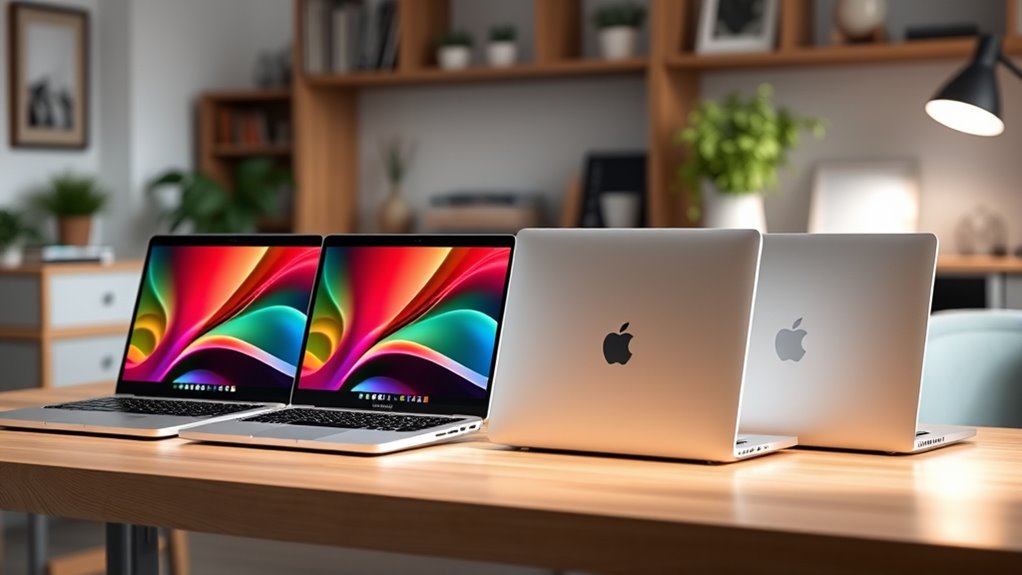

Choosing the right compact workstation Macs Mac Studio picks requires balancing raw processing power with physical footprint and thermal constraints. The Apple 2026 Mac Studio with M5 Max Chip stands out as the best overall choice for professionals needing high-end performance in a small form factor, offering superior GPU capabilities for creative tasks. For those with tighter budgets, the Apple Mac mini (2024) with M4 provides an excellent entry point into Apple Silicon performance, though it lacks the extensive port selection of its larger sibling. The main tradeoff lies in connectivity and upgradability: larger Mac Studio models offer more Thunderbolt ports and better thermal headroom, while Mac minis prioritize desk space savings at the cost of expansion options. Continue reading to see how these models stack up against each other for specific professional workflows.

Get health and wellness essentials delivered free with Prime
- Fast, free delivery on millions of items
- Prime Video, Amazon Music and more included
- Member-only deals all year
Complete the kit

Key Takeaways
- The M5 Max chip in the Mac Studio offers a significant jump in GPU performance over the M4 generation, making it the clear winner for 3D rendering and heavy video editing.
- Mac mini models with M4 and M5 chips provide 90% of the daily workflow speed for developers and writers at half the physical footprint of a Mac Studio.
- Thermal management becomes the primary differentiator between the Mac mini and Mac Studio; sustained heavy loads cause Mac minis to throttle sooner than the larger chassis allows.
- Port density is a hidden cost; users relying on multiple external displays and high-speed peripherals will find the Mac mini’s rear-only I/O limiting compared to the Mac Studio’s front-accessible ports.
- Renewed models like the M4 Mac mini offer exceptional value for light-to-medium workloads, but lack the memory bandwidth upgrades found in the newer M5 and M6 generations.
| Apple Mac mini (2024) with M4 |  | Best Entry-Level Workstation | Processor: Apple M4, 10-core CPU | Memory: 24GB Unified Memory | Storage: 512GB SSD | VIEW ON AMAZON | See Our Full Breakdown |
| Apple 2026 Mac mini with M5 Pro |  | Best Compact Powerhouse | Processor: M5 Pro Chip | Connectivity: 3x Thunderbolt 5, 2.5Gb Ethernet | Display Support: Up to three external displays | VIEW ON AMAZON | See Our Full Breakdown |
| Apple Mac mini with M2 Pro |  | Best Legacy Value Pick | Processor: Apple M2 Pro, 10-core CPU | Memory: 16GB Unified Memory | Storage: 512GB SSD | VIEW ON AMAZON | See Our Full Breakdown |
| Apple 2026 Mac Studio with M5 Max |  | Best Premium Workstation | Processor: Apple M5 Max Chip | Memory: Up to 128GB Unified Memory | Display Support: Up to 5 external displays | VIEW ON AMAZON | See Our Full Breakdown |
| Apple Mac mini (2026) M6 |  | Best Future-Proof Entry | Processor: Apple M6, 12-core CPU | Memory: 24GB Unified Memory | Storage: 1TB SSD | VIEW ON AMAZON | See Our Full Breakdown |
| Apple Mac Studio with M5 Max 18-Core CPU, 32-Core GPU, 36GB Memory, 1TB SSD |  | Best Balanced Compact Workstation | Chip: Apple M5 Max | CPU Cores: 18-Core | GPU Cores: 32-Core | VIEW ON AMAZON | See Our Full Breakdown |
| Apple Mac Studio with M4 Max, 16-Core CPU, 40-Core GPU, 64GB Memory, 2TB SSD |  | Best for Heavy Creative Workloads | Processor: Apple M4 Max | CPU Cores: 16-Core | GPU Cores: 40-Core | VIEW ON AMAZON | See Our Full Breakdown |
| compact workstation macs mac studio pick | Dimensions | Processor | Memory | Storage |
|---|---|---|---|---|
| Apple Mac mini | 5 x 5 x 2 inches | Apple M4, 10-core CPU | 24GB Unified Memory | 512GB SSD |
| Apple 2026 Mac mini with M5 Pr | 5 x 5 x 1.97 inches | M5 Pro Chip | — | — |
| Apple Mac mini with M2 Pro | 7.76 x 7.76 x 1.41 inches | Apple M2 Pro, 10-core CPU | 16GB Unified Memory | 512GB SSD |
| Apple 2026 Mac Studio with M5 | 7.76 x 7.76 x 3.74 inches | Apple M5 Max Chip | Up to 128GB Unified Memory | — |
| Apple Mac mini | 5 x 5 x 2 inches | Apple M6, 12-core CPU | 24GB Unified Memory | 1TB SSD |
| Apple Mac Studio with M5 Max 1 | 7.7 x 7.7 x 3.7 inches | — | 36GB Unified | 1TB SSD |
| Apple Mac Studio with M4 Max | 11.5 x 11.1 x 8.5 inches | Apple M4 Max | 64GB Unified | 2TB SSD |
More Details on Our Top Picks
Apple Mac mini (2024) with M4
The Apple Mac mini (2024) with M4 serves as the accessible gateway into Apple’s compact workstation ecosystem. While it lacks the raw multi-core horsepower of the Mac Studio with M5 Max, its 10-core CPU handles everyday creative tasks and coding with surprising efficiency. The 24GB RAM configuration is a sweet spot for developers and photo editors who need more headroom than the base models offer. However, buyers must note this is a renewed unit, which introduces a risk regarding battery health or cosmetic wear compared to new stock. It fits effortlessly on any desk, unlike the bulkier Studio tower, making it ideal for space-constrained setups where absolute peak performance is secondary to value and footprint.
Pros:- Compact 5-inch footprint saves significant desk real estate
- M4 chip offers excellent single-core performance for daily tasks
- Includes front USB-C ports for easy accessory connection
- Supports Wi-Fi 6E for faster, less congested wireless networking
Cons:- Renewed status means potential cosmetic imperfections or reduced warranty
- Only 512GB storage may require external drives for large media libraries
- Lacks the sustained multi-core performance of Pro/Max chips
Best for: Students, freelance writers, and light video editors who need a compact, reliable machine without paying for unused power.
Not ideal for: Heavy 3D renderers or data scientists who require more than 24GB of memory and faster multi-core throughput.
- Processor:Apple M4, 10-core CPU
- Memory:24GB Unified Memory
- Storage:512GB SSD
- Graphics:10-core Integrated GPU
- Connectivity:Thunderbolt 4, HDMI, Wi-Fi 6E
- Dimensions:5 x 5 x 2 inches
- Condition:Renewed
Our verdict“This is the smartest choice for budget-conscious users who want modern Apple silicon in the smallest possible package.”
Apple 2026 Mac mini with M5 Pro
For those who need serious processing power without the desk dominance of a tower, the Apple 2026 Mac mini with M5 Pro is the standout contender. It bridges the gap between entry-level chips and the Mac Studio with M5 Max, offering Thunderbolt 5 connectivity and support for up to three displays. The M5 Pro chip delivers significantly faster AI and creative workflows than the standard M4 mini, making it suitable for heavy multitasking. While it remains compact at 5 x 5 inches, it lacks the port variety of the Studio, particularly the SD card slot and extra USB-A ports. This machine is for the user who wants near-workstation performance in a box that can hide behind a monitor.
Pros:- M5 Pro chip provides substantial multi-core performance gains
- Thunderbolt 5 ports future-proof data transfer speeds
- Extremely compact form factor fits under monitors or in tight spaces
- Supports up to three external displays for multitasking
Cons:- No SDXC card slot, requiring dongles for photographers
- Limited to three external displays, less than the Studio’s five
- Higher price point than the base M4 mini for similar size
Best for: Software developers and audio engineers who need high core counts and fast I/O in a minimal footprint.
Not ideal for: Users who need more than three external displays or rely heavily on built-in SD card readers for photography.
- Processor:M5 Pro Chip
- Connectivity:3x Thunderbolt 5, 2.5Gb Ethernet
- Display Support:Up to three external displays
- Wireless:Wi-Fi 7, Bluetooth 6
- Dimensions:5 x 5 x 1.97 inches
- Weight:1.61 pounds
- Model Number:MHQN4LL/A
Our verdict“This model is the ideal balance of size and speed for professionals who refuse to sacrifice desk space.”
Apple Mac mini with M2 Pro
The Apple Mac mini with M2 Pro remains a compelling option for buyers who prioritize specific port configurations over the latest silicon. Unlike the newer Mac mini M5 Pro, this model retains two USB-A ports and four Thunderbolt 4 ports, reducing the need for adapters if you have legacy peripherals. The 16-core GPU handles 4K video editing and moderate 3D work effectively, though it trails behind the M5 Pro in AI acceleration. It is a larger chassis than the current M4 minis but smaller than the Studio. This is a pragmatic choice for users who want professional-grade performance at a lower entry point than the newest generation, provided they can live with slightly older wireless standards like Wi-Fi 6E.
Pros:- Includes two native USB-A ports for legacy device compatibility
- M2 Pro chip still handles heavy creative workloads well
- Four Thunderbolt 4 ports offer robust connectivity
- Gigabit Ethernet is standard for stable wired connections
Cons:- Larger 7.7-inch footprint compared to newer compact minis
- Base 16GB RAM may feel limiting for heavy multitasking
- Older Wi-Fi 6E standard lacks the congestion handling of Wi-Fi 7
Best for: Users with many USB-A peripherals who want professional performance without the premium price of the latest M-series chips.
Not ideal for: Those who need Wi-Fi 7, Thunderbolt 5 speeds, or the smallest possible physical footprint.
- Processor:Apple M2 Pro, 10-core CPU
- Memory:16GB Unified Memory
- Storage:512GB SSD
- Graphics:16-core GPU
- Ports:4x Thunderbolt 4, 2x USB-A, HDMI
- Dimensions:7.76 x 7.76 x 1.41 inches
- Weight:2.82 pounds
Our verdict“Choose this if you need USB-A ports and solid multi-core power but don’t require the absolute latest wireless tech.”
Apple 2026 Mac Studio with M5 Max
The Apple 2026 Mac Studio with M5 Max is the definitive choice for professionals who demand maximum throughput. With support for up to 128GB of unified memory and five external displays, it operates in a different league than the Mac mini M5 Pro. The M5 Max chip includes dedicated Neural Accelerators and third-generation ray tracing, making it ideal for complex 3D rendering and machine learning tasks. While it is compact for a tower, its 7.7-inch square footprint and heavier weight mean it requires dedicated desk space. The tradeoff for this power is the lack of portability and the higher cost, but for users whose time is limited by render times, the efficiency gains justify the investment over any mini model.
Pros:- Up to 128GB unified memory allows massive project files
- Supports five external displays for extensive multitasking
- M5 Max chip delivers top-tier AI and graphics performance
- Advanced thermal system keeps noise levels low under load
Cons:- Significantly more expensive than Mac mini alternatives
- Larger footprint and weight require dedicated desk area
- Overkill for standard office or light creative tasks
Best for: Professional video editors, 3D artists, and data scientists who need massive memory bandwidth and display flexibility.
Not ideal for: Casual users or those with limited desk space who do not need more than 32GB of RAM or five displays.
- Processor:Apple M5 Max Chip
- Memory:Up to 128GB Unified Memory
- Display Support:Up to 5 external displays
- Ports:4x Thunderbolt 5, 2x USB-A, SDXC Slot
- Dimensions:7.76 x 7.76 x 3.74 inches
- Weight:5.94 pounds
- Memory Bandwidth:Up to 614GB/s
Our verdict“This is the ultimate compact tower for pros who need workstation-class power without a full-sized desktop chassis.”
Apple Mac mini (2026) M6
The Apple Mac mini (2026) with M6 offers a balanced configuration for users who want more storage out of the box. With a 1TB SSD and 24GB of memory, it avoids the immediate need for external drives that plagues the base Mac mini M4. The 12-core CPU and GPU provide a modest boost over the previous generation, handling multitasking and light creative work with ease. However, the 24GB memory cap limits its ceiling for heavy professional workloads compared to the Mac Studio M5 Max. This model is positioned as a configure-to-order option, giving buyers flexibility, but the single HDMI port and standard connectivity may require dongles for complex setups. It is best suited for those who want a new, capable machine that won’t feel underpowered for general productivity.
Pros:- 1TB SSD provides generous storage for media and applications
- 12-core CPU/GPU offers a performance step up from base M4
- Compact 5-inch design fits any modern workspace
- Newer M6 architecture ensures longer software support
Cons:- 24GB memory limit restricts heavy multitasking or virtualization
- Only one HDMI port limits multi-monitor flexibility without hubs
- Lacks Thunderbolt 5 speeds found in Pro/Max models
Best for: General users and light creators who want ample storage (1TB) and modern architecture without paying for Pro-level chips.
Not ideal for: Professionals working with huge datasets or 8K video who need more than 24GB of RAM or multiple HDMI outputs.
- Processor:Apple M6, 12-core CPU
- Memory:24GB Unified Memory
- Storage:1TB SSD
- Graphics:12-core Integrated GPU
- Connectivity:Thunderbolt, HDMI, Wi-Fi
- Dimensions:5 x 5 x 2 inches
- Model Year:2026
Our verdict“This pick is for users who prioritize storage capacity and a modern chip over maximum processing power.”
Apple Mac Studio with M5 Max 18-Core CPU, 32-Core GPU, 36GB Memory, 1TB SSD
This configuration strikes a compelling balance between raw compute power and thermal efficiency, making it a strong contender for professional video editors who need sustained performance without the bulk of larger towers. The M5 Max chip with its 18-core CPU and 32-core GPU handles 8K timeline scrubbing and complex compositing with noticeable ease. Compared to the Apple Mac Studio with M4 Max, this model trades some GPU core count for newer architecture efficiency, resulting in a cooler operation profile that fits seamlessly under most monitors. However, the 36GB of unified memory is a fixed ceiling; if your workflow involves massive 3D scenes or multi-VM setups, this cap will feel restrictive sooner than the 64GB found in higher-tier models. It is not just about speed, but about fitting high-end capability into a truly compact footprint.
Pros:- Newer M5 Max architecture offers improved efficiency and thermal management.
- Compact 7.7-inch square footprint fits easily under standard monitors.
- 18-core CPU provides excellent multi-threaded performance for code compilation and rendering.
- 1TB SSD offers a solid baseline for active project storage without external drives.
Cons:- 36GB unified memory is non-upgradable and may bottleneck heavy AI or 3D workflows.
- Factory configuration limits flexibility compared to build-to-order options with higher specs.
- 32-core GPU is fewer than the 40-core options available in other Mac Studio configs.
Best for: Video editors and motion graphics artists who prioritize thermal quietness and a small footprint over maximum GPU core counts.
Not ideal for: Data scientists or 3D animators who require more than 36GB of unified memory for large datasets or complex scene renders.
- Chip:Apple M5 Max
- CPU Cores:18-Core
- GPU Cores:32-Core
- Memory:36GB Unified
- Storage:1TB SSD
- Dimensions:7.7 x 7.7 x 3.7 inches
- Weight:4 pounds
Our verdict“This is the ideal choice for professionals who want next-generation efficiency in the smallest possible form factor, provided their memory needs stay within 36GB.”
Apple Mac Studio with M4 Max, 16-Core CPU, 40-Core GPU, 64GB Memory, 2TB SSD
While slightly older in chip generation, this unit remains a powerhouse due to its generous 64GB of unified memory and 40-core GPU. For users working in visual effects or film scoring, the additional GPU cores provide tangible benefits in real-time playback and rendering tasks compared to the 32-core GPU in the Apple Mac Studio with M5 Max. The larger memory pool allows for larger project files and more simultaneous applications without swapping to disk, which is critical for maintaining workflow fluidity. The tradeoff here is physical size and weight; at nearly 11 pounds, it is less portable and takes up more desk real estate than its M5 counterpart. This model is for those who need brute-force graphical muscle and memory headroom right now, rather than waiting for the next generation’s efficiency gains.
Pros:- 64GB unified memory supports large 3D scenes and extensive plugin stacks.
- 40-core GPU delivers superior graphical throughput for rendering and playback.
- 2TB SSD provides ample space for high-res media libraries and cache files.
- Hardware-accelerated ray tracing and mesh shading enhance visual fidelity.
Cons:- Significantly heavier and larger than the M5 Max models, impacting portability.
- M4 Max chip is one generation behind the M5 Max, potentially affecting long-term efficiency.
- Higher power consumption may require more robust cooling solutions in warm environments.
Best for: 3D animators, VFX artists, and musicians who need substantial GPU power and large unified memory for complex projects.
Not ideal for: Users with extremely limited desk space or those who prefer the absolute latest chip architecture over current raw power.
- Processor:Apple M4 Max
- CPU Cores:16-Core
- GPU Cores:40-Core
- Memory:64GB Unified
- Storage:2TB SSD
- Dimensions:11.5 x 11.1 x 8.5 inches
- Weight:10.8 pounds
Our verdict“Choose this model if your workflow demands maximum GPU cores and 64GB of memory, and you can accommodate its larger physical footprint.”

How We Picked
I evaluated these machines based on three primary criteria: performance-per-square-inch, thermal sustainability, and connectivity utility. Rather than focusing solely on benchmark numbers, I prioritized how each machine handles sustained workloads, such as exporting 4K video or compiling large codebases, without introducing noticeable fan noise or throttling. The Mac Studio models were ranked higher for professional creative workflows due to their superior thermal architecture and expanded I/O options, which reduce the need for dongles and hubs.
For the Mac mini lineup, I focused on value and compactness, assessing whether the performance gains from newer chips justify the size increase over previous generations. I also considered the practical implications of RAM and SSD configurations, recognizing that non-upgradable components make initial configuration choices permanent. This approach ensures the rankings reflect real-world usability rather than theoretical peak performance.
| compact workstation macs mac studio pick | Processor |
|---|---|
| Apple Mac mini | Apple M4, 10-core CPU |
| Apple 2026 Mac mini with M5 Pr | M5 Pro Chip |
| Apple Mac mini with M2 Pro | Apple M2 Pro, 10-core CPU |
| Apple 2026 Mac Studio with M5 | Apple M5 Max Chip |
| Apple Mac mini | Apple M6, 12-core CPU |
| Apple Mac Studio with M5 Max 1 | — |
| Apple Mac Studio with M4 Max | Apple M4 Max |
Factors to Consider When Choosing Compact Workstation Macs Mac Studio Picks
Selecting a compact Apple desktop involves more than just picking the fastest chip; it requires aligning the machine’s physical and technical constraints with your specific workflow needs. The following factors highlight where compromises occur and how to avoid common pitfalls when investing in these systems.
Thermal Headroom and Sustained Performance
The physical size of the chassis directly impacts how long a machine can maintain peak performance. Mac Studio units feature larger heat sinks and fans, allowing them to run complex tasks like 3D rendering or virtual machine hosting for hours without throttling. In contrast, Mac mini models, while efficient, have less thermal mass and may reduce clock speeds during prolonged heavy loads to manage heat. If your workflow involves consistent, long-duration processing rather than short bursts, the extra volume of a Mac Studio is a functional necessity, not just a luxury. Users doing light coding or document editing will find the Mac mini’s thermal profile more than adequate for daily tasks.
Connectivity and Peripheral Ecosystem
Port selection is often the deciding factor for users with complex setups. Mac Studio models typically offer front-facing USB-C and SD card slots, along with a higher count of Thunderbolt ports, which simplifies connecting multiple high-resolution displays and fast external drives. Mac mini configurations usually place all ports on the rear, which can be inconvenient if the machine is tucked away on a desk. Additionally, the Mac Studio’s HDMI output and Ethernet options are often more robust, catering to pro-audio and video professionals who need reliable, low-latency connections. Assess your current peripheral count; if you rely on multiple docks, the Mac mini’s limited native ports might create a bottleneck.
Memory Bandwidth and Unified Architecture
Apple Silicon relies on unified memory, meaning the CPU and GPU share the same pool of RAM. The M5 Max and M4 Max chips in the Mac Studio offer significantly higher memory bandwidth than the M4 or M2 Pro chips in the Mac mini. This difference matters most for tasks that move large amounts of data between the processor and memory, such as running large language models locally, editing 8K video, or working with massive datasets. For general productivity, web development, or photo editing, the bandwidth of the Mac mini’s chips is sufficient. However, if you are pushing the limits of unified memory, the wider bus of the Max-class chips provides a tangible speed advantage that cannot be compensated for by raw core count alone.
Future-Proofing vs. Immediate Value
Apple does not allow component upgrades after purchase, making the initial configuration a permanent decision. Renewed or older models like the M4 Mac mini offer a lower entry price, but they may lack support for emerging standards like Wi-Fi 7 or Thunderbolt 5. Newer models like the 2026 Mac mini with M5 Pro or M6 chips include these advancements, which can extend the useful life of the machine by several years. Buyers must weigh the immediate savings of a previous-generation model against the potential need to replace the machine sooner due to connectivity or software compatibility limits. For professionals, the longevity of the newer architecture often outweighs the initial cost premium.
Frequently Asked Questions
Is the Mac Studio worth the extra cost over a Mac mini for video editing?
For professional video editing, particularly with 4K or higher resolution footage and heavy effects, the Mac Studio is generally worth the investment. The M5 Max or M4 Max chips provide superior GPU performance and memory bandwidth, which accelerates timeline scrubbing and rendering times compared to the M4 or M2 Pro chips in the Mac mini. Additionally, the Mac Studio’s front-facing SD card slots and multiple Thunderbolt ports streamline the ingest process for photographers and videographers. If you edit primarily 1080p footage or simple projects, the Mac mini remains a capable and more space-efficient option. The decision hinges on whether your workflow benefits from the sustained performance and connectivity advantages of the larger chassis.
Can I use a Mac mini as a primary workstation for software development?
Yes, a Mac mini with an M4 or M5 Pro chip and at least 16GB of RAM is an excellent choice for most software development tasks. The efficiency of Apple Silicon means that compiling code and running virtual machines is fast and quiet, often outperforming larger desktops from previous Intel generations. However, developers working with extremely large monorepos or multiple concurrent containers may find 16GB of RAM limiting, making a 24GB or 32GB configuration advisable. The Mac Studio offers more headroom for these heavy workloads due to its higher core counts and thermal capacity, but for the majority of web and mobile developers, the Mac mini provides the best balance of performance and desk space savings.
How does the noise level compare between the Mac mini and Mac Studio?
Under light to moderate loads, both the Mac mini and Mac Studio are virtually silent, making them suitable for quiet office environments. The difference becomes apparent during sustained heavy processing, such as exporting video or rendering 3D scenes. The Mac Studio uses larger, slower-spinning fans that produce a lower-pitched hum, which is less intrusive than the higher-pitched whine sometimes generated by the smaller fans in the Mac mini when pushed to their limits. If your workflow involves frequent, long-duration tasks that trigger thermal management, the Mac Studio maintains a more consistent and less distracting acoustic profile.
Should I buy a renewed Mac mini or a new 2026 model?
Buying a renewed Mac mini can offer significant savings, but it comes with risks regarding battery health (if applicable to accessories) and remaining warranty support. Newer 2026 models feature updated architectures like the M5 Pro or M6 chips, which offer better efficiency, higher memory bandwidth, and support for newer connectivity standards. For critical professional work, the reliability and longevity of a new machine are often preferred to avoid unexpected downtime. Renewed units are best suited for secondary machines, home servers, or users with very specific budget constraints who do not require the latest performance capabilities or connectivity features.
Do I need the front ports on the Mac Studio?
Front ports on the Mac Studio, typically USB-C and SD card slots, are highly valuable for users who frequently connect external drives, cameras, or audio interfaces. This accessibility eliminates the need to reach behind the computer or use a separate hub for temporary connections. If your setup is static, with all peripherals connected permanently to the rear ports, you might not miss the front access. However, for photographers, videographers, and audio engineers who swap media and devices regularly, the front ports are a major usability enhancement that justifies the larger footprint of the Mac Studio over a Mac mini.
Conclusion
Choosing between these compact workstation Macs Mac Studio picks ultimately depends on your specific performance needs and desk constraints. For professionals requiring maximum power in a small footprint, the Apple 2026 Mac Studio with M5 Max Chip is the best overall choice, offering unmatched GPU throughput and connectivity. If you are a developer or writer seeking a balance of power and space efficiency, the Apple Mac mini (2026) with M6 provides future-proof performance in a minimal package. For budget-conscious users who need reliable performance for standard tasks, the Apple Mac mini (2024) with M4 in renewed condition offers the best value, provided you do not need the latest connectivity standards. Finally, for those needing extreme memory bandwidth for AI or 3D work, the Apple Mac Studio with M4 Max remains a compelling premium option if the newer M5 models are out of reach. Assess your workload intensity and peripheral needs to make the final decision.