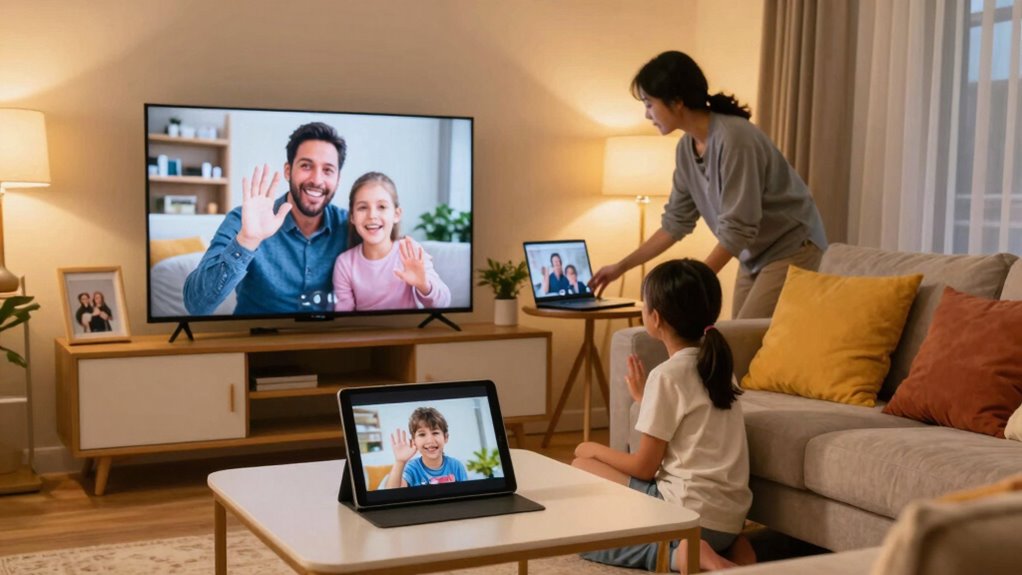

To build an easy family video call routine, start by choosing a regular day and time that works for everyone, making it a family tradition. Incorporate calls into your meal plans, like weekly dinner chats, to make them feel natural and consistent. Use simple gadgets like smartphones or tablets with pre-set configurations to avoid tech hassles. Focus on good video quality for clear conversations. Keep this routine simple and enjoyable, and you’ll find it becomes a meaningful part of your family life—discover how to make it effortless.

Get health and wellness essentials delivered free with Prime
- Fast, free delivery on millions of items
- Prime Video, Amazon Music and more included
- Member-only deals all year
Key Takeaways
- Schedule regular, fixed times for family video calls to create consistency and anticipation.
- Incorporate calls into weekly routines, such as during dinner or specific family activities.
- Use simple, dedicated devices like tablets or smart displays to streamline the calling process.
- Set up devices beforehand to minimize technical issues and ensure smooth, high-quality conversations.
- Communicate the routine clearly to all family members to encourage participation and make it a family tradition.

In today’s busy world, establishing a regular family video call routine can feel challenging, but it’s a simple way to stay connected. With everyone’s packed schedules, carving out time for family calls requires some planning, but it’s worth the effort. One way to make it easier is by integrating your video calls into your meal planning. For example, you can designate a specific day and time each week when everyone gathers around the table or their devices for a virtual family dinner. This consistency helps everyone remember and look forward to it, turning it into a family tradition. When you plan meals around these calls, it becomes a natural part of your routine, and you avoid the hassle of coordinating last-minute schedules.
Using tech gadgets can simplify the process even further. Modern smartphones, tablets, and laptops make connecting seamless. You don’t need fancy equipment—just a reliable internet connection and a device with a camera and microphone. Many families find that setting up a dedicated device for calls helps keep things straightforward. For instance, mounting your tablet in a central spot where everyone can see and be seen makes the experience more interactive. Some families also invest in smart displays, which combine a screen with voice assistant features, making it easier to initiate calls hands-free. These gadgets reduce the hassle of dialing or searching for links, so you can focus on enjoying the conversation instead of troubleshooting tech issues. Additionally, understanding the importance of high refresh rates in video quality can help you choose the best devices for smooth, clear video calls, especially during longer conversations. Recognizing the significance of video quality standards can ensure your calls remain crisp and enjoyable for everyone involved.
smart display for family video calls
As an affiliate, we earn on qualifying purchases.
As an affiliate, we earn on qualifying purchases.
Frequently Asked Questions
What Technology Is Best for Family Video Calls?
For family video calls, choose user-friendly platforms like Zoom, FaceTime, or Skype that support group calls and clear audio-visuals. Keep in mind video call etiquette by muting when not speaking and maintaining eye contact. To keep everyone engaged, plan family call themes like sharing recent stories or celebrating milestones. The right technology combined with these themes makes your family calls more fun, connected, and memorable.
How Do I Handle Time Zone Differences?
To handle time zone differences, use time zone tips like world clocks or scheduling apps to find overlapping hours that work for everyone. Establish clear scheduling strategies, such as rotating call times, so no one feels left out. Communicate in advance about the chosen times and be adaptable. This way, you guarantee family video calls remain enjoyable and convenient, regardless of different locations or time zones.
What if Some Family Members Aren’t Tech-Savvy?
If some family members aren’t tech-savvy, you can make things easier by offering simple tech tutorials and family training sessions. Show them step-by-step how to use the devices and apps needed for video calls. Keep instructions clear and patient, and consider creating a quick reference guide they can consult later. Your support helps boost their confidence, making regular family video calls more enjoyable and stress-free for everyone.
How Often Should We Schedule Calls?
You should schedule family calls at a frequency that balances connection and convenience, often once a week or biweekly. Consistent scheduling builds anticipation and strengthens bonds. Too frequent calls might feel overwhelming, while infrequent ones risk losing touch. By establishing regularity, you create a reliable routine that everyone can look forward to, making your family connections resilient and meaningful, even when life’s busy moments distract you.
How Can I Make Virtual Calls More Engaging?
To make virtual calls more engaging, start with creative icebreakers like fun questions or quick games to warm everyone up. Incorporate shared activity ideas such as cooking together, drawing, or watching a movie simultaneously. Keep the conversation lively by encouraging everyone to share stories or show something interesting. Using these strategies makes your family video calls more interactive, enjoyable, and memorable for everyone involved.
tablet mount for video conferencing
As an affiliate, we earn on qualifying purchases.
As an affiliate, we earn on qualifying purchases.
Conclusion
Creating a simple family video call routine keeps everyone connected and strengthens your bonds. By setting a regular time and using easy-to-navigate platforms, you make it effortless for all ages to join in. Did you know that families who regularly connect via video calls report higher levels of happiness and closeness? So, start small, stay consistent, and watch your family relationships flourish. Making time for these calls truly makes a difference in your family’s overall well-being.
easy-to-use video calling device
As an affiliate, we earn on qualifying purchases.
As an affiliate, we earn on qualifying purchases.
high-quality webcam for family calls
As an affiliate, we earn on qualifying purchases.
As an affiliate, we earn on qualifying purchases.
Fall Picks
fall essentials
As an affiliate, we earn on qualifying purchases.