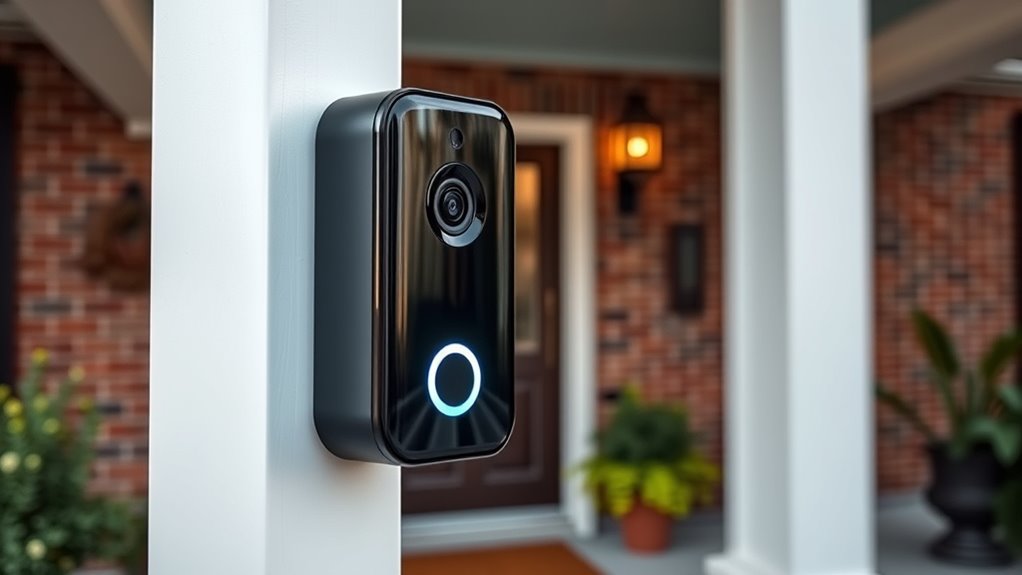

The best video doorbell for seniors makes it easier to see who is at the door without rushing to answer it. My best overall pick is the eufy Security Video Doorbell E340 Kit, which pairs 2K video and local storage with an extra battery. The TKMARS monitor models stand out for people who prefer a dedicated indoor screen, while Google Nest Doorbell (Wired, 3rd Gen) is a stronger fit for a connected home that already uses Google devices. The main tradeoffs are whether you want a phone app or simple monitor, battery or wired power, and local storage or cloud-linked features. Read on for a closer comparison of all 13 options and guidance on matching one to the person and home.

Get health and wellness essentials delivered free with Prime
- Fast, free delivery on millions of items
- Prime Video, Amazon Music and more included
- Member-only deals all year
Key Takeaways
- A dedicated monitor can reduce phone dependence: The TKMARS monitor models are the clearest fit for someone who wants to check the door from an indoor screen, though the no-Wi-Fi versions trade away app-based remote access.
- Local storage is a meaningful point of difference: Eufy, Reolink, and several no-subscription models offer local recording options, but storage setup and playback experience vary by product.
- Battery and wired models solve different problems: Battery models can simplify installation where existing wiring is absent, while wired options avoid routine battery charging but depend on compatible doorbell wiring.
- More cameras do not always mean simpler use: Anona’s dual-camera approach may suit buyers who want broader views, but a basic live view and clear alerts can matter more for someone who wants fewer steps.
- “No subscription” and “no Wi-Fi” are not interchangeable: Some models avoid recurring storage fees while still relying on an app or network; the TKMARS no-Wi-Fi options target a different need and limit remote phone access.


| video doorbell for senior | Night vision | Resolution |
|---|---|---|
| BOIFUN Video Doorbell Camera W | Infrared, up to 10 meters | — |
| TKMARS Wireless Doorbell Camer | Yes | — |
| Tapo 2K Wireless Smart Video D | Full color with spotlight | 2K |
| Anona 3K Dual Camera Video Doo | Color night vision | 3K, 5MP |
| SOVMIKU Vicohome DB3 2K AI Vid | — | 1296p |
| Chamberlain myQ Video Doorbell | Color | — |
| TKMARS Wireless Doorbell Camer | Yes | — |
| TKMARS Wireless Doorbell Camer | — | — |
| eufy Security Video Doorbell E | Color | 2K FHD |
| Reolink Video Doorbell WiFi 2K | — | 2K Super HD |
| Reolink Battery Video Doorbell | Infrared | 4 MP |
| Google Nest Doorbell | Yes | — |
| REOLINK Battery Video Doorbell | — | 2K, 4 MP |
More Details on Our Top Picks
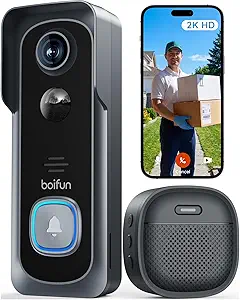
BOIFUN Video Doorbell Camera Wireless – 2K HD, No Subscription Required
I’d choose the BOIFUN when avoiding ongoing storage fees matters more than having a screen inside the home. Its 2K video, 166° view, and infrared night vision give a useful mix for checking who is at the door, while two-way audio lets a senior speak to visitors without opening it. Core features work without a subscription, and footage can be saved to a microSD card, though the card is not included.
Compared with the TKMARS model with a 4.3-inch monitor, BOIFUN depends on a phone app rather than a dedicated display, so it suits someone comfortable with smartphone alerts. Its listed battery life is up to 60 days under laboratory conditions; frequent alerts or live viewing may mean more charging. It also uses 2.4 GHz Wi-Fi only, which may not suit every home network.
Pros:- 2K video and a 166° field of view help show visitors and more of the entryway.
- Core features do not require a subscription, with microSD storage available.
- Two-way audio supports talking to visitors without opening the door.
- Infrared night vision and an anti-theft alarm add useful entry monitoring.
Cons:- A microSD card must be purchased separately for local recording.
- Works only with 2.4 GHz Wi-Fi.
- The up-to-60-day battery figure is from laboratory conditions and will vary with use.
Best for: Seniors who use a smartphone comfortably and want local recording without a subscription.
Not ideal for: People who want a dedicated indoor screen, lack reliable 2.4 GHz Wi-Fi, or prefer not to manage a separate microSD card.
- Video resolution:2K HD
- Field of view:166°
- Night vision:Infrared, up to 10 meters
- Wi-Fi:2.4 GHz only
- Battery life:Up to 60 days under laboratory conditions
- Local storage:MicroSD cards up to 128GB; card not included
- App:BoifunCam
Our verdict“Pick BOIFUN if you want app-based 2K monitoring and local storage without a required subscription, and skip it if an indoor monitor matters more.”
TKMARS Wireless Doorbell Camera with Monitor, No Subscription, Waterproof, 170° Wide Angle, Local Recording
The TKMARS system stands apart because its 4.3-inch monitor connects directly to the doorbell, so a user can see and speak with visitors without opening a phone app or relying on home Wi-Fi. That makes it a more straightforward fit for seniors who want a screen at hand and a simpler setup. It also supports local microSD recording, has night vision, and carries an IP65 weather-resistance rating.
Compared with the app-based BOIFUN doorbell, this model gives up smartphone-centered access in favor of a self-contained monitor. Its 170° camera angle is wide, but the direct wireless link can be affected by walls and interference, so placement matters. The monitor charges by USB-C, and both batteries may need attention depending on use. A microSD card is not included, and local recording supports 8–32 GB cards.
Pros:- Included 4.3-inch monitor provides a direct way to view and communicate with visitors.
- Works without Wi-Fi, an app, or a subscription.
- 170° camera angle and night vision cover a broad view of the entrance.
- IP65 weather resistance suits outdoor installation.
Cons:- Wireless range can be reduced by walls and interference.
- A microSD card is required for recording and is not included.
- Battery life varies with use, so recharging may be needed regularly.
Best for: Seniors who want to check the door on a dedicated screen and do not want to use Wi-Fi, an app, or cloud services.
Not ideal for: Households that need remote smartphone access, a long-range connection through multiple walls, or higher-capacity local recording.
- Display:4.3 inches
- Camera angle:170°
- Connection:Wireless 2.4 GHz direct connection
- Night vision:Yes
- Weather resistance:IP65 waterproof
- Doorbell battery:1800 mAh rechargeable
- Monitor power:400 mAh battery; USB-C charging
- Recording:Local microSD, 8–32 GB
Our verdict“Choose this TKMARS kit if a direct-connected indoor screen is more useful than app access or broader smart-home features.”
Tapo 2K Wireless Smart Video Doorbell with Chime, 160° Wide View
The Tapo D210 suits seniors or family members who already rely on a smartphone and voice assistants. Its 2K video, 160° view, and full-color night vision with a spotlight help make visitors easier to identify in different lighting. Alexa and Google Assistant compatibility can also fit into an existing smart-home routine, while the included indoor chime provides an audible alert at home.
Compared with the TKMARS monitor kit, Tapo offers app and assistant integration rather than a direct-connected screen, and it needs 2.4 GHz Wi-Fi. Local recording is available with a microSD card up to 512GB, but the card is sold separately; cloud storage also requires a subscription. The 6400mAh rechargeable battery avoids wired installation, though battery life varies with activity, and the chime is for indoor use only.
Pros:- 2K resolution and a 160° view help capture a broad, detailed view of the entrance.
- Spotlight-assisted full-color night vision can make nighttime visitors easier to recognize.
- Works with Alexa and Google Assistant.
- Supports local microSD recording up to 512GB.
Cons:- MicroSD card is not included, and cloud storage requires a subscription.
- Requires 2.4 GHz Wi-Fi for smart features.
- Battery life varies with usage, and the included chime is for indoor use only.
Best for: Seniors who are comfortable with smartphone controls and already use Alexa or Google Assistant at home.
Not ideal for: People seeking a no-Wi-Fi system, a built-in display, or recording without buying a card or subscribing to cloud storage.
- Resolution:2K
- Field of view:160° diagonal
- Battery:6400mAh rechargeable
- Local storage:MicroSD up to 512GB; card not included
- Cloud storage:Available by subscription
- Wi-Fi:2.4 GHz
- Night vision:Full color with spotlight
- Smart-home compatibility:Alexa and Google Assistant
- Mounting:15° horizontal wedge included
Our verdict“Choose Tapo if smart-home integration and color night viewing matter more than a no-Wi-Fi setup or included local storage.”
Anona 3K Dual Camera Video Doorbell with No Subscription and Chime
Anona’s dual-camera layout is its main reason to make this list: the secondary view is intended to help monitor the area near the doorstep, where a single lens may miss packages. Its 3K, 5MP system, color night vision, and detection for people, pets, and packages offer a broad feature set for households that want more than a basic visitor view. The included indoor chime can also make alerts easier to notice at home.
Compared with the Tapo 2K doorbell, Anona adds a second camera and flexible wired or battery power, but it is a larger unit and still needs Wi-Fi for full functionality. It supports Alexa and Google Assistant and can use local microSD storage up to 512GB without a required subscription for AI detection and alerts. The card is sold separately, and the advertised battery life of up to 100 days can change with activity and conditions.
Pros:- Dual cameras offer broader entry coverage, including the area near the doorstep.
- 3K, 5MP video and color night vision support detailed viewing.
- Flexible battery or wired power can suit different installation preferences.
- People, pet, and package detection plus an included indoor chime add alert options.
Cons:- MicroSD card is not included, and full functionality requires Wi-Fi.
- Battery life varies with activity and conditions.
- Its 6.3-inch height may be less suited to tight mounting spaces.
Best for: Seniors in homes where packages are often left at the doorstep and who want a wider view with people and package alerts.
Not ideal for: People who want a compact, simple doorbell, do not have Wi-Fi, or prefer a system that works without managing an optional memory card.
- Resolution:3K, 5MP
- Camera setup:Dual cameras
- Night vision:Color night vision
- Power:Rechargeable 5200mAh battery or wired
- Battery life:Up to 100 days
- Storage:MicroSD up to 512GB or cloud; microSD card not included
- Connectivity:2.4 GHz Wi-Fi and Wi-Fi 6
- Weather resistance:IP65 waterproof
- Dimensions:6.3 x 2.05 x 1.22 inches
Our verdict“Choose Anona if package visibility and dual-camera coverage are priorities, but pick a simpler model if you want fewer setup demands.”
SOVMIKU Vicohome DB3 2K AI Video Doorbell with Chime and Two-Way Audio
The SOVMIKU Vicohome DB3 is a fit for seniors or caregivers who want human detection and two-way audio in a battery-powered doorbell. AI detection can make alerts more focused on people rather than every change outside, while 1296p video and night vision support routine visitor checks. Its IP65 rating is suited to outdoor exposure, and the Vicohome app provides remote access for users who are comfortable managing alerts on a phone.
Compared with the BOIFUN doorbell, the DB3 does not offer microSD local storage, so recordings depend on cloud storage options rather than a card kept at home. It also requires Wi-Fi, making it less suitable than the TKMARS monitor system for someone who wants a direct screen and no network setup. The battery design avoids wiring, but the listed specifications do not give a battery-life estimate, and cloud storage availability may involve a plan.
Pros:- AI human detection can focus notifications on people at the door.
- Two-way audio supports speaking with visitors remotely.
- 1296p video and night vision support day and nighttime monitoring.
- IP65 water and dust resistance suits outdoor installation.
Cons:- Cloud storage is the only listed recording option; there is no SD card slot.
- Wi-Fi is required for operation.
- No battery-life estimate is provided in the supplied specifications.
Best for: Seniors or family caregivers who want app-based people alerts and remote two-way communication, and are comfortable with cloud storage.
Not ideal for: Buyers who want local recording, a dedicated indoor monitor, or a doorbell that works without Wi-Fi.
- Resolution:1296p
- Night vision range:32 feet
- Connectivity:Wi-Fi
- Water resistance:IP65
- Audio:Two-way audio
- Power:Battery
- App:Vicohome
- Storage:Cloud storage only
- Mount type:Wall mount
Our verdict“Pick the DB3 if human alerts and remote app access are your priorities, but choose BOIFUN or TKMARS if local recording matters more.”
Chamberlain myQ Video Doorbell
The Chamberlain myQ is a strong fit for seniors who want a clear view of callers without committing to a wired-only setup. Its 2K camera, color night vision, and 150° view can help identify visitors in varied lighting, while battery or wired power gives households more choice about placement. AI alerts for recognized faces or unknown visitors add another way to screen activity remotely. Compared with the Reolink Video Doorbell WiFi 2K Wired Camera, this model is easier to place where wiring is inconvenient, but Reolink includes a chime and offers a wider 180° view. The tradeoff here is that some features require a separate monitoring plan, and the myQ wireless chime is also sold separately. I’d choose it when installation flexibility matters more than an included alert chime.
Pros:- 2K resolution and color night vision help distinguish visitors after dark
- Battery or wired power suits more installation situations
- 150° field of view covers a broad area around the doorway
- AI alerts can distinguish recognized faces from unknown visitors
Cons:- Some features require a separately purchased Video Monitoring Plan
- myQ Wireless Chime is sold separately
- Battery operation requires periodic USB-C recharging
Best for: Seniors or caregivers who want 2K visitor views and the option to use battery power where existing doorbell wiring is inconvenient
Not ideal for: Buyers seeking a ready-to-use audible chime in the box or access to every feature without a separate monitoring plan
- Camera resolution:2K
- Night vision:Color
- Field of view:150°
- Power options:Battery or wired
- Connectivity:Wi-Fi
- Chime compatibility:myQ Wireless Chime; sold separately
- Recharge method:USB-C
Our verdict“Choose the myQ if flexible power and 2K views matter more than having a chime included.”
TKMARS Wireless Doorbell Camera No Subscription No WiFi/App Needed
This TKMARS system is aimed at people who would rather answer a doorbell on a dedicated screen than manage a smartphone app. The included 4.3-inch monitor, two-way audio, and local recording keep basic visitor checks within the home, with no Wi-Fi, app, or subscription required. Its 170° camera angle is wider than the Chamberlain myQ’s 150° view, though the myQ offers 2K video while this model records at 1080p. That simpler, more self-contained setup comes with limits: the monitor needs wired installation, and wireless range can shrink when walls or other obstacles intervene. There is no cloud storage option either. I’d favor this over the more app-dependent choices when a household values an on-device screen and straightforward local operation over remote access.
Pros:- Operates without Wi-Fi, an app, or subscription fees
- 4.3-inch monitor provides a dedicated screen for checking callers
- 170° camera angle offers broad doorway coverage
- Local recording and night vision support routine visitor checks
Cons:- Indoor monitor requires wired installation
- Wireless range may be limited by obstacles
- No cloud storage or app-based remote access
Best for: Seniors who want to view and speak with visitors on a dedicated indoor monitor without using Wi-Fi or a phone app
Not ideal for: People who need remote phone alerts, cloud footage, or a monitor that can be placed without wired installation
- Video resolution:1080p
- Monitor size:4.3 inches
- Night vision:Yes
- Wireless technology:2.4G wireless
- Wireless range:50–80 m outdoors; 5–30 m with obstacles
- Camera angle:170°
- Weight:0.45 kg
- Recording:Local recording
Our verdict“Pick this TKMARS system if an at-home monitor and subscription-free local operation matter more than phone access.”
TKMARS Wireless Doorbell Camera with Monitor, No WiFi or Subscription, Waterproof, 170° Wide Angle, Night Vision
This TKMARS is a practical choice for seniors who want a private link between the doorbell and an indoor monitor, rather than relying on home Wi-Fi or an app. It pairs a 4.3-inch display with two-way push-to-talk and local microSD recording, so visitors can be checked and footage saved without a cloud plan. Its 170° view is broad, but the camera resolution is only 480p; that is a clear compromise beside the 1080p TKMARS model in this roundup and the sharper 2K Chamberlain myQ. The rechargeable outdoor and indoor batteries also add placement flexibility, though frequent use can mean more charging. I’d pick this version for buyers who put local operation and privacy ahead of fine image detail, and skip it if identifying faces at a distance is the priority.
Pros:- Works without Wi-Fi, an app, or subscription fees
- Local microSD recording avoids cloud storage dependence
- 170° viewing angle covers a wide area near the door
- Rechargeable batteries allow flexible placement
Cons:- 480p resolution is lower than the 1080p TKMARS monitor system and 2K alternatives
- Battery life can vary with use and may require frequent recharging
- MicroSD card is not included, and supported capacity is limited to 8–32 GB
Best for: Seniors who want a dedicated monitor, local microSD recording, and a doorbell connection that does not depend on Wi-Fi or a subscription
Not ideal for: Buyers who need sharper video for identifying faces, dependable long-term battery life, or a system with a memory card included
- Camera resolution:480p
- Display size:4.3 inches
- Viewing angle:170°
- Connectivity:Wireless 2.4 GHz and Bluetooth
- Outdoor battery:1800 mAh rechargeable
- Indoor battery:400 mAh
- Weather resistance:IP65
- Memory card support:8–32 GB microSD; card not included
Our verdict“Choose this model for private, local monitor-based operation if its 480p image quality is sufficient for your needs.”
eufy Security Video Doorbell E340 Kit with Extra Battery, 2K FHD, 8GB Local Storage
The eufy E340 kit stands out for seeing both visitors and activity nearer the ground, thanks to its dual front-and-downward-facing cameras. That second angle can help a senior or caregiver check for parcels without relying on a separate camera. It records in 2K, offers color night vision, and stores clips on 8GB of local storage, avoiding subscription fees for the described recording setup. The included extra battery can reduce interruption while one pack is being recharged. Compared with the Reolink wired model, eufy avoids a hardwired power requirement, but it does not include an audio chime and needs a compatible chime or HomeBase for alerts. Storage is modest, too, so clips may need managing. This is the better match when package visibility and battery flexibility matter more than a ready-in-box chime.
Pros:- Dual cameras show the visitor and the area directly below the doorbell
- 2K video and color night vision support clearer day and night checks
- 8GB local storage avoids a required subscription for the described storage
- Extra rechargeable battery helps keep the doorbell powered during charging
Cons:- Requires a compatible chime or HomeBase for audio alerts
- 8GB of local storage may require frequent clip management
- A second battery does not remove the need to recharge batteries over time
Best for: Seniors who want a downward view of parcels alongside visitor video and prefer local storage with battery operation
Not ideal for: Buyers who need an included chime for audible alerts or want ample onboard storage without managing saved clips
- Resolution:2K FHD
- Camera type:Dual front and downward-facing cameras
- Local storage:8GB eMMC
- Extra battery capacity:6,500 mAh
- Night vision distance:Up to 16 ft (5 m)
- Night vision:Color
- Compatibility:Alexa, Google Voice Assistant, eufy HomeBase 2/3, Minibase Chime
Our verdict“Choose the eufy E340 kit if parcel visibility and battery-powered 2K coverage outweigh the need for an included chime.”
Reolink Video Doorbell WiFi 2K Wired Camera
The Reolink is the most fitting pick here for seniors who already have compatible doorbell wiring and want a broad view without relying on battery charging. Its 180° 4:3 view can capture more of a visitor’s approach than the Chamberlain myQ’s 150° lens, while 2K video, night vision, and two-way audio cover the core tasks of checking and speaking to callers. The included Chime V2 is a practical advantage over the eufy E340 kit, which needs a compatible chime or HomeBase for audio alerts. The tradeoff is installation: this model requires 12–24VAC or DC 24V power, so it is less flexible than battery-capable alternatives. Some expanded functions also depend on compatible Reolink accessories. I’d choose it when wiring is available and a wide, fixed view is the priority.
Pros:- 180° 4:3 viewing angle captures a broad doorway scene
- 2K video and day-and-night vision support visitor identification
- Includes Chime V2 for indoor audio alerts
- Two-way audio supports speaking with visitors without opening the door
Cons:- Requires 12–24VAC or DC 24V wired power
- Some functionality depends on compatible Reolink accessories
- Cannot be placed as flexibly as battery-powered options such as the Chamberlain myQ
Best for: Seniors with compatible doorbell wiring who want a wide 2K view, two-way talk, and an included chime
Not ideal for: Renters or households without compatible wiring, and buyers who want battery-powered placement flexibility
- Resolution:2K Super HD
- Viewing angle:180° wide view
- Aspect ratio:4:3
- Wi-Fi bands:2.4 GHz and 5 GHz
- Power:12–24VAC or DC 24V
- Weather protection:Waterproof
- Included chime:Chime V2
Our verdict“Choose Reolink if your wiring is compatible and you want a wide 2K view with a chime included.”
Reolink Battery Video Doorbell (2nd Gen) with Home Hub Mini 2K Camera Kit
For a senior household that needs freedom to place the doorbell without relying on existing wiring, this Reolink stands out for its battery-or-wired power and up to 10 months of stated battery life under light recording use. Its 4 MP image and unusually broad 150°×150°×180° view can help capture visitors and packages across a wider area than the Google Nest Doorbell (Wired, 3rd Gen), whose 166° field of view is a simpler single measurement. Person, vehicle, animal, and package detection can make alerts more useful, while two-way talk lets someone answer from indoors. Local recording supports up to 1TB on a separately purchased microSD card. That flexibility comes with setup choices and storage shopping; battery life can also fall with frequent recordings. The Home Hub Mini manages up to eight cameras, so larger camera systems may need another approach.
Pros:- Battery or 24V AC power gives households flexibility around existing wiring.
- 4 MP video and a 150°×150°×180° view provide detailed, broad coverage.
- Detection covers people, vehicles, animals, and packages.
- Supports local recording on a microSD card up to 1TB.
Cons:- A microSD card must be purchased separately for local storage.
- The stated battery life is based on light recording and can vary with use.
- The Home Hub Mini is limited to managing eight cameras.
Best for: Older adults or caregivers who want a battery option, broad coverage, and local recording without depending on existing doorbell wiring.
Not ideal for: People who want included storage and the fewest setup decisions, or households managing more than eight cameras through the Home Hub Mini.
- Resolution:4 MP
- View angle:150°×150°×180°
- Power:Battery or 24V AC wired
- Storage:Supports up to 1TB microSD card; card sold separately
- Connectivity:2.4GHz and 5GHz Wi-Fi
- Night vision:Infrared
- Smart detection:People, vehicles, animals, and packages
- Stated battery life:Up to 10 months, based on 5 minutes of recording per day
Our verdict“Choose this Reolink if flexible power and broad local-recording coverage matter more than having a storage card included.”
Google Nest Doorbell (Wired, 3rd Gen) – Hazel
The Nest is the clearest fit for seniors whose household already uses Google Home and can support a wired installation. Its 2K HDR video, 166° field of view, and night vision give a visitor-focused setup without the battery charging routine found on the REOLINK Battery Video Doorbell (2nd Gen). That always-wired power is a practical advantage for people who do not want to track charge levels, and encrypted data handling adds a security-minded touch. Smart alerts and Google Home integration can make it easier for family members to stay involved. The tradeoff is the fixed installation: wiring may require help, and it offers less placement flexibility than the battery-powered Reolink models in this lineup. Some Gemini features require a Google Home premium subscription, so buyers should not assume every smart function is included with the doorbell.
Pros:- 2K HDR video and a 166° field of view help show visitors and the doorway.
- Wired power avoids battery charging and battery-life uncertainty.
- Google Home integration can fit households already using that platform.
- Encrypted data security is part of the listed feature set.
Cons:- Wired installation may be difficult without existing compatible wiring or assistance.
- Gemini features require a Google Home premium subscription.
- Wired power limits placement flexibility compared with battery models.
Best for: Older adults and caregivers already using Google Home who have compatible doorbell wiring or access to help with installation.
Not ideal for: Renters, households without suitable wiring, or buyers who want battery-powered placement and do not use Google Home.
- Video quality:2K HDR
- Field of view:166°
- Power source:Wired
- Connectivity:Wi-Fi
- Night vision:Yes
- Dimensions:5.16 × 1.65 × 1.14 inches
- Weight:4.96 ounces
- Model number:GA09968-US
Our verdict“Pick the Nest if you already rely on Google Home and prefer continuous wired power over flexible installation.”
REOLINK Battery Video Doorbell (2nd Gen) – 2K 4MP, Dual-Band Wi‑Fi, Wireless & Wired Power, Includes 256GB microSD Card, No Monthly Fee, Two‑Way Talk
This Reolink makes local recording easier to get started with because a 256GB microSD card is included, unlike the Reolink Home Hub Mini kit, which supports a larger card but requires you to buy one separately. For seniors or family caregivers who want recorded clips without a monthly subscription, that ready-to-use storage is a meaningful distinction. The doorbell also offers 2K 4 MP video, two-way talk, and battery or wired power, so it can suit homes where a charge-free wired setup is possible as well as those needing a battery option. Dual-band Wi-Fi adds network flexibility. Its tradeoffs are practical: frequent streaming and recording can shorten battery life, and installation may take more effort than a plug-in device. The available product details do not specify a field of view or battery-life estimate, so buyers seeking those specifics should compare carefully.
Pros:- Includes a 256GB microSD card for local recording.
- Does not require a subscription according to the product details.
- Offers both battery and wired power options.
- 4 MP video, two-way talk, and dual-band Wi-Fi provide useful communication and connectivity features.
Cons:- Battery life may fall with frequent recording and video streaming.
- Installation can be more involved than a plug-in doorbell.
- The supplied product details do not state the field of view or a battery-life estimate.
Best for: Seniors and caregivers who want local video storage included, no monthly subscription requirement, and a choice of battery or wired power.
Not ideal for: Buyers who need a stated field-of-view measurement or battery-life estimate before choosing, or who want the simplest possible installation.
- Resolution:2K, 4 MP
- Power options:Wireless battery or wired power
- Wi-Fi:Dual-band
- Included storage:256GB microSD card
- Storage type:Local microSD
- Subscription required:No
- Audio:Two-way talk
Our verdict“Choose this model if included local storage and avoiding a subscription matter more than having published coverage and battery-life figures.”
How We Picked
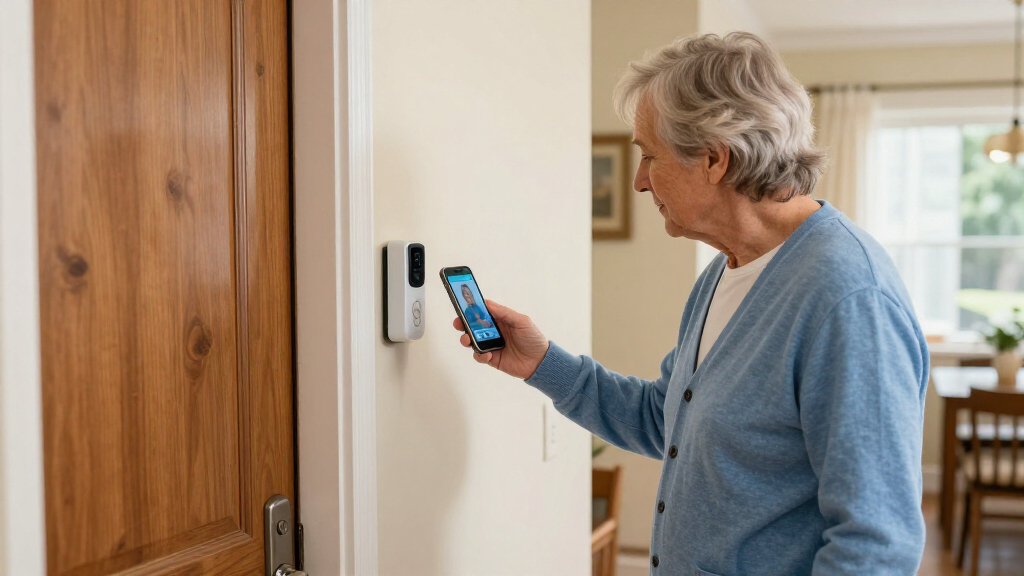
I compared these doorbells around the needs that can make a real difference for seniors and caregivers: clear live video, understandable alerts, practical two-way talk, and a viewing method that suits the person using it. I also weighed power and installation requirements, indoor chime or monitor support, recording options, weather resistance, and how much the system depends on a smartphone, Wi-Fi, or a paid service. A feature only counted as a strength when it could make answering the door or checking an event more straightforward.
The ranking favors a useful balance of access, recording, and day-to-day flexibility rather than the longest feature list. That puts the Eufy kit near the top for its combination of 2K video, local storage, and an extra battery; TKMARS monitor models rank well for buyers who value a dedicated screen, but lower for households needing remote app access. Wired and smart-home-focused choices, including Reolink and Nest, can be a better match when the home already supports their setup. Because the lineup includes different power and connectivity approaches, the right pick depends on the user’s comfort with phones and the home’s existing wiring and network.
| video doorbell for senior | Night vision |
|---|---|
| BOIFUN Video Doorbell Camera W | Infrared, up to 10 meters |
| TKMARS Wireless Doorbell Camer | Yes |
| Tapo 2K Wireless Smart Video D | Full color with spotlight |
| Anona 3K Dual Camera Video Doo | Color night vision |
| SOVMIKU Vicohome DB3 2K AI Vid | — |
| Chamberlain myQ Video Doorbell | Color |
| TKMARS Wireless Doorbell Camer | Yes |
| TKMARS Wireless Doorbell Camer | — |
| eufy Security Video Doorbell E | Color |
| Reolink Video Doorbell WiFi 2K | — |
| Reolink Battery Video Doorbell | Infrared |
| Google Nest Doorbell | Yes |
| REOLINK Battery Video Doorbell | — |
Factors to Consider When Choosing Video Doorbell For Seniors
For a senior, the best doorbell is the one they can comfortably use after installation—not simply the one with the most features. I’d start by deciding how the person wants to see visitors, then check the home’s wiring, Wi-Fi, and preferred recording setup. These choices often matter more than a small difference in camera resolution.
Choose the viewing method before comparing camera specs
Ask whether the person is comfortable receiving alerts on a smartphone or would rather check a screen placed indoors. A dedicated monitor can reduce the need to find a phone, open an app, and locate a live view, but it may not provide the same remote access when a caregiver is away. Phone-based systems can be convenient for family members who help manage the door, yet notifications may be missed if the app is muted or the phone is out of reach. A common mistake is buying an app-centered model for someone who does not routinely use a smartphone. If both the resident and a caregiver need access, check how the product handles shared accounts and permissions before choosing.
Match power to the home and the person’s maintenance tolerance
Battery models avoid relying on existing doorbell wiring, which can simplify fitting the device in older homes or at a location without a usable chime circuit. Their tradeoff is upkeep: someone must notice low-battery alerts and recharge or replace the battery. Wired models can reduce charging chores, but only if the home’s wiring is compatible and installation is within the buyer’s comfort level. Do not assume that a device described as wireless needs no setup or maintenance; it may still depend on Wi-Fi and periodic charging. If the senior will not manage charging, plan for a caregiver to handle it or favor a compatible wired installation.
Check what happens when the internet or phone is unavailable
Video doorbells vary in how much they rely on Wi-Fi, an app, and cloud services. A no-Wi-Fi monitor system may keep basic viewing simple for someone who does not want an app, but it is not the same as remotely checking the door from another location. A model with local recording may retain clips without a recurring cloud plan, although the buyer still needs to understand where clips are stored and how to play them back. Before purchasing, test the expected Wi-Fi signal at the door and confirm what alerts or recording features remain available during an outage. This avoids the common mismatch between wanting remote family oversight and choosing a system designed mainly for local use.
Prioritize usable alerts and two-way talk over extra features
A useful alert should make it easy to recognize that someone is at the door and open the live view without unnecessary steps. Two-way audio can help a resident speak to a visitor without walking to the entrance, but sound quality and app handling matter as much as the feature’s presence on a spec sheet. Wide or dual-camera views can show more of the area, yet they do not automatically make a notification easier to interpret. Think about the senior’s hearing, vision, and comfort speaking through a phone or monitor. If possible, plan a simple routine: where the alert appears, how to answer, and what to do if the visitor cannot be identified.
Understand recording and subscription terms before choosing
“No subscription required” can mean that basic viewing and local recording are available without a recurring plan, but it does not tell you how easy it is to find an older clip or whether advanced alerts are included. Local storage avoids depending entirely on a cloud account, though a memory card or hub may need setup and occasional checks. Cloud storage can make remote clip access more convenient, but it may add ongoing costs or account steps. Compare what is recorded, how long footage is retained, and who can review it, rather than relying on a headline claim. For a household where a caregiver may need to check past visits, playback access can matter as much as live video.
Plan installation and support around the actual user
Installation is not only about mounting the camera; it may include pairing a phone, configuring notifications, sharing access, and teaching the resident how to respond. A technically capable family member can set up a more connected system, but the senior should still be able to use the everyday controls without help. Check whether the kit includes the chime, monitor, storage components, or power accessories needed for the intended setup. Also consider whether the door’s location exposes the device to rain, extreme temperatures, or a weak wireless signal. A simple handoff—with a clear alert routine and a named person responsible for charging or troubleshooting—can prevent a capable device from becoming frustrating.
Frequently Asked Questions
Is a video doorbell with a dedicated monitor better for a senior who does not use a smartphone?
It can be a better fit when the resident wants to view visitors on a screen inside the home without opening a phone app. The TKMARS monitor options in this lineup are aimed at that use, while app-based models such as Eufy, Tapo, and Reolink are more suited to households comfortable with smartphone controls. Check whether the monitor can be placed where the person will notice it and whether it supports the functions they need, such as live view or two-way talk. If family members also need to check the door remotely, confirm that the chosen model supports that rather than assuming a monitor provides phone access.
Can a family member receive alerts if the senior does not want to use an app?
That depends on the doorbell’s connectivity and account-sharing features. App-connected models may let a caregiver receive alerts even if the resident mainly uses an indoor chime or monitor, but setup and permissions differ by system. A no-Wi-Fi model is generally a poor match if remote alerts are a must, since its core appeal is avoiding network or app dependence. Before buying, verify that the caregiver can receive alerts on their own phone and that this does not make the resident’s everyday use more complicated. Agree on who will manage the account and notifications after installation.
Should I choose a battery doorbell or a wired one for an older home?
Start by checking whether the existing doorbell wiring is present and compatible, rather than assuming an older home cannot support a wired model. Battery models can avoid wiring work and offer more placement flexibility, but a person will need to monitor battery status and recharge the unit. Wired models reduce that recurring task when correctly installed, though the initial fit may call for electrical or doorbell-system help. If the senior will be managing the device alone, the maintenance routine may matter more than installation convenience. A caregiver who can handle charging may make a battery model a practical choice.
Do I need a subscription to save video clips?
Not always: several products in this roundup advertise local recording or no required subscription, including options from Eufy, Reolink, BOIFUN, and TKMARS. However, check the exact package and storage method, since a hub or memory card may be required and may need setup. Local storage can avoid ongoing cloud fees, but the buyer should confirm how clips are reviewed and whether remote playback is available. Cloud plans can be more convenient for access away from home, but may bring recurring costs or account requirements. Choose based on who needs to retrieve clips and how comfortable that person is with managing storage.
What should I prioritize if the senior has trouble hearing or seeing alerts?
Look beyond camera resolution and check whether the system offers a visible indoor display, a clear chime, and controls that are easy to recognize. A dedicated monitor may make the live view easier to access than a small phone screen, while a phone-only model could work if alerts can be configured on a larger device or shared with a caregiver. Two-way talk can help avoid a walk to the door, but the person should be comfortable hearing and speaking through the chosen device. Test alert volume and display placement during setup, and adjust notification settings so visitors are not lost among unrelated phone alerts. If those needs are central, choose the simplest interface the person can use independently.
Conclusion
For most households seeking a balance of clear video, local recording, and battery flexibility, I’d start with the eufy Security Video Doorbell E340 Kit as the best overall pick. The best value-style fit is a no-subscription option such as BOIFUN when straightforward local recording matters more than a richer connected setup; check its app and storage workflow against the resident’s comfort level. For beginners who prefer an indoor screen, choose a TKMARS monitor model, with the no-Wi-Fi version best reserved for homes that do not need remote access. Buyers seeking a premium connected experience can compare Google Nest and Reolink wired options, especially if their home already has compatible wiring and smart-home support. For a specific need, choose the Reolink battery kit when local storage and flexible power are priorities, or a TKMARS no-Wi-Fi model when avoiding apps and network setup matters most.
Cold & flu season Picks
humidifiers
As an affiliate, we earn on qualifying purchases.