Finding a remote that’s truly easy for seniors to use can be challenging, especially with small buttons and complicated layouts. The GE BigEZ OneTouch stands out as the best overall choice for its straightforward design and reliable performance. The Backlit Big Button Remote is ideal for visually impaired users, while the Flipper Big Button Remote offers dementia-friendly simplicity. Each option balances ease of use with functionality, but tradeoffs include limited features or higher costs. Continue reading for a detailed comparison to find the best fit for your needs.

Get health and wellness essentials delivered free with Prime
- Fast, free delivery on millions of items
- Prime Video, Amazon Music and more included
- Member-only deals all year
Key Takeaways
- Top picks combine large, clearly labeled buttons with simple layouts, making them accessible for users with limited dexterity or vision.
- Backlit and color-coded options significantly improve usability for visually impaired seniors, but often come at a higher price.
- Universal compatibility remains a key factor, with some remotes supporting multiple brands, reducing the need for multiple devices.
- Durability and waterproof features are important for seniors prone to dropping or spilling, but can add bulk or cost.
- Ease of setup varies widely—models that require no programming are preferred by most seniors and caregivers alike.
| GE BigEZ OneTouch Big Button Universal TV Remote for Seniors |  | Best Overall for Ease and Compatibility | Compatible Brands: Samsung, LG, Vizio, Sony, Roku | Button Features: Large, backlit, colorblind-friendly | Power Source: 2 AA batteries (not included) | VIEW ON AMAZON | See Our Full Breakdown |
| Learning Big Button Universal TV Remote for Elderly/Seniors with Backlit |  | Best for Customization and Learning Features | Compatibility: Hundreds of TV brands | Setup Methods: Code input and learning function | Backlit: Yes | VIEW ON AMAZON | See Our Full Breakdown |
| Big Button Universal TV Remote for Seniors, Easy to Use, Compatible with Most Brands |  | Best Simple Design for Limited Dexterity | Maximum Range: 10 meters | Supported Devices: 1 | Connectivity Technology: Infrared | VIEW ON AMAZON | See Our Full Breakdown |
| Big Button TV Remote for Seniors, Dementia – Easy Setup with Large Color-Coded Buttons |  | Best for Dementia and Impaired Vision | Compatibility: All major TV brands and cable providers | Button Type: Large, color-coded tactile buttons | Functions: Basic TV and cable control | VIEW ON AMAZON | See Our Full Breakdown |
| GE Big Button Universal Remote Control for Samsung, Vizio, LG, Sony, Roku |  | Best for Multiple Device Control with Ease | Device Control: Up to 2 devices | Batteries: 2 AA (not included) | Compatibility: Samsung, Vizio, LG, Sony, Roku | VIEW ON AMAZON | See Our Full Breakdown |
| Big Button Universal TV Remote – Easy to Use for Seniors, Compatible with Major TV Brands |  | Best Overall for Versatility and Ease of Use | Design: Big Button, Tactile Feedback | Compatibility: Samsung, LG, VIZIO, Sony, Hisense, Philips, Panasonic, Sharp TVs | Programming: Press and hold Mute & Volume+ to pair | VIEW ON AMAZON | See Our Full Breakdown |
| Big Button TV Remote 4-in-1 Universal Waterproof for Seniors |  | Best for Durability and Multiple Device Compatibility | Compatibility: TVs, streaming boxes, soundbars, DVD/VCR, DVB | Button Design: Large, color-coded | Waterproof: Yes | VIEW ON AMAZON | See Our Full Breakdown |
| Large Button TV Remote Control for Seniors, Easy to Use, Simple Layout with Large Buttons |  | Best for Simplicity and Basic TV Control | Number of Buttons: 10 | Maximum Range: 10 meters | Connectivity Technology: Infrared | VIEW ON AMAZON | See Our Full Breakdown |
| Backlit Big Button TV Remote Replacement for Samsung TV with Cover & Hook, No Setup, Suitable for Seniors and Visually Impaired |  | Best for Low-Light Use and Samsung TV Users | Compatibility: Samsung smart TVs (LCD/LED/4K/OLED) | Button Type: Large, backlit, soft silicone | Range: 49 feet | VIEW ON AMAZON | See Our Full Breakdown |
| Flipper Big Button TV Remote for Seniors, Dementia – Easy Setup |  | Best for Dementia and Simplified TV Control | Button Colors: Green (On/Off), Orange (Volume), Blue (Channel), Gray (Mute) | Number of Favorite Channels: 25 | Compatibility: All major TV brands and cable providers | VIEW ON AMAZON | See Our Full Breakdown |
| large button remotes for senior | Compatibility |
|---|---|
| GE BigEZ OneTouch Big Button U | — |
| Learning Big Button Universal | Hundreds of TV brands |
| Big Button Universal TV Remote | — |
| Big Button TV Remote for Senio | All major TV brands and cable providers |
| GE Big Button Universal Remote | Samsung, Vizio, LG, Sony, Roku |
| Big Button Universal TV Remote | Samsung, LG, VIZIO, Sony, Hisense, Philips, Panasonic, Sharp TVs |
| Big Button TV Remote 4-in-1 Un | TVs, streaming boxes, soundbars, DVD/VCR, DVB |
| Large Button TV Remote Control | — |
| Backlit Big Button TV Remote R | Samsung smart TVs (LCD/LED/4K/OLED) |
| Flipper Big Button TV Remote f | All major TV brands and cable providers |
More Details on Our Top Picks
GE BigEZ OneTouch Big Button Universal TV Remote for Seniors
The GE BigEZ remote stands out for its straightforward design, large backlit buttons, and broad compatibility with major TV brands like Samsung and LG. Compared to the Learning Big Button Remote, it offers a simpler, no-fuss setup ideal for users who prefer plug-and-play devices. Its preset buttons reduce confusion, but it limits customization and requires two AA batteries, which some users may find inconvenient. This remote is best suited for seniors who want reliable, easy operation without complex programming.
Pros:- Large, easy-to-see backlit buttons perfect for visually impaired users
- Simple setup process for quick use
- Universal compatibility with major TV brands
- Colorblind-friendly controls
Cons:- Requires two AA batteries (not included)
- Limited to preset device controls without advanced customization
Best for: Seniors and visually impaired users who prioritize simplicity and quick setup
Not ideal for: Tech-savvy users who want extensive customization or control over multiple devices
- Compatible Brands:Samsung, LG, Vizio, Sony, Roku
- Button Features:Large, backlit, colorblind-friendly
- Power Source:2 AA batteries (not included)
- Control Type:Universal remote for multiple devices
- Special Features:OneTouch programming, preset AUX button
Our verdict“This pick makes the most sense for seniors seeking a reliable, easy-to-use remote with broad compatibility and minimal fuss.”
Learning Big Button Universal TV Remote for Elderly/Seniors with Backlit
This remote excels for users who want to tailor controls precisely, thanks to its learning function and support for hundreds of TV brands. Unlike the GE BigEZ, it requires the original remote for programming, which can be an obstacle for some seniors. Its large, backlit buttons make operation easier, but setup can be complex if users are unfamiliar with learning mode or coding steps. This remote is better suited for tech-savvy seniors or caregivers who need detailed control customization.
Pros:- Supports learning function for customized controls
- Compatible with hundreds of TV brands
- Large, backlit buttons enhance visibility
Cons:- Requires the original remote for programming
- Setup process may be complex for some users
- Batteries not included
Best for: Caregivers or tech-savvy seniors comfortable with learning functions and programming
Not ideal for: Seniors with limited dexterity or those seeking a straightforward, plug-and-play remote
- Compatibility:Hundreds of TV brands
- Setup Methods:Code input and learning function
- Backlit:Yes
- Includes:Remote control, user manual
- Batteries:Not included
Our verdict“Ideal for users who need highly customizable controls and are willing to handle a more involved setup process.”
Big Button Universal TV Remote for Seniors, Easy to Use, Compatible with Most Brands
This remote is designed with tactile, large buttons that are easy to press and see, making it ideal for seniors with limited dexterity or vision. Unlike the more feature-rich Learning Big Button Remote, it offers only basic TV control, which keeps things simple but limits functionality for multi-device setups. Its infrared connectivity and single-device support mean it’s straightforward but not versatile for complex entertainment systems. This remote is perfect for seniors who want a no-nonsense, easy-to-operate device for just their TV.
Pros:- Large, tactile buttons for easy visibility and pressing
- Compatible with most major TV brands
- Simple and stress-free operation
Cons:- Limited to controlling only one device
- No voice control or smart features
- Range limited to about 10 meters
Best for: Seniors with dexterity challenges seeking a simple, reliable remote for TV control only
Not ideal for: Users wanting control of multiple devices or smart home features
- Maximum Range:10 meters
- Supported Devices:1
- Connectivity Technology:Infrared
- Controller Type:Button Control
Our verdict“This remote is best suited for seniors who want a basic, easy-to-use device for their TV without extra bells and whistles.”
Big Button TV Remote for Seniors, Dementia – Easy Setup with Large Color-Coded Buttons
This remote combines large, color-coded buttons with simple operation, making it especially suitable for seniors with dementia or significant vision impairments. Unlike the basic GE BigEZ, it includes multi-functional buttons for TV and cable, helping reduce remote clutter. Its universal compatibility covers all major brands, but it relies on line-of-sight IR signals, which can pose issues with some cable setups. It offers only basic functions, so users seeking advanced features may need more sophisticated options. This device is ideal for caregivers managing dementia patients or seniors who need straightforward control.
Pros:- Large, easy-to-press color-coded buttons for accessibility
- Universal compatibility with major TV and cable brands
- Simple setup designed for dementia and elderly users
Cons:- Line-of-sight IR dependency may limit flexibility
- Some Xfinity boxes may require IR extenders
- Limited advanced features beyond basic control
Best for: Caregivers or seniors with dementia, impaired vision, or needing minimal control options
Not ideal for: Users who want smart features, voice control, or control beyond basic functions
- Compatibility:All major TV brands and cable providers
- Button Type:Large, color-coded tactile buttons
- Functions:Basic TV and cable control
- Warranty:90 days
Our verdict“This remote is well-suited for dementia care or elderly users needing large buttons and simple operation with minimal setup.”
GE Big Button Universal Remote Control for Samsung, Vizio, LG, Sony, Roku
This remote offers a practical solution for controlling up to two devices, such as a TV and soundbar, with large, easy-to-read buttons. Compared to the Big Button Remote for Seniors, it emphasizes multi-device control, making it suitable for users who want to consolidate remotes without complexity. Its setup is straightforward, using automatic code search or direct entry, but it’s limited to just two devices, which might be restrictive for some. The basic functionality keeps things simple but may fall short for advanced users who need more features. This remote is ideal for seniors managing a small home entertainment setup with up to two devices.
Pros:- Large, easy-to-read buttons enhance visibility
- Controls up to two devices for simplicity
- Includes free U.S.-based technical support
Cons:- Requires 2 AA batteries (not included)
- Limited to controlling only two devices
- Basic functionality may not cover all user needs
Best for: Seniors with a small number of devices who prefer easy setup and large controls
Not ideal for: Advanced users or those needing control of multiple smart devices
- Device Control:Up to 2 devices
- Batteries:2 AA (not included)
- Compatibility:Samsung, Vizio, LG, Sony, Roku
- Features:Large buttons, simple setup, master volume control
Our verdict“This remote suits seniors who want simple, reliable control over a small number of devices with minimal setup effort.”
Big Button Universal TV Remote – Easy to Use for Seniors, Compatible with Major TV Brands
This remote stands out as the most versatile option, compatible with major TV brands like Samsung, LG, and Sony, making it suitable for households with multiple TV models. Its large buttons with tactile feedback simplify navigation, especially for users with limited dexterity or vision impairments. Compared to the Backlit Big Button TV Remote, it lacks illumination but offers straightforward programming, which might be preferable for those who want simplicity over features. The main tradeoff is that it is limited to TV control only and doesn’t support streaming devices or advanced functions, which could be a drawback for tech-savvy users. Overall, this remote is ideal for seniors seeking a reliable, simple, and broadly compatible device.
Pros:- Large buttons with tactile feedback for easy operation
- Compatible with major TV brands including Samsung, LG, Sony
- Simple programming process minimizes frustration
Cons:- Limited to TV control only; no streaming or smart device compatibility
- Not compatible with cable boxes or streaming devices
Best for: Seniors or caregivers needing a universal remote compatible with multiple TV brands and basic functions
Not ideal for: Users wanting advanced features, voice control, or control over streaming devices
- Design:Big Button, Tactile Feedback
- Compatibility:Samsung, LG, VIZIO, Sony, Hisense, Philips, Panasonic, Sharp TVs
- Programming:Press and hold Mute & Volume+ to pair
- Target Audience:Seniors, visually impaired, elderly, people with dementia
Our verdict“This remote is perfect for seniors who want a reliable, easy-to-use TV control device with broad compatibility.”
Big Button TV Remote 4-in-1 Universal Waterproof for Seniors
This remote excels in durability, thanks to its waterproof construction, making it suitable for seniors prone to spills or outdoor use. Its large, color-coded buttons enhance visibility and ease of use, especially for those with visual impairments. Unlike the Large Button TV Remote Control, which is limited to TV control, this remote can handle TVs, soundbars, DVD players, and streaming boxes, offering more flexibility. However, its feature set is somewhat basic, lacking advanced functions that more tech-savvy users might want. It’s a strong choice for seniors seeking a rugged, all-in-one device that’s simple to set up and operate.
Pros:- Large, color-coded buttons for easy identification
- Universal compatibility with multiple device types
- Waterproof and durable for everyday use
- Simple setup process
Cons:- Limited detailed feature options; basic functionality only
- Potentially not suitable for tech enthusiasts seeking advanced controls
Best for: Elderly users needing a waterproof, durable remote for multiple devices
Not ideal for: Those looking for advanced features or smart home integrations
- Compatibility:TVs, streaming boxes, soundbars, DVD/VCR, DVB
- Button Design:Large, color-coded
- Waterproof:Yes
- Setup:Simple programming
Our verdict“Ideal for seniors requiring a tough, all-in-one remote for various devices, especially in environments prone to spills or outdoor settings.”
Large Button TV Remote Control for Seniors, Easy to Use, Simple Layout with Large Buttons
This remote offers a straightforward, no-frills experience, featuring just 10 large, clearly labeled buttons designed for users with low vision or limited dexterity. Compared with the Big Button Universal TV Remote, it is more limited in device support, controlling only TVs via infrared. Its simple layout reduces confusion, making it ideal for seniors who prefer minimal controls over complex programming. The main tradeoff is that it cannot manage multiple devices or smart functions, but for those seeking reliable, easy-to-understand operation, this remote fits perfectly.
Pros:- Large, clearly labeled buttons for visibility
- Compatible with most major TV brands
- Ergonomic, durable design for everyday use
- Simple, intuitive operation
Cons:- Limited to controlling only one device at a time
- No advanced features or voice control
- Not compatible with DVD players or cable boxes
Best for: Seniors or caregivers seeking a straightforward, single-device remote with large buttons
Not ideal for: Users wanting control over multiple devices, smart features, or voice commands
- Number of Buttons:10
- Maximum Range:10 meters
- Connectivity Technology:Infrared
- Supported Devices:Television
- Color:Black
- Warranty & Support:30-Day Return Guarantee
Our verdict“Best suited for seniors who want a basic, reliable remote without extra features or complexity.”
Backlit Big Button TV Remote Replacement for Samsung TV with Cover & Hook, No Setup, Suitable for Seniors and Visually Impaired
This remote is tailored for Samsung smart TV users, with oversized, illuminated buttons that facilitate easy use in dim environments—a feature the Big Button Universal TV Remote lacks. The no-setup-needed design makes it convenient for seniors or visually impaired users who want immediate operation. Its backlit buttons are particularly beneficial in low light, and the included cover and hook add practical durability. However, its compatibility is limited to Samsung models, and it offers only basic functions, making it less suitable for those with multiple device types or advanced needs. For Samsung TV owners seeking simplicity in low-light conditions, this remote delivers.
Pros:- Large, backlit buttons for easy visibility in the dark
- No setup required—works immediately out of the box
- Includes protective cover and mount hook for convenience
- Long 49-foot range with quick response
Cons:- Limited to Samsung smart TVs, not compatible with other brands
- Basic control functions only, no smart features or app navigation
- Requires batteries (not included)
Best for: Seniors with Samsung TVs needing a backlit remote for dark rooms
Not ideal for: Users with non-Samsung devices or seeking advanced features
- Compatibility:Samsung smart TVs (LCD/LED/4K/OLED)
- Button Type:Large, backlit, soft silicone
- Range:49 feet
- Response Time:0.1 seconds
- Material:ABS plastic and silicone
- Included:Remote, silicone cover, mount hook
Our verdict“Perfect for Samsung TV users who need a simple, backlit remote for use in low-light environments.”
Flipper Big Button TV Remote for Seniors, Dementia – Easy Setup
This remote is purpose-built for users with dementia or severe dexterity issues, featuring large, color-coded buttons and a minimal 4-button layout that reduces confusion. Unlike the Big Button Universal Remote, it emphasizes simplicity over device compatibility, working with all major TV brands and cable providers. Its customizable favorite channels add convenience, but its limited control set excludes streaming or smart features, which may frustrate more advanced users. This remote excels where ease of use and reducing cognitive load are priorities, making it a strong choice for caregivers or seniors with special needs.
Pros:- Large, tactile, color-coded buttons for easy recognition
- Minimal 4-button layout reduces confusion
- Compatible with all major TV brands and cable providers
- Customizable favorite channels for quick access
Cons:- Limited to basic TV functions; no smart or streaming features
- Requires 2 AA batteries, not included
- No backlit or illumination for dark environments
Best for: Seniors with dementia or cognitive impairments needing simple, reliable TV control
Not ideal for: Users wanting control over multiple devices or streaming apps
- Button Colors:Green (On/Off), Orange (Volume), Blue (Channel), Gray (Mute)
- Number of Favorite Channels:25
- Compatibility:All major TV brands and cable providers
- Batteries:Requires 2 AA batteries (not included)
Our verdict“Best suited for seniors with dementia who need a straightforward, distraction-free remote for TV use.”

How We Picked
These remotes were selected based on a combination of usability, build quality, compatibility, and value. Priority was given to products with large, clearly labeled buttons, simple layouts, and minimal setup requirements. We also considered additional features like backlighting, waterproofing, and compatibility with major TV brands. The ranking reflects a balance between affordability and advanced features, aiming to recommend options suitable for a range of senior users—from those needing the simplest device to those seeking enhanced functionality. Durability and ease of maintenance played a key role in our evaluations as well.| large button remotes for senior | Compatibility |
|---|---|
| GE BigEZ OneTouch Big Button U | — |
| Learning Big Button Universal | Hundreds of TV brands |
| Big Button Universal TV Remote | — |
| Big Button TV Remote for Senio | All major TV brands and cable providers |
| GE Big Button Universal Remote | Samsung, Vizio, LG, Sony, Roku |
| Big Button Universal TV Remote | Samsung, LG, VIZIO, Sony, Hisense, Philips, Panasonic, Sharp TVs |
| Big Button TV Remote 4-in-1 Un | TVs, streaming boxes, soundbars, DVD/VCR, DVB |
| Large Button TV Remote Control | — |
| Backlit Big Button TV Remote R | Samsung smart TVs (LCD/LED/4K/OLED) |
| Flipper Big Button TV Remote f | All major TV brands and cable providers |
Factors to Consider When Choosing Large Button Remotes For Seniors
Choosing the right large button remote for seniors involves several key considerations. Beyond just button size, factors like compatibility with different TV brands, ease of setup, and additional accessibility features can greatly influence daily usability. It’s important to match the remote’s design with the specific needs of the user—whether that’s visual impairment, limited dexterity, or dementia. Being mindful of potential tradeoffs, such as higher costs for advanced features, will help you make a more informed decision. The following factors will guide you through selecting a remote that delivers simplicity without sacrificing essential functionality.Button Size and Layout
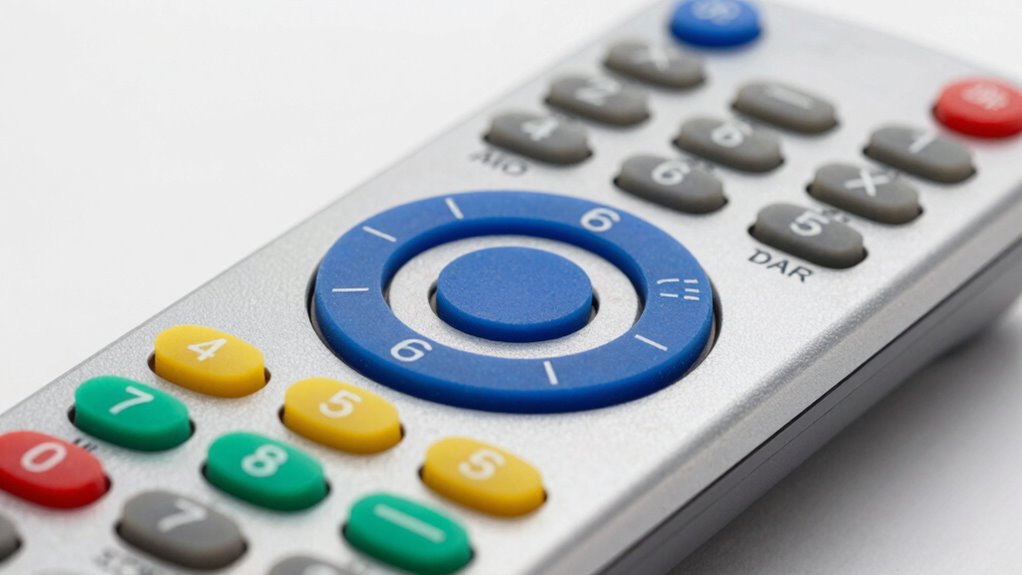
Large, well-spaced buttons are essential for seniors with limited dexterity or vision issues. A straightforward layout reduces confusion and mistakes, especially for users who may forget where certain buttons are. Look for remotes with high-contrast labels and tactile feedback—these features help users differentiate buttons easily. Avoid devices with cluttered or overly complex button arrangements, which can be overwhelming. Prioritizing simplicity in the design minimizes frustration and increases independence.
Compatibility and Versatility
Ensuring the remote works with your specific TV brand is critical to avoid frustration. Universal remotes that support multiple brands can replace several devices, saving space and simplifying control. However, some universal models may require programming, which can be tricky for seniors. Check if the remote supports common connectivity options like IR or RF, and whether it can be paired easily. Compatibility extends beyond TVs—some models also control cable boxes or streaming devices, adding convenience.
Ease of Setup and Use
A remote that requires minimal setup is a major advantage for seniors who might be uncomfortable with technology. Devices with pre-programmed codes or one-touch functions eliminate the need for complicated instructions. Clear instructions or visual guides can make setup smoother, especially if assistance is limited. Consider models that offer one-button access to essential functions like power, volume, and channel control. The simpler the initial setup, the quicker the remote becomes a reliable tool for daily TV use.
Additional Accessibility Features
Features like backlit buttons, high-contrast labels, and tactile markings significantly improve usability for users with poor eyesight. Waterproof or rugged designs can help withstand spills or drops, extending the remote’s lifespan. For users with cognitive impairments, dementia-friendly options with simplified controls or limited buttons reduce confusion. Evaluating these features in relation to the user’s specific needs can enhance independence and safety, making the remote more than just a device—it becomes a helpful assistant.
Build Quality and Durability
Durability is often overlooked but is vital for seniors prone to dropping or spilling. A sturdy, well-constructed remote reduces the need for replacements and repairs. Rubberized casings or reinforced edges can absorb shocks, while waterproofing prevents damage from accidents. Heavier remotes tend to feel more substantial and less likely to slip from unstable hands. Investing in a durable device can save money over time and provide peace of mind for both seniors and caregivers.
Frequently Asked Questions
Are large button remotes suitable for seniors with cognitive impairments?
Yes, large button remotes are generally better suited for seniors with cognitive impairments because their simplified design reduces confusion and helps them focus on essential functions. Remotes with fewer buttons and clear labels can prevent accidental changes and make daily control easier. For more advanced cognitive challenges, look for models with dementia-friendly features, such as limited buttons or simplified layouts that guide users intuitively. Choosing a remote with a familiar, straightforward interface can significantly improve independence for these users.
Can these remotes control multiple devices at once?
Many large button remotes are designed to control multiple devices, such as TVs, cable boxes, and streaming devices, making them versatile for a senior’s entertainment setup. Universal remotes typically support several brands and devices, but the ease of switching between them varies. Some models require manual code input or setup, which can be confusing for seniors. Look for remotes with dedicated mode buttons or auto-search features to simplify device control. Always confirm compatibility with your specific equipment before purchasing.
Do backlit remotes drain batteries quickly?
Backlit remotes often use more power than non-backlit models, which can lead to faster battery drain. However, many modern remotes incorporate energy-efficient LED lighting that prolongs battery life. To minimize inconvenience, consider models with rechargeable batteries or easy-to-replace standard batteries. Using the backlight only when needed can also extend battery life and reduce the frequency of replacements, making the remote more practical for everyday use.
Are waterproof remotes worth the extra cost for seniors?
Waterproof remotes are beneficial for seniors who may be prone to spills or accidents, offering added durability and peace of mind. While they tend to cost more, their resistance to water and dust can prolong the remote’s lifespan significantly. If a senior has difficulty handling small objects or tends to be clumsy, investing in a waterproof model can prevent frequent replacements. Overall, the extra cost can be justified by the reduced maintenance and increased reliability over time.
Is it better to buy a remote with extra features or stick to basic models?
For most seniors, especially those unfamiliar with technology, basic models with large, clearly labeled buttons are preferable because they minimize confusion. Extra features like voice control, smart home integration, or programmable macros may enhance functionality but can also complicate daily use. If the user is comfortable with technology, a mid-range remote with some additional features might be beneficial. However, prioritizing simplicity and reliability usually delivers better long-term satisfaction for seniors needing straightforward control.
Conclusion
The best overall remote for most seniors remains the GE BigEZ OneTouch due to its simplicity and reliable performance. For those seeking the best value, models like the Big Button Universal TV Remote offer compatibility without breaking the bank. If you want a premium option with advanced features, the Backlit Big Button Remote for Visually Impaired provides excellent visibility and durability. Beginners or users with severe visual or cognitive challenges should consider the Flipper Big Button Remote for its ultra-simple interface. Ultimately, selecting the right remote depends on the user’s specific needs—prioritize ease of use, durability, and compatibility to ensure a smoother viewing experience.