If you’re looking for the best Wi-Fi mesh systems for 2025, I recommend options like the TP-Link Deco X55 for fast Wi-Fi 6 coverage, the Deco XE75 for Wi-Fi 6E speeds, and Google WiFi for simple setup and reliable whole-home coverage. For demanding environments, devices like the Deco BE25 with Wi-Fi 7 or Amazon eero 7 offer future-proof features. Keep exploring to find out which system suits your home or office needs perfectly.
Key Takeaways
- The best mesh systems support extensive coverage, high device capacity, and fast Wi-Fi 6/7 speeds for seamless connectivity in homes and offices.
- Options like TP-Link Deco BE63 and Google WiFi Pro offer advanced security, easy setup, and management features.
- Top systems include wired backhaul support and multi-Gig ports for optimized performance and future-proofing.
- Compatibility with smart devices, parental controls, and security features enhance user experience and network reliability.
- Consider coverage area, device support, speed capabilities, and security features to choose the ideal mesh system for 2025.
TP-Link Deco X55 AX3000 WiFi 6 Mesh System (3-Pack)
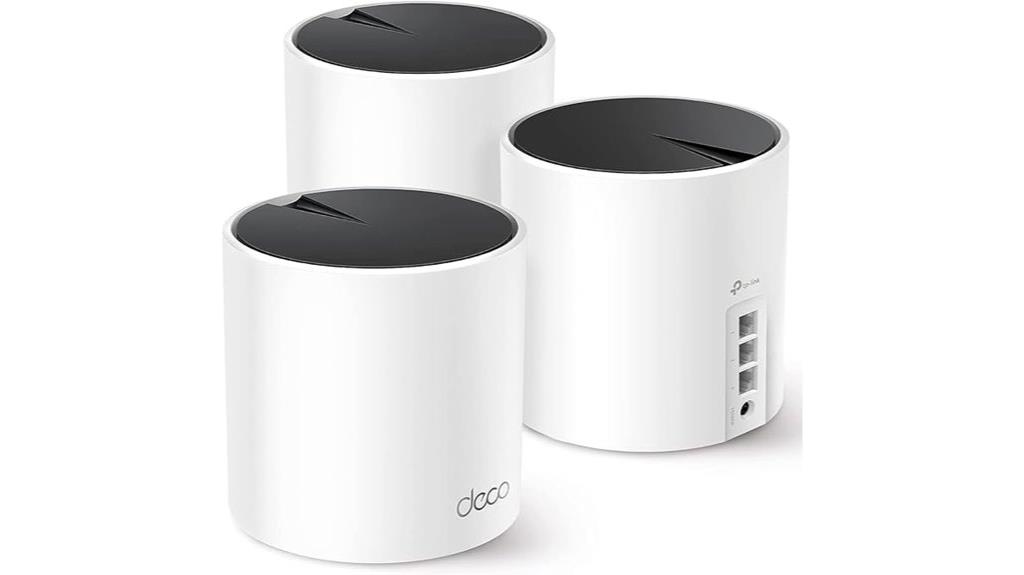
If you’re looking to upgrade your home or office Wi-Fi with a reliable and scalable mesh system, the TP-Link Deco X55 AX3000 is an excellent choice. Covering up to 6,500 square feet, it replaces traditional routers and extenders seamlessly. The system supports Wi-Fi 6, providing faster speeds and connecting up to 150 devices without lag. Each unit has three Gigabit Ethernet ports, and you can use Ethernet backhaul for even better performance. Setup is straightforward via the Deco app, and advanced security features like TP-Link HomeShield keep your network safe. Overall, it’s a versatile, high-performance solution for any space.
Best For: homeowners and small to medium-sized offices seeking a reliable, high-performance mesh Wi-Fi system to cover large areas with seamless connectivity.
Pros:
- Covers up to 6,500 sq. ft., reducing dead zones and ensuring strong signals throughout the space
- Supports Wi-Fi 6 with fast speeds and connects up to 150 devices simultaneously
- Easy setup and management through the Deco app with advanced security features like TP-Link HomeShield
Cons:
- Requires a modem for most internet service providers, adding an extra setup step
- The 3-pack may be more than needed for smaller spaces, potentially leading to unnecessary expense
- Some advanced features may require subscription to premium security services
TP-Link Deco S4 Mesh WiFi System (3-Pack)
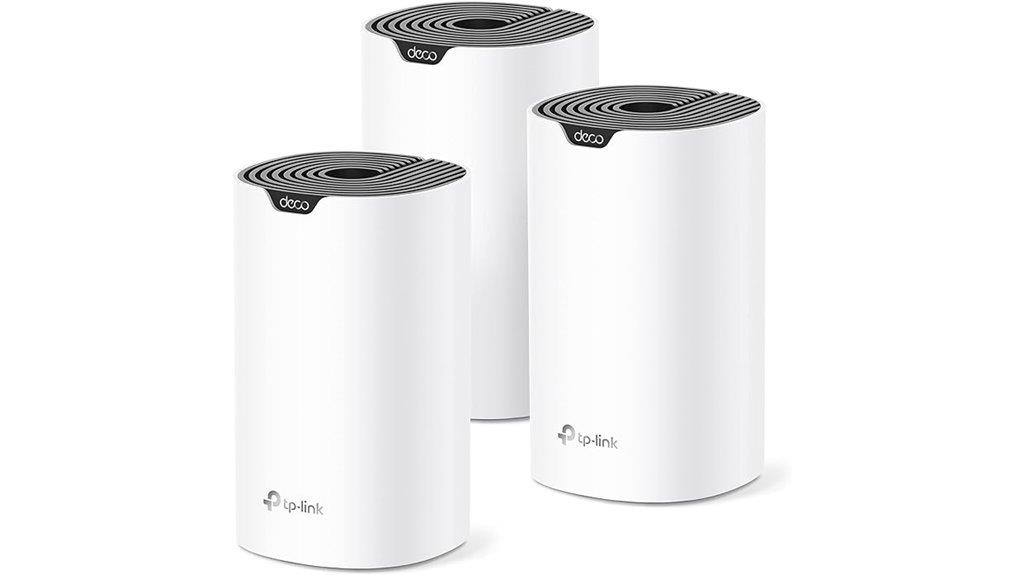
The TP-Link Deco S4 Mesh WiFi System (3-Pack) stands out as an excellent choice for large households or small offices that need reliable, seamless coverage across up to 5,500 square feet. Its Deco Mesh technology ensures faster speeds and strong signals in all directions, eliminating dead zones. With support for up to 100 devices at AC1900 speeds, it automatically switches between nodes for peak performance. Setup is straightforward via the Deco app, and it’s compatible with all major ISPs, often requiring just a modem. Plus, robust parental controls and Alexa compatibility make it a versatile, secure, and user-friendly solution for modern connectivity needs.
Best For: households or small offices needing seamless, reliable WiFi coverage over large areas up to 5,500 square feet with support for multiple devices.
Pros:
- Easy setup via the user-friendly Deco app on Android or iOS devices.
- Supports up to 100 devices with fast AC1900 speeds, ensuring smooth connectivity for all.
- Robust parental controls and Alexa compatibility for added security and convenience.
Cons:
- Requires a separate modem in most cases, adding to overall setup cost.
- Wired Ethernet backhaul is optional and may require additional cabling for optimal performance.
- The 3-pack system may be overkill for smaller spaces or lighter internet usage needs.
TP-Link Deco BE25 Dual-Band WiFi 7 Mesh System (3-Pack)
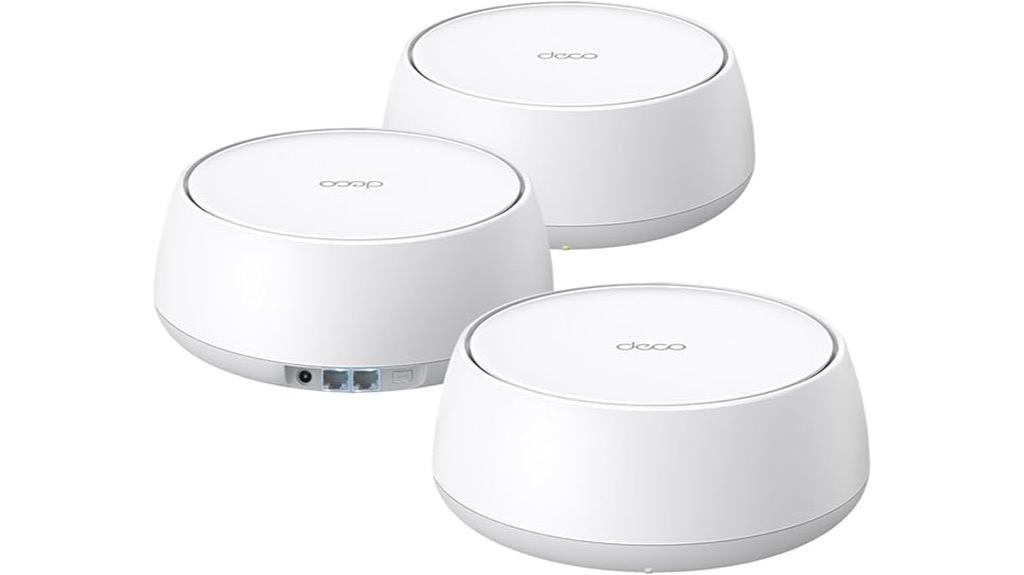
Designed for large homes and busy offices, the TP-Link Deco BE25 Dual-Band WiFi 7 Mesh System delivers lightning-fast speeds up to 5 Gbps and supports over 150 devices simultaneously. Its Wi-Fi 7 technology, with 4 streams and features like Multi-Link Operation, guarantees strong, reliable signals across up to 6,600 square feet. Equipped with two 2.5 Gbps ports per unit, it supports wired and wireless backhaul for seamless coverage. The system creates a unified network with a single SSID, enabling smooth roaming. Plus, advanced security features via TP-Link HomeShield and voice control compatibility make managing your network effortless and secure.
Best For: homeowners and small to medium-sized offices seeking ultra-fast, reliable Wi-Fi coverage for numerous devices and large areas.
Pros:
- Supports Wi-Fi 7 with speeds up to 5 Gbps and multiple streams for high-performance streaming and gaming
- Covers up to 6,600 sq. ft with advanced antennas and high-power FEMs for extensive reach
- Equipped with dual 2.5 Gbps ports for flexible wired backhaul options
Cons:
- Requires a compatible modem and possibly a professional setup for optimal performance
- Higher price point compared to traditional Wi-Fi 6 systems
- First availability is scheduled for November 11, 2024, which may delay purchase for some consumers
Google WiFi Mesh Router System (2 Pack) for Whole Home Coverage
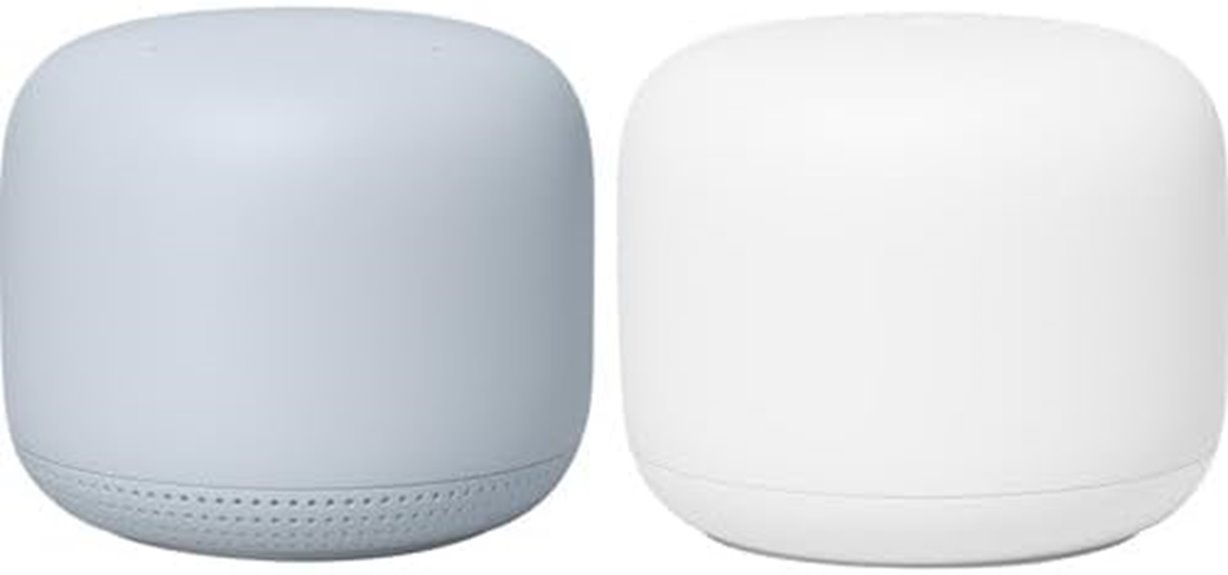
For those seeking reliable whole-home coverage without complicated setup, the Google WiFi Mesh Router System (2 Pack) is an excellent choice. It covers up to 3,800 square feet, eliminating dead zones and ensuring a strong connection throughout your home or office. The system is scalable—just add more points if you need to expand. Using Wi-Fi 5 technology, it delivers speeds up to 2.2 Gbps, supporting smooth streaming, gaming, and browsing on multiple devices simultaneously. With a simple setup, dual-band connectivity, and parental controls, it’s designed for easy installation and reliable performance across various spaces.
Best For: households or small offices seeking reliable, whole-home Wi-Fi coverage with easy setup and scalable options.
Pros:
- Seamless coverage up to 3,800 sq ft eliminating dead zones
- Easy, quick setup suitable for various spaces
- Supports high-speed Wi-Fi 5 with up to 2.2 Gbps for multiple devices
Cons:
- Limited to Wi-Fi 5 technology, not the latest Wi-Fi 6 or 6E
- Does not include advanced security features or built-in modem functionality
- May require additional points for very large areas or numerous devices
TP-Link Deco XE75 AXE5400 Tri-Band WiFi 6E Mesh System

With its tri-band WiFi 6E technology, the TP-Link Deco XE75 AXE5400 Mesh System offers exceptional coverage and speed, making it an ideal choice for large homes or busy offices where reliable, high-performance connectivity is essential. It covers up to 7,200 sq.ft, eliminating dead zones and buffering issues. The system features a dedicated 6 GHz band, reducing interference and boosting stability. With combined speeds up to 5,400 Mbps, it handles multiple devices effortlessly. Its AI-driven mesh adapts intelligently, and security is prioritized through TP-Link’s HomeShield. Setup is straightforward via the Deco app, and it’s compatible with major ISPs, delivering seamless, secure Wi-Fi.
Best For: households or offices requiring extensive, high-speed, reliable Wi-Fi coverage across large areas with multiple devices.
Pros:
- Excellent coverage up to 7,200 sq.ft and seamless mesh connectivity
- Tri-band speeds up to 5,400 Mbps with dedicated 6 GHz band for stability
- User-friendly setup and management via the Deco app, with security features like HomeShield
Cons:
- May require a compatible modem for certain internet providers
- Higher price point compared to basic Wi-Fi systems
- Advanced features may be more than needed for small or low-demand households
Amazon eero 6+ Mesh WiFi System (3-Pack)
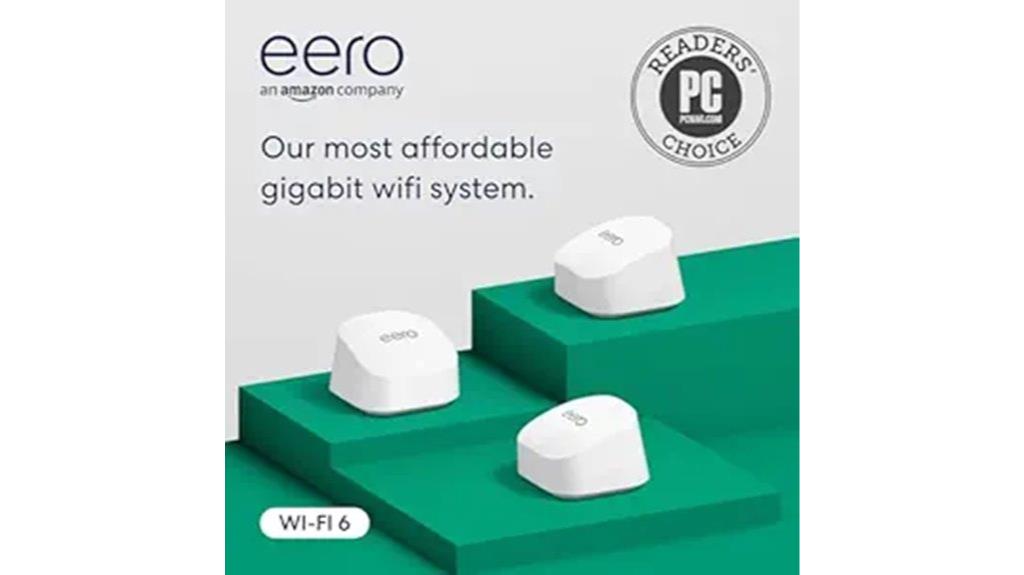
If you’re looking for a reliable Wi-Fi mesh system that can handle a busy home or office environment, the Amazon eero 6+ Mesh WiFi System (3-Pack) is an excellent choice. It supports gigabit speeds up to 1 Gbps, providing fast, affordable internet, and covers up to 4,500 sq. ft. while connecting over 75 devices. With Wi-Fi 6 and a 160 MHz radio channel, it offers faster connectivity. Its TrueMesh technology guarantees reliable connections by intelligently routing traffic, and the built-in Zigbee and Thread hubs simplify smart home integration. Setup is quick via the eero app, and remote management makes it user-friendly for everyday use.
Best For: households or small offices needing reliable, high-speed Wi-Fi coverage for multiple devices and smart home integration.
Pros:
- Supports gigabit speeds up to 1 Gbps for fast internet connections
- Covers up to 4,500 sq. ft. and connects 75+ devices seamlessly
- Built-in Zigbee and Thread hubs simplify smart home device management
Cons:
- Requires a subscription for advanced security and network management features
- May be overkill for small spaces with fewer devices
- Limited to Wi-Fi 6 and might not be compatible with older devices without Wi-Fi 6 support
TP-Link Deco BE23 Dual-Band WiFi 7 Mesh System (3-Pack)
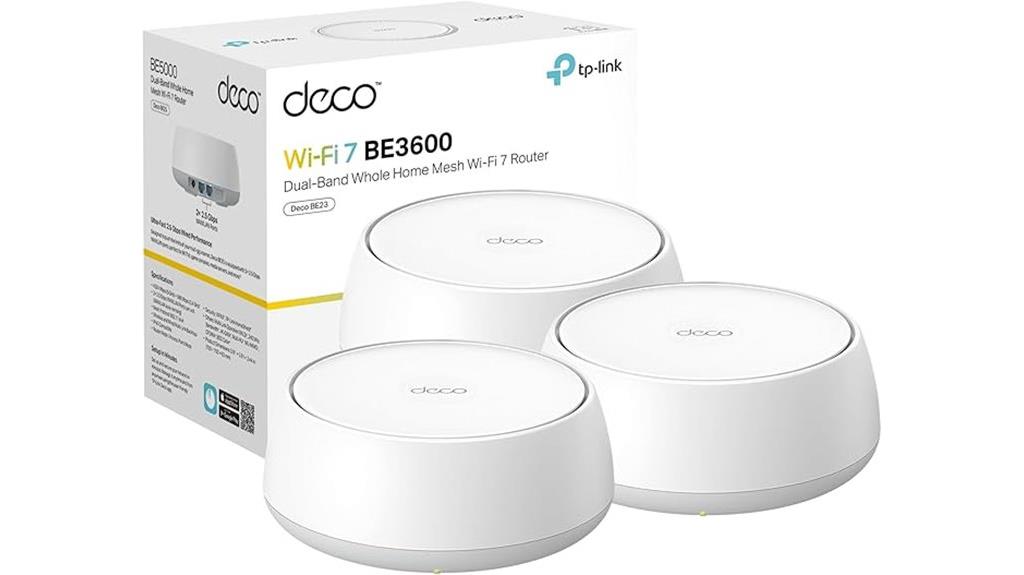
The TP-Link Deco BE23 Dual-Band WiFi 7 Mesh System (3-Pack) stands out as an excellent choice for large homes or offices that require fast, reliable connectivity across extensive areas. Supporting speeds up to 3.6 Gbps and covering up to 6,500 sq.ft., it handles over 150 devices with ease. Its four high-gain antennas ensure strong signals, ideal for streaming, gaming, or remote work. Equipped with two 2.5 Gbps ports per unit, it supports high-speed wired backhaul and multi-gig internet. Advanced Wi-Fi 7 features like Multi-Link Operation and AI-Roaming guarantee seamless device switching, making it a future-proof, secure, and high-performance mesh system for demanding environments.
Best For: large homes or offices requiring extensive, high-speed, reliable Wi-Fi coverage for multiple devices and demanding activities like streaming, gaming, and remote work.
Pros:
- Supports Wi-Fi 7 with speeds up to 3.6 Gbps and coverage up to 6,500 sq.ft. for large areas.
- Equipped with two 2.5 Gbps ports per unit for fast wired backhaul and multi-gig internet compatibility.
- Features advanced Wi-Fi 7 technologies like Multi-Link Operation, AI-Roaming, and beamforming for seamless device switching and low latency.
Cons:
- May be more expensive than older Wi-Fi systems due to advanced features.
- Requires compatible devices to fully utilize Wi-Fi 7 capabilities; older devices might not benefit from all features.
- Setup and management might be complex for users unfamiliar with mesh networking technology.
TP-Link Deco S4 Whole Home Mesh WiFi System (2-Pack)
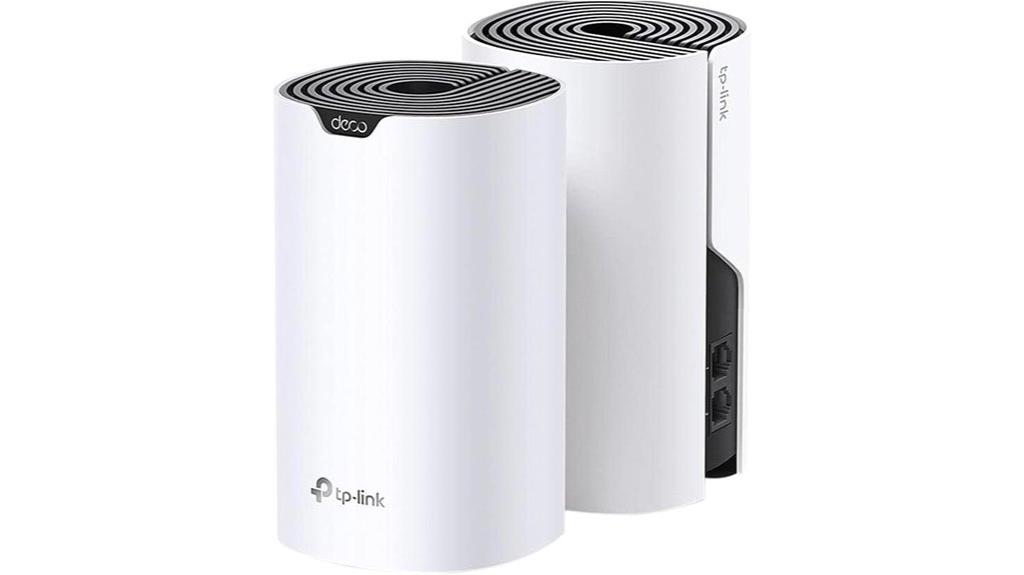
Need a reliable Wi-Fi system that can cover up to 3,800 square feet seamlessly? The TP-Link Deco S4 Whole Home Mesh WiFi System (2-Pack) is perfect. It uses Deco Mesh technology to deliver faster speeds, stronger signals, and eliminate dead zones. With AC1900 speeds and support for up to 75 devices, it guarantees smooth connectivity everywhere. Setup is quick via the Deco app, and it supports wired Ethernet backhaul with gigabit ports. You can expand coverage easily by adding more units. Plus, features like parental controls, guest WiFi, and compatibility with major ISPs make it a versatile choice for home and small office environments.
Best For: households or small offices seeking seamless, reliable WiFi coverage up to 3,800 sq.ft. with easy setup, strong device support, and flexible network management.
Pros:
- Easy to install and manage via the user-friendly Deco app on Android and iOS
- Supports up to 75 devices simultaneously with fast AC1900 WiFi speeds
- Expandable coverage with additional units and wired Ethernet backhaul capability
Cons:
- Limited to a 2-pack setup by default, requiring additional units for larger spaces
- May require a modem depending on your ISP, adding to initial setup complexity
- No WiFi 6 (AX) support; uses WiFi 5 (AC1900) technology
Amazon eero 7 Mesh Wi-Fi 7 Router (2-Pack)
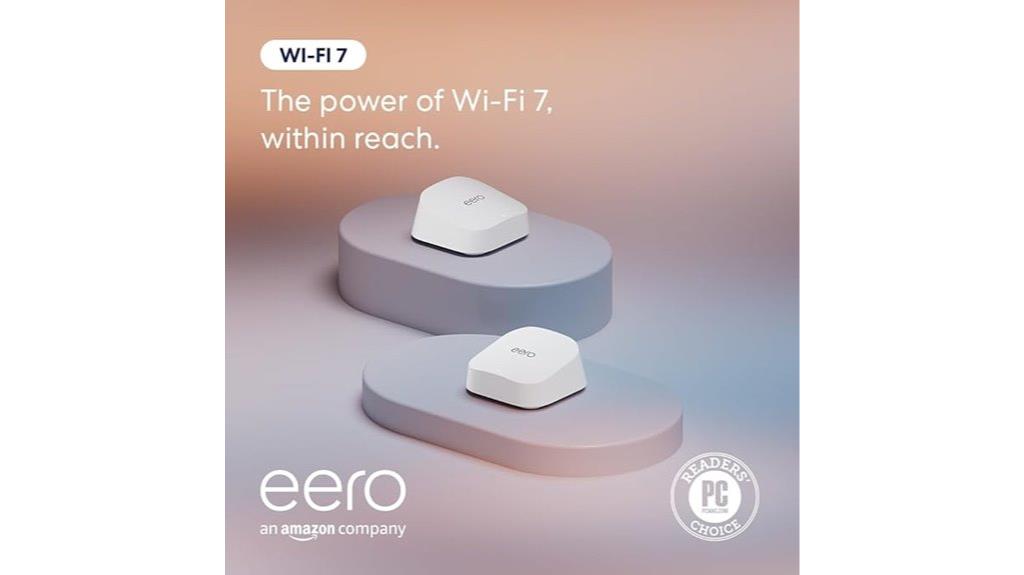
For those seeking a future-proof Wi-Fi solution that can handle multiple devices effortlessly, the Amazon eero 7 Mesh Wi-Fi 7 Router (2-Pack) delivers exceptional performance with support for internet plans up to 2.5 Gbps. Covering up to 4,000 sq. ft., it minimizes dead spots and ensures fast, reliable connectivity throughout your home. Supporting over 120 devices with speeds up to 1.8 Gbps, it includes Wi-Fi 7 features like multi-link operation and software enhancements such as TrueMesh. Easy to set up via a mobile app, it’s compatible with previous eero models and Amazon Echo devices, backed by a three-year warranty and dedicated support.
Best For: households or small offices seeking a reliable, future-proof Wi-Fi 7 mesh network capable of supporting multiple devices and high-speed internet plans up to 2.5 Gbps.
Pros:
- Supports advanced Wi-Fi 7 features like multi-link operation for enhanced stability and speed.
- Covers large areas up to 4,000 sq. ft. and supports over 120 devices seamlessly.
- Easy setup via mobile app with compatibility across previous eero models and Amazon Echo devices.
Cons:
- Requires a subscription to eero Plus for advanced security and additional features.
- May be overkill for small spaces or basic internet needs.
- Limited to 2 units in the pack, which might not cover extremely large or complex setups without additional units.
NETGEAR Orbi WiFi 6 Mesh Network System (RBK663)

If you’re looking for a reliable mesh system that covers large homes or busy offices, the NETGEAR Orbi WiFi 6 Mesh Network System (RBK663) stands out with its impressive 6,600 square feet of coverage and support for up to 75 devices. It delivers AX3800 Gigabit speeds using WiFi 6 technology, ensuring smooth streaming, gaming, and video calls. The system easily replaces your existing router and is compatible with internet plans up to 1Gbps. Setup is straightforward via the Orbi app, and security is robust with built-in features and a 30-day trial of NETGEAR Armor. Plus, expandable with satellite extenders for even broader coverage.
Best For: households or small offices needing extensive WiFi coverage and high-speed connectivity for multiple devices.
Pros:
- Covers up to 6,600 sq. ft. and supports 75 devices for large spaces and busy networks
- Delivers AX3800 Gigabit speeds with WiFi 6 for smooth streaming, gaming, and video calls
- Easy to set up and manage via the user-friendly Orbi app, with expandable coverage through satellite extenders
Cons:
- Designed primarily for use in the U.S., may have limited international compatibility
- Requires additional satellites for coverage beyond 6,600 sq. ft., which can increase overall cost
- Security features like NETGEAR Armor are available via a trial; ongoing subscription may be needed for full protection
TP-Link Deco M5 Mesh WiFi System (3-Pack)
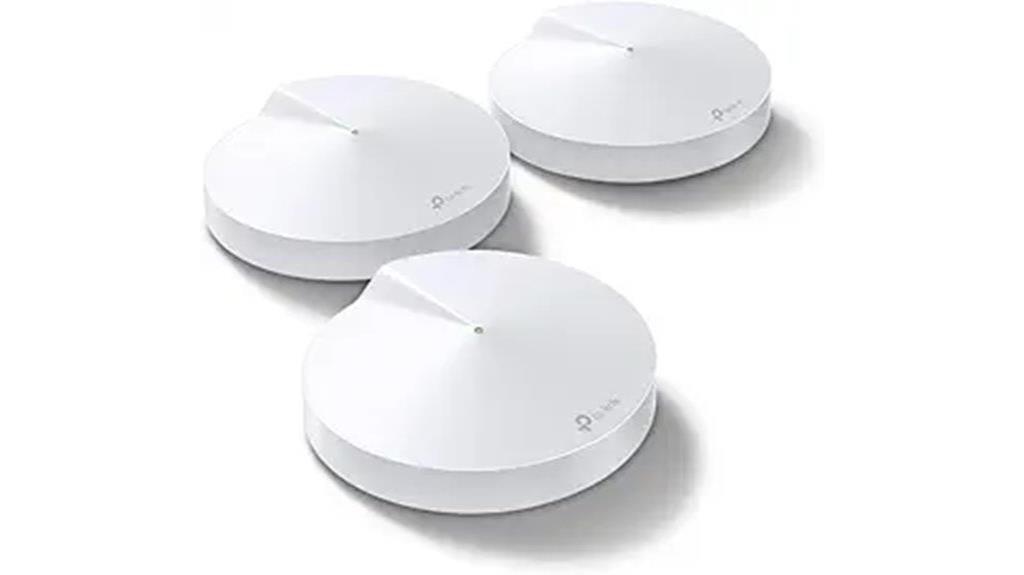
The TP-Link Deco M5 Mesh WiFi System (3-Pack) stands out as an excellent choice for those seeking reliable, whole-home coverage with minimal hassle. It covers up to 5,500 sq. ft. with three units, supporting over 100 devices, and replaces traditional routers and extenders. Each unit has 2 Gigabit Ethernet ports and supports wired backhaul for faster speeds. Setup is quick via the Deco app, and it’s compatible with all major internet providers. With seamless roaming, TP-Link’s Adaptive Routing technology guarantees devices stay connected to the fastest path. Plus, free lifetime security and parental controls keep your network safe and manageable effortlessly.
Best For: households needing reliable, seamless Wi-Fi coverage across large areas with multiple devices and easy setup.
Pros:
- Covers up to 5,500 sq. ft. with three units, ideal for large homes
- Supports over 100 devices with seamless mesh roaming and Adaptive Routing technology
- Free lifetime security features including antivirus, parental controls, and QoS
Cons:
- Requires a modem; compatibility with some providers may need verification
- Slightly larger units may be less discreet in certain home décors
- Advanced features and management primarily accessed via the app, which may not suit all users
TP-Link Deco BE63 Tri-Band WiFi 7 Mesh System (3-Pack)

Equipped with Wi-Fi 7 features like Multi-Link Operation and 6-stream technology, the TP-Link Deco BE63 Tri-Band Mesh System delivers ultra-fast speeds up to 10 Gbps, making it ideal for demanding smart homes and busy offices. It offers extensive coverage up to 7,600 sq.ft. with three units, supporting over 200 devices simultaneously. Featuring four 2.5G ports, a USB 3.0, and multi-gig internet support, it’s future-proof for wired and wireless connections. The system creates a seamless mesh network with AI-Roaming for smooth device handovers and optimized speeds. Easy to set up via the Deco App, it combines speed, security, and broad coverage in a sleek, user-friendly package.
Best For: those seeking a high-performance, future-proof mesh Wi-Fi 7 system capable of supporting extensive smart home devices and demanding internet activities.
Pros:
- Ultra-fast speeds up to 10 Gbps with advanced Wi-Fi 7 features like Multi-Link Operation and 6-stream technology.
- Wide coverage up to 7,600 sq.ft. and support for over 200 devices simultaneously, ideal for large homes or offices.
- Easy setup and management via the Deco App, with integrated AI-Roaming for seamless device transitions.
Cons:
- Higher price point compared to traditional Wi-Fi systems due to advanced features.
- Requires a compatible modem and internet service provider; not a standalone internet solution.
- Larger size of units may require strategic placement for optimal coverage.
Google Nest WiFi Pro Mesh Router (3 Pack, Snow)

For those seeking lightning-fast, reliable Wi-Fi coverage, the Google Nest WiFi Pro Mesh Router (3 Pack, Snow) stands out with its support for Wi-Fi 6E technology, delivering speeds up to twice as fast as Wi-Fi 6. It uses three bands—2.4 GHz, 5 GHz, and 6 GHz—for peak performance and minimal interference. Covering up to 6,600 square feet with three units, it creates a customizable mesh system. The system automatically adjusts to prioritize critical tasks, monitors its performance, and fixes some issues automatically. Enhanced with security features like guest networks and device management, it ensures a seamless, secure home or office Wi-Fi experience.
Best For: households or offices seeking ultra-fast, reliable Wi-Fi coverage with advanced security features and extensive coverage tailored to large spaces.
Pros:
- Supports Wi-Fi 6E technology with speeds up to 2x faster than Wi-Fi 6, ensuring quick and reliable connections
- Covers up to 6,600 square feet with a three-pack, suitable for large homes and offices
- Features automatic performance adjustment, built-in security, and easy device management for a seamless experience
Cons:
- Incompatible with previous Google Wifi or Nest Wifi generations, requiring a new setup for existing users
- Requires a compatible device to utilize Wi-Fi 6E bands effectively, which may limit device compatibility
- The initial investment may be higher compared to traditional Wi-Fi routers
Amazon eero 6 Mesh WiFi System (3-Pack)

If you’re looking for a reliable mesh Wi-Fi system that easily covers large homes or offices, the Amazon eero 6 Mesh WiFi System (3-Pack) stands out with its ability to deliver seamless coverage up to 5,000 square feet. It supports internet plans up to 500 Mbps and handles over 75 devices simultaneously with Wi-Fi 6 dual-band technology. Setup is straightforward through the eero app, and the system integrates smart home features via Zigbee and Alexa. With built-in security, automatic updates, and wired Ethernet ports, it offers a blend of performance and convenience, making it a solid choice for reliable, whole-home connectivity.
Best For: households or offices seeking reliable, whole-home Wi-Fi coverage with easy setup and smart home integration.
Pros:
- Supports large coverage up to 5,000 sq ft with a 3-pack system.
- Handles over 75 devices simultaneously with Wi-Fi 6 technology.
- Easy setup and management via the eero app, with smart home hub features.
Cons:
- Limited to internet plans up to 500 Mbps, which may not suit ultra-fast connections.
- Slightly larger dimensions may require space considerations for placement.
- Some advanced features may require additional subscription services like eero Plus.
Tenda Nova Mesh WiFi System MW6

The Tenda Nova Mesh WiFi System MW6 stands out for its impressive coverage, making it an ideal choice for large homes or offices. It can cover up to 6,000 sq.ft., eliminating dead zones and ensuring strong signals in every corner. Designed to replace traditional routers and extenders, it offers seamless connectivity with MU-MIMO and Beamforming technology, supporting up to 90 devices at high speeds. All units operate under a single network name, providing smooth roaming as you move through your space. Easy to set up and manage via the Tenda app, it’s a flexible, user-friendly solution for reliable, whole-home Wi-Fi.
Best For: households or offices needing extensive Wi-Fi coverage and seamless connectivity across large spaces up to 6,000 sq.ft.
Pros:
- Provides up to 6,000 sq.ft. of seamless Wi-Fi coverage, ideal for large homes or offices
- Supports up to 90 devices with high-speed, stable dual-band AC1200 mesh network
- Easy to set up and manage via the Tenda app, with simple expansion options
Cons:
- May be more expensive than traditional routers or smaller mesh systems
- Performance can be affected if too many devices are connected simultaneously
- Limited advanced customization options compared to enterprise-grade Wi-Fi solutions
Factors to Consider When Choosing Wi-Fi Mesh Systems for Home/Office

When selecting a Wi-Fi mesh system, I consider factors like coverage area to guarantee it fits my space and device compatibility to avoid connection issues. I also look at speed and bandwidth to support my internet use, along with whether wired or wireless backhaul suits my setup best. Finally, security features are essential to keep my network protected.
Coverage Area Needs
To choose the right Wi-Fi mesh system, you need to accurately assess your space’s coverage needs. Start by measuring the total square footage of your home or office, including all rooms and floors. Consider obstacles like walls, furniture, or other barriers that might weaken signals or create dead zones. Identify areas with weak or no Wi-Fi to ensure your system can address these gaps effectively. Match the mesh system’s maximum coverage rating to your space requirements, opting for larger coverage if you have an expansive or multi-story environment. Keep in mind that adding more mesh nodes can extend coverage further, so plan for potential future expansion if your needs grow. This careful assessment guarantees seamless connectivity throughout your entire space.
Device Compatibility Check
Ensuring your chosen Wi-Fi mesh system is compatible with your existing devices and network setup is essential for smooth performance. First, check that it supports the Wi-Fi standards your devices use, like Wi-Fi 5, Wi-Fi 6, or Wi-Fi 6E, to guarantee optimal connectivity. Verify that the system can connect easily with your current modem and internet service provider, especially if specific configurations are needed. Make sure the mesh nodes can handle the number of devices you plan to connect simultaneously, whether at home or in an office. Also, confirm that the management app is compatible with your smartphone’s operating system, such as iOS or Android, for straightforward setup and control. Finally, consider if the system supports your smart home devices or voice assistants like Alexa or Google Assistant for added convenience.
Speed and Bandwidth
Choosing a Wi-Fi mesh system that offers sufficient speed and bandwidth is key to maintaining a smooth network experience. Higher bandwidth capacity lets multiple devices stream, game, and browse simultaneously without slowing down. Wi-Fi 6 and Wi-Fi 7 systems provide considerably increased speeds and lower latency compared to earlier standards, making them ideal for demanding tasks. Dual or tri-band mesh systems distribute traffic across multiple frequency bands, optimizing overall performance and reducing congestion. If you need even greater stability, wired Ethernet backhaul options can improve bandwidth and reduce interference. Look for systems with maximum data transfer rates of 5 Gbps or higher to support high-bandwidth activities. Prioritizing speed and bandwidth ensures your network can handle current and future demands seamlessly.
Wired Vs Wireless Backhaul
When selecting a Wi-Fi mesh system, understanding the differences between wired and wireless backhaul is essential because it directly impacts network stability and performance. Wired backhaul uses Ethernet cables to connect mesh nodes, offering a more stable, higher-speed connection with lower latency, ideal for bandwidth-heavy tasks like gaming and 4K streaming. Wireless backhaul relies on Wi-Fi signals to link nodes, which makes installation easier and more flexible, especially where running cables isn’t practical. However, wireless links can be affected by interference, distance, and obstacles, potentially reducing speed and reliability. Many modern systems support hybrid setups, combining both wired and wireless backhaul for supreme performance. Your choice depends on your specific environment, budget, and performance needs.
Security Features Included
Ever wonder how to keep your Wi-Fi network safe from intruders and vulnerabilities? I always look for mesh systems with advanced security features like WPA3 encryption and automatic firmware updates. These help protect against known threats and patch vulnerabilities as they arise. Integrated security services such as parental controls, device monitoring, and intrusion detection are essential for safeguarding your family and network. I also check if the system supports VPN functionality or secure guest networks, which enhance privacy and control access. Regular security patches and adherence to cybersecurity standards, like the CISA’s Secure-by-Design pledge, give me confidence in a system’s commitment to safety. Prioritizing these features guarantees my network stays secure, private, and resilient against evolving cyber threats.
Setup and Management Ease
A Wi-Fi mesh system with strong security features is only as good as how easily it can be set up and managed. I look for systems that offer a straightforward setup—ideally done within 15-30 minutes with clear instructions, so I don’t waste time. Managing my network should be simple, whether through a dedicated app or web interface, allowing me to monitor performance and connected devices effortlessly. Remote management is a huge plus, letting me control and troubleshoot my network from anywhere. Compatibility with voice assistants or smart home platforms can also make management more hands-free and intuitive. Plus, automatic firmware updates and easy configuration options help keep my network secure and ensure I can operate it smoothly over time without hassle.
Future Expansion Options
Choosing a Wi-Fi mesh system that can grow with your needs requires careful attention to expansion options. First, check if it supports adding extra nodes or units easily, so coverage can scale as your space expands. Look for a system that uses a single, unified network name (SSID), which allows seamless expansion without juggling multiple passwords or switching networks. Compatibility with future Wi-Fi standards like Wi-Fi 6 or Wi-Fi 7 is also essential for long-term performance. Additionally, see if the system offers wired Ethernet backhaul options—this ensures stable, high-speed connections for additional nodes. Finally, consider the management interface; it should provide straightforward tools to add, remove, or reposition nodes effortlessly, adapting to your changing layout with minimal hassle.
Frequently Asked Questions
How Do Mesh Systems Handle Multiple Devices and Bandwidth Sharing?
Mesh systems handle multiple devices by intelligently managing bandwidth, ensuring each device gets a fair share without sacrificing speed. They prioritize traffic based on activity, so streaming or gaming gets smoother performance. I’ve found that this dynamic sharing prevents bottlenecks, even with many devices connected. Overall, mesh systems deliver seamless connectivity by distributing bandwidth efficiently, making sure everyone stays connected without noticeable lag or slowdowns.
Are Mesh Wi-Fi Systems Suitable for Smart Home Device Integration?
Did you know that over 80% of smart homes now rely on mesh Wi-Fi systems? I think they’re perfect for smart device integration because they provide consistent, strong signals across your entire space. With easy setup and centralized management, I can connect all my gadgets without interruptions. Mesh systems ensure my smart devices work smoothly together, making my home more efficient and responsive—no dead zones, just seamless connectivity.
What Is the Typical Lifespan and Upgrade Cycle for Mesh Routers?
Typically, mesh routers last about 3 to 5 years before I consider an upgrade. I keep an eye on firmware updates because they prolong the device’s lifespan and improve performance. As technology advances, I upgrade sooner if I notice slower speeds or connectivity issues. Staying current with newer models ensures I get better coverage, security, and faster speeds, making my home or office network more reliable.
Can Mesh Systems Be Expanded Easily After Initial Setup?
Absolutely, mesh systems are designed to be expanded easily after setup. I’ve added extra nodes without hassle, and the system recognizes new units seamlessly. Some systems even allow you to customize placement for better coverage. So, if your needs grow or you move to a bigger space, upgrading or expanding your mesh network is straightforward, ensuring you stay connected without starting from scratch.
How Do Mesh Systems Perform in Multi-Story or Large Properties?
Mesh systems excel in multi-story or large properties because they create a unified network that covers extensive areas seamlessly. I’ve found that placing nodes strategically on different floors guarantees strong signals everywhere, reducing dead zones. They automatically route traffic efficiently, so I don’t experience lag or disconnects. With a good mesh setup, even large homes or multi-story offices stay connected, making my internet reliable and fast across the entire space.
Conclusion
In the end, choosing the right Wi-Fi mesh system can feel like revealing the secret to endless, lightning-fast connectivity that transforms your home or office into a true digital paradise. With options tailored for every need and budget, you’ll never have to suffer through dead zones or lag again. Trust me, once you upgrade, your internet experience will be smoother than silk and more reliable than the sunrise—making frustration a thing of the past.