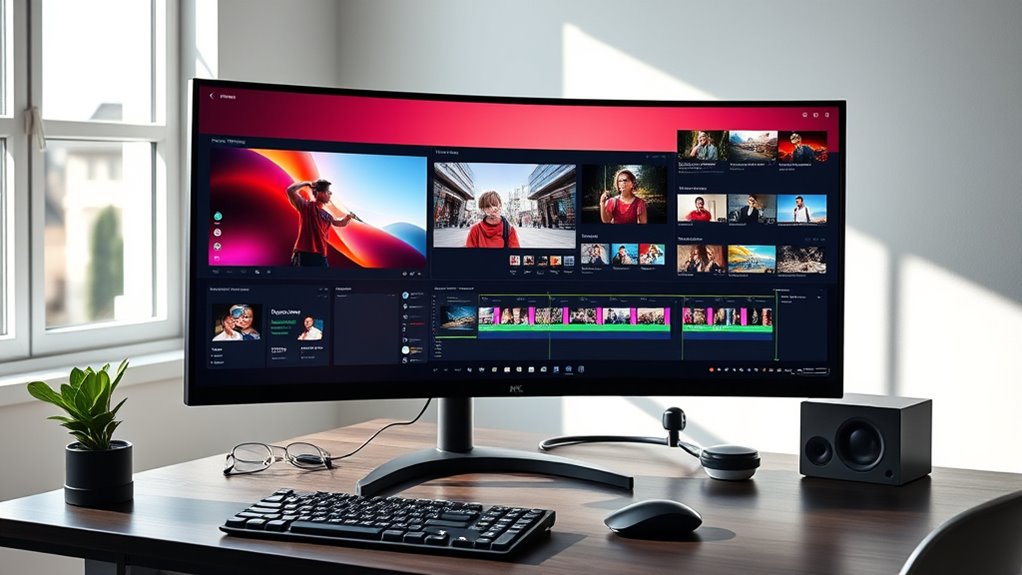

Choosing the right ultrawide monitor for video editing and multitasking involves balancing screen real estate, color accuracy, and performance. The LG 34 Inch UltraWide Curved Monitor stands out as the best overall due to its excellent color coverage and versatile features. For those seeking a more budget-friendly option, the CRUA 34 Inch UWQHD Curved Monitor offers solid performance at a lower price. Gaming-focused models like the ViewSonic VX3418C-2K add high refresh rates for smoother workflows but may lack professional-grade color accuracy. The main tradeoffs revolve around balancing image quality, price, and features like refresh rate or connectivity. Continue reading for a detailed breakdown to find your ideal match.

Get health and wellness essentials delivered free with Prime
- Fast, free delivery on millions of items
- Prime Video, Amazon Music and more included
- Member-only deals all year
Key Takeaways
- Top choices vary significantly between professional-grade color accuracy and gaming-oriented performance, influencing the price and features.
- Curved screens are common but can impact workflow ergonomics depending on your desk setup and preferences.
- High refresh rates (120Hz and above) improve fluidity in multitasking but are less critical for purely editing tasks requiring color precision.
- Built-in features like webcams and USB-C docks add convenience but often come with a cost premium or compromise on screen quality.
- Larger screens (49 inches and above) provide immersive multitasking but may be overwhelming or unnecessary for some workflows.
| LG 34 Inch UltraWide Curved Monitor, WQHD (3440 x 1440), 120Hz, HDR10, 99% sRGB, Adjustable Stand |  | Best Overall for Video Editing and Multitasking | Size: 34 inches | Resolution: 3440 x 1440 (WQHD) | Display Type: VA Curved | VIEW ON AMAZON | See Our Full Breakdown |
| Dell UltraSharp 34 Curved Thunderbolt Hub Monitor – U3426WER |  | Best for Creators and Professionals with Seamless Connectivity | Display Aspect Ratio: 21:9 | Display Type: IPS | Contrast Ratio: 2000:1 | VIEW ON AMAZON | See Our Full Breakdown |
| CRUA 34 Inch 21:9 UWQHD Ultrawide Curved Monitor with Speakers, White |  | Best for Budget-Conscious Creators and Multitaskers | Size: 34 inches | Aspect Ratio: 21:9 | Resolution: 3440×1440 UWQHD | VIEW ON AMAZON | See Our Full Breakdown |
| CRUA 49″ DQHD Ultrawide Curved Gaming Monitor, 1500R, FreeSync |  | Best for Immersive Gaming and Multitasking | Size: 49 inches | Resolution: 5120×1440 (DQHD) | Refresh Rate: 165Hz | VIEW ON AMAZON | See Our Full Breakdown |
| ViewSonic VX3418C-2K 34 Inch 1440p Ultrawide Curved Gaming Monitor, 180Hz |  | Best for High-Performance Gaming and Multitasking | Size: 34 inches | Resolution: 2560 x 1440 (QHD) | Refresh Rate: 180Hz | VIEW ON AMAZON | See Our Full Breakdown |
| LG 34U530A-W 34-inch UltraWide WFHD IPS Computer Monitor |  | Best Overall for Versatile Multitasking and Creative Use | Size: 34 inches | Resolution: 2560 x 1080 | Refresh Rate: 100Hz | VIEW ON AMAZON | See Our Full Breakdown |
| LG UltraWide 34-Inch WQHD Curved 144Hz HDR10 Monitor 34U620B-B Bundle |  | Best for Smooth Performance and Content Creation | Size: 34 inches | Resolution: 3440×1440 | Refresh Rate: 144Hz | VIEW ON AMAZON | See Our Full Breakdown |
| LG 34WR55QK-B 34-inch UltraWide WQHD Curved Computer Monitor |  | Best Ergonomic and Versatile for Multitasking | Size: 34 inches | Resolution: 3440 x 1440 | Refresh Rate: 100Hz | VIEW ON AMAZON | See Our Full Breakdown |
| Deco Gear 49-Inch Super Ultrawide Curved Monitor, 5120×1440, 5K2K, 120Hz, 32:9 |  | Best for Extensive Multitasking and Creative Work | Size: 49 inches | Resolution: 5120×1440 | Refresh Rate: 120Hz | VIEW ON AMAZON | See Our Full Breakdown |
| ZZA 34” Gaming Monitor – 165Hz/180Hz WQHD Ultrawide Curved Display with FreeSync, HDMI 2.1 & DP 1.4, PBP Mode, Wall Mountable |  | Best for High-Performance Gaming and Advanced Multitasking | Size: 34 inches | Resolution: 3440×1440 | Refresh Rate: 180Hz | VIEW ON AMAZON | See Our Full Breakdown |
| Dell 34 Monitor S3425DW, WQHD VA, 120Hz, FreeSync Premium, Eye Comfort |  | Best Overall Ultrawide for Video Editing and Multitasking | Display Size: 34 inches | Resolution: 3440×1440 | Refresh Rate: 120Hz | VIEW ON AMAZON | See Our Full Breakdown |
| INNOCN 40C1R Ultrawide Monitor 40″ WQHD 3440 x 1440p 144Hz FreeSync HDR400 |  | Best for Immersive Gaming and High-Performance Multitasking | Display Size: 40 inches | Resolution: 3440×1440 | Refresh Rate: 144Hz | VIEW ON AMAZON | See Our Full Breakdown |
| Philips 34E1C5600HE 34-Inch UltraWide QHD Curved Monitor with Built-in Webcam and USB-C Docking |  | Best for Remote Work and Productivity with Built-in Features | Display Size: 34 inches | Resolution: 3440×1440 | Curvature: 1500R | VIEW ON AMAZON | See Our Full Breakdown |
| M² Vision 40-Inch 5K2K Ultrawide Monitor, 5120×2160, 120Hz, USB-C 65W, IPS Black, HDR600, Height Adjustable Stand |  | Best for Professional Content Creation and High-Resolution Editing | Display Size: 40 inches | Resolution: 5120×2160 | Refresh Rate: 120Hz | VIEW ON AMAZON | See Our Full Breakdown |
| LG 34SR60QC-W 34-inch QHD Curved Smart Monitor with Streaming and webOS |  | Best for Streaming and Light Multitasking with Smart Features | Display Size: 34 inches | Resolution: 3440×1440 | Curvature: 1800R | VIEW ON AMAZON | See Our Full Breakdown |
| ultrawide monitors for video editing and multitasking | Resolution | Refresh Rate | Connectivity | Size |
|---|---|---|---|---|
| LG 34 Inch UltraWide Curved Mo | 3440 x 1440 (WQHD) | 120Hz | — | 34 inches |
| Dell UltraSharp 34 Curved Thun | — | 120 Hz | — | — |
| CRUA 34 Inch 21:9 UWQHD Ultraw | 3440×1440 UWQHD | 100Hz | — | 34 inches |
| CRUA 49" DQHD Ultrawide Curved | 5120×1440 (DQHD) | 165Hz | — | 49 inches |
| ViewSonic VX3418C-2K 34 Inch 1 | 2560 x 1440 (QHD) | 180Hz | — | 34 inches |
| LG 34U530A-W 34-inch UltraWide | 2560 x 1080 | 100Hz | USB Type-C, HDMI, DisplayPort | 34 inches |
| LG UltraWide 34-Inch WQHD Curv | 3440×1440 | 144Hz | HDMI, DisplayPort | 34 inches |
| LG 34WR55QK-B 34-inch UltraWid | 3440 x 1440 | 100Hz | USB Type-C, HDMI, DisplayPort | 34 inches |
| Deco Gear 49-Inch Super Ultraw | 5120×1440 | 120Hz | DisplayPort, HDMI, USB-C | 49 inches |
| ZZA 34” Gaming Monitor | 3440×1440 | 180Hz | HDMI 2.1, DisplayPort 1.4 | 34 inches |
| Dell 34 Monitor S3425DW | 3440×1440 | 120Hz | 2 HDMI, 4 USB, USB-C (up to 65W) | — |
| INNOCN 40C1R Ultrawide Monitor | 3440×1440 | 144Hz | USB-C, HDMI x2, DisplayPort | — |
| Philips 34E1C5600HE 34-Inch Ul | 3440×1440 | — | USB-C, HDMI, VESA | — |
| M² Vision 40-Inch 5K2K Ultrawi | 5120×2160 | 120Hz | USB-C 65W, HDMI | — |
| LG 34SR60QC-W 34-inch QHD Curv | 3440×1440 | 100Hz | 2 HDMI, 3 USB, webOS | — |
More Details on Our Top Picks
LG 34 Inch UltraWide Curved Monitor, WQHD (3440 x 1440), 120Hz, HDR10, 99% sRGB, Adjustable Stand
This LG 34-inch curved monitor excels as a balanced choice for creators and multitaskers, combining a vibrant WQHD resolution with a high 120Hz refresh rate. Its curved VA panel offers deep contrast and immersive viewing, making it an excellent upgrade over standard monitors like the ViewSonic VX3418C-2K, which focuses more on gaming features. While it excels in color accuracy and ergonomic adjustments, its lack of built-in speakers and limited connectivity options may be drawbacks for some users. The combination of expansive screen real estate, vibrant color reproduction, and adjustable stand makes it ideal for those who need a versatile, professional-grade display without the premium price of a dedicated workstation monitor.
Pros:- Expansive ultra-wide curved display enhances productivity and multitasking
- Vivid colors with 99% sRGB coverage and HDR support
- High 120Hz refresh rate for smooth visuals
- Fully adjustable stand for ergonomic comfort
Cons:- No built-in speakers mentioned
- Potentially high price for some users
- Limited connectivity options
Best for: Video editors and multitaskers who value color accuracy, ergonomic flexibility, and an immersive curved display
Not ideal for: Gamers seeking ultra-high refresh rates above 120Hz or users needing integrated speakers and extensive ports
- Size:34 inches
- Resolution:3440 x 1440 (WQHD)
- Display Type:VA Curved
- Refresh Rate:120Hz
- HDR:HDR10
- Color Gamut:99% sRGB
Our verdict“This monitor is a well-rounded choice for professionals who need color accuracy and ergonomic flexibility without sacrificing immersive visuals.”
Dell UltraSharp 34 Curved Thunderbolt Hub Monitor – U3426WER
This Dell UltraSharp 34-inch curved monitor is tailored for professionals who prioritize color accuracy and clean workspace setup, thanks to its IPS Black panel with 98% DCI-P3 coverage and Thunderbolt 4 connectivity. Compared to LG’s WQHD model, this monitor offers a broader color space and factory calibration, making it better suited for detailed content creation. Its sleek design and single-cable Thunderbolt setup reduce clutter, but the high price and reliance on Thunderbolt 4 ports might limit flexibility for some users. This model makes the most sense for creators and developers who want true-to-life visuals combined with an elegant, minimalistic workspace.
Pros:- Wide ultrawide curved display improves immersion and multitasking
- Exceptional color accuracy with factory calibration and P3 coverage
- Seamless Thunderbolt 4 connectivity simplifies setups
- Elegant, minimalistic design
Cons:- Limited information on built-in speakers or additional ports
- High price point for premium features
- Requires Thunderbolt 4 for optimal performance
Best for: Content creators, developers, and designers needing accurate colors and seamless device integration
Not ideal for: Casual users or gamers who don’t need high color fidelity or Thunderbolt connectivity
- Display Aspect Ratio:21:9
- Display Type:IPS
- Contrast Ratio:2000:1
- Refresh Rate:120 Hz
- Brightness:600 nits
- Color Coverage:98% DCI-P3
Our verdict“This monitor is ideal for professionals demanding color precision and a clutter-free workspace, with the caveat of higher cost and port requirements.”
CRUA 34 Inch 21:9 UWQHD Ultrawide Curved Monitor with Speakers, White
This CRUA 34-inch ultrawide monitor offers a compelling mix of size and color for those on a budget, featuring a 3440×1440 resolution with an IPS panel that delivers vivid colors and wide viewing angles. Compared to premium models like the Dell UltraSharp, this monitor sacrifices some calibration precision and build quality but compensates with a more accessible price point. Its 100Hz refresh rate and AMD FreeSync support make it suitable for smooth multitasking and light content creation, though the curved screen might not appeal to all. Built-in speakers add convenience, but their quality is often less refined than higher-end options. It’s a practical choice for users needing a large workspace without premium costs.
Pros:- Large 34-inch display enhances multitasking
- Vivid, true-to-life IPS colors
- Affordable price compared to premium options
- VESA mount compatibility for flexible setup
Cons:- Curved screen may not suit all users
- Limited information on speaker quality
- No adjustable height or swivel features
Best for: Budget-conscious users who need a large, colorful display for multitasking and light content editing
Not ideal for: Professional creators requiring precise color calibration or extensive ergonomic features
- Size:34 inches
- Aspect Ratio:21:9
- Resolution:3440×1440 UWQHD
- Refresh Rate:100Hz
- Panel Type:IPS
- Color Coverage:120% sRGB, 92% DCI-P3
Our verdict“This monitor provides a sizable, colorful workspace suitable for casual editing and multitasking on a budget, with some compromises in calibration and ergonomics.”
CRUA 49″ DQHD Ultrawide Curved Gaming Monitor, 1500R, FreeSync
This 49-inch CRUA monitor redefines ultrawide immersion with its 5120×1440 resolution and 1500R curvature, perfect for gamers and power users who want a desktop that doubles as an entertainment hub. Its 165Hz refresh rate and FreeSync support deliver tear-free, smooth gameplay, making it a standout for gaming-focused multitasking. Compared to smaller ultrawide monitors like the LG or Dell, this model’s sheer size offers a distinct advantage for multitasking and media consumption but requires significant desk space and may be overwhelming for traditional office setups. Its lack of built-in speakers and high price could be limiting factors for some users. This display suits those who prioritize immersive experiences and expansive workspace over compactness.
Pros:- Massive 49-inch ultrawide display enhances multitasking and gaming
- High 165Hz refresh rate with FreeSync for smooth gameplay
- Vibrant colors with 120% sRGB coverage
- Adjustable ergonomic stand for comfort
Cons:- Requires significant desk space
- No built-in speakers
- High cost for a large monitor
Best for: Gamers and power users seeking an immersive, large-scale multitasking environment
Not ideal for: Users with limited space or who need built-in audio or more traditional monitor features
- Size:49 inches
- Resolution:5120×1440 (DQHD)
- Refresh Rate:165Hz
- Curvature:1500R
- Color Coverage:120% sRGB
- Ports:HDMI 2.1, DisplayPort 1.4
Our verdict“This monitor is best suited for users who want an expansive, immersive display for gaming and multitasking, accepting the tradeoff of size and price.”
ViewSonic VX3418C-2K 34 Inch 1440p Ultrawide Curved Gaming Monitor, 180Hz
The ViewSonic VX3418C-2K stands out for its 180Hz refresh rate and rapid 1ms response time, making it an excellent choice for gamers who also want a versatile workspace. Its 34-inch curved design offers immersion, but compared with the LG or Dell models, it prioritizes performance over color accuracy or professional features. The eye care technologies support long gaming or working sessions, yet its focus on gaming means it may lack some of the color fidelity required for detailed video editing. This monitor appeals most to users blending gaming and multitasking, where high refresh rates and fast response times provide noticeable benefits.
Pros:- 180Hz high refresh rate and 1ms response time for smooth gaming
- Curved design enhances immersion
- Multiple input options for versatile connectivity
- Eye care features reduce fatigue
Cons:- Less suited for color-critical work
- Limited ergonomic adjustments
- Primarily gaming-focused features
Best for: Gamers who want a high-refresh ultrawide display for multitasking and long sessions
Not ideal for: Professional video editors or creators needing precise color calibration
- Size:34 inches
- Resolution:2560 x 1440 (QHD)
- Refresh Rate:180Hz
- Response Time:1ms (MPRT)
- Curvature:1500R
- Technology:FreeSync Premium
Our verdict“This monitor is ideal for gamers who want to combine immersive visuals with high-performance multitasking capabilities, accepting some compromises in color accuracy.”
LG 34U530A-W 34-inch UltraWide WFHD IPS Computer Monitor
This LG 34U530A-W stands out for delivering a large, detailed 21:9 IPS display with HDR 400 support, making it ideal for both multitasking and creative work. Compared to the more gaming-oriented LG 34U620B-B, it offers a slightly lower resolution but includes more ergonomic stand adjustments, favoring long hours of productivity. The 100Hz refresh rate is sufficient for most video editing workflows, though it’s not aimed at high-end gaming. Its versatile connectivity, including USB-C with high compatibility, allows seamless integration into professional setups. The built-in speakers are a bonus but not a priority for critical audio work, and the large footprint demands ample desk space. This monitor makes the most sense for users who need a flexible, all-around display for editing, multitasking, and occasional media consumption, without requiring top-tier gaming specs.
Pros:- Large 21:9 aspect ratio optimizes workspace for multitasking
- Vivid HDR 400 support enhances visual detail for editing
- Versatile connectivity including USB Type-C, HDMI, and DisplayPort
Cons:- Requires a spacious desk to accommodate its size
- Built-in speakers may lack sufficient quality for audio-centric tasks
- Higher refresh rate unnecessary for most editing workflows
Best for: Creative professionals and multitaskers who want a large, color-accurate display with adjustable ergonomics
Not ideal for: Gamers seeking ultra-high refresh rates or those with small desks, due to its size and moderate refresh rate
- Size:34 inches
- Resolution:2560 x 1080
- Refresh Rate:100Hz
- HDR:VESA DisplayHDR 400
- Panel Type:IPS
- Connectivity:USB Type-C, HDMI, DisplayPort
Our verdict“Ideal for professionals who need an expansive, color-accurate display that balances productivity and creative work.”
LG UltraWide 34-Inch WQHD Curved 144Hz HDR10 Monitor 34U620B-B Bundle
This 34-inch curved monitor excels with a 3440×1440 WQHD resolution, 144Hz refresh rate, and HDR10 support, making it a compelling choice for users who want a blend of productivity and gaming smoothness. Compared to the LG 34WR55QK-B, it offers a higher refresh rate, which benefits fast-paced editing workflows and casual gaming alike. The inclusion of a KVM switch and extra accessories adds value for users managing multiple devices, although its larger size and curvature may not fit all workspaces comfortably. The high color accuracy and HDR support help with detailed editing, but the premium price and potential over-specification for basic editing needs could be drawbacks. This monitor is best suited for content creators who also enjoy casual gaming or need high refresh rates for video editing workflows.
Pros:- High 144Hz refresh rate for smooth editing and casual gaming
- HDR10 support improves visual accuracy and contrast
- Includes useful accessories like HDMI cable and cleaning kit
Cons:- Large footprint may not fit compact workspaces
- Higher price point compared to standard monitors
- Curved design may not appeal to everyone in professional editing
Best for: Content creators who want a high-refresh, curved display with versatile connectivity and added features
Not ideal for: Budget-conscious users or those with limited desk space, given its size and premium features
- Size:34 inches
- Resolution:3440×1440
- Refresh Rate:144Hz
- HDR:HDR10
- Color Coverage:99% sRGB
- Connectivity:HDMI, DisplayPort
Our verdict“Best for multimedia creators seeking fluid visuals and versatile features in a curved ultrawide setup.”
LG 34WR55QK-B 34-inch UltraWide WQHD Curved Computer Monitor
This 34-inch curved monitor offers a WQHD resolution with HDR10 support and a 100Hz refresh rate, making it a flexible choice for multitasking, gaming, and content creation. Compared with the LG UltraWide 34-Inch WQHD Curved 144Hz HDR10 Monitor 34U620B-B, it provides similar visual quality but emphasizes ergonomic features, including height and tilt adjustments, for prolonged comfort during extended work sessions. The USB-C port with 65W power delivery adds to its practicality, especially for laptop users. However, the 100Hz refresh rate may not satisfy high-end gamers, and the absence of built-in speakers could be limiting for those who rely on audio from their monitor. This model makes sense for professionals who prioritize ergonomic flexibility and connectivity over ultra-high refresh rates.
Pros:- Ergonomic stand with height, tilt, and swivel adjustments
- Good connectivity options including USB-C with power delivery
- High color accuracy with HDR10 support
Cons:- Limited to 100Hz, not suited for competitive gaming
- No built-in speakers for multimedia audio
- Might be too wide for small desks
Best for: Office workers and multitaskers who value ergonomic comfort and versatile connectivity in a professional setting
Not ideal for: High-end gamers or users who require an ultra-high refresh rate for fast-paced video editing
- Size:34 inches
- Resolution:3440 x 1440
- Refresh Rate:100Hz
- HDR:HDR10
- Color Gamut:up to 99% sRGB
- Connectivity:USB Type-C, HDMI, DisplayPort
Our verdict“Great for users who need a flexible, ergonomic display for multitasking and standard editing tasks.”
Deco Gear 49-Inch Super Ultrawide Curved Monitor, 5120×1440, 5K2K, 120Hz, 32:9
The Deco Gear 49-inch curved monitor excels with a 5120×1440 resolution and 120Hz refresh rate, offering an expansive workspace that rivals dual monitor setups. Compared with the ZZA 34” Gaming Monitor, it provides a broader canvas for multitasking and detailed editing, at the cost of increased weight and desk space requirements. Its high contrast ratio and wide color gamut support vibrant visuals, ideal for creative professionals managing multiple projects simultaneously. The extensive adjustability and VESA compatibility add ergonomic flexibility, but the large size and weight demand a sturdy mounting solution. This model is best suited for professionals who need a truly expansive display for productivity, editing, and light gaming without multiple screens.
Pros:- Extremely large 49-inch ultrawide workspace improves productivity
- High resolution and fast 120Hz refresh rate for detailed editing and smooth visuals
- Multiple connectivity options including USB-C with 65W power delivery
Cons:- Heavy at nearly 20 pounds, requiring sturdy mounting
- Reflections on glossy screen may cause glare in bright environments
- Very large footprint may be impractical for small desks
Best for: Creative teams and multitasking professionals requiring a massive, high-resolution display with ergonomic options
Not ideal for: Limited space environments or users seeking a smaller, more portable monitor
- Size:49 inches
- Resolution:5120×1440
- Refresh Rate:120Hz
- Contrast Ratio:3000:1
- Color Gamut:100% sRGB, 91% DCI-P3
- Connectivity:DisplayPort, HDMI, USB-C
Our verdict“Perfect for creative professionals who need a massive, high-resolution workspace with flexible ergonomics.”
ZZA 34” Gaming Monitor – 165Hz/180Hz WQHD Ultrawide Curved Display with FreeSync, HDMI 2.1 & DP 1.4, PBP Mode, Wall Mountable
The ZZA 34-inch ultrawide curved monitor stands out with an impressive 180Hz refresh rate, making it highly suitable for fast-paced editing, gaming, and multitasking. Its 3440×1440 resolution and 1500R curvature deliver immersive visuals that benefit both gamers and video editors seeking smooth playback. Compared to the LG 34U620B-B, it emphasizes ultra-high refresh rates and gaming features like FreeSync, which also help with fluid video editing. The connectivity includes HDMI 2.1 and DisplayPort 1.4, supporting modern devices, and PBP mode enables multitasking across multiple inputs. Its large size and curvature may not suit all setups, and limited info on speakers or extra features could be a minor downside. This monitor is best for users who prioritize high refresh rates and immersive visuals in demanding workflows.
Pros:- 180Hz refresh rate ensures ultra-smooth visuals for editing and gaming
- High color accuracy with 120% sRGB coverage
- Supports modern connectivity including HDMI 2.1 and DP 1.4
Cons:- Large size and curvature may not fit limited spaces
- Limited details on built-in speakers or additional features
- Curved design might not suit traditional workflows
Best for: Gamers and high-performance video editors requiring ultra-smooth visuals and multitasking capabilities
Not ideal for: Users with small desks or those prioritizing color accuracy over high refresh rates
- Size:34 inches
- Resolution:3440×1440
- Refresh Rate:180Hz
- Curvature:1500R
- Color Gamut:120% sRGB
- Connectivity:HDMI 2.1, DisplayPort 1.4
Our verdict“Best for those who demand ultra-smooth visuals and immersive experience in gaming and fast editing workflows.”
Dell 34 Monitor S3425DW, WQHD VA, 120Hz, FreeSync Premium, Eye Comfort
This Dell S3425DW stands out for its vibrant color accuracy and smooth performance, making it an excellent choice for professional video editors who need reliable color reproduction and fluid visuals. Compared with the M² Vision 40-Inch 5K2K, it offers a slightly smaller, more manageable size with excellent contrast thanks to its VA panel, though it lacks the ultra-high resolution for pixel-precise editing. Its 120Hz refresh rate and FreeSync Premium ensure flicker-free, smooth motion during editing and multitasking, but the limited stand adjustability and absence of built-in speakers could be drawbacks for some users. The curved design enhances immersion without overwhelming smaller desks, and USB-C with power delivery simplifies cable management. Overall, this monitor is well-suited for creative professionals seeking a balance of color performance, smoothness, and ergonomic features.
Pros:- Vivid, true-to-life colors with 99% sRGB and 95% DCI-P3 coverage
- 120Hz refresh rate with FreeSync Premium ensures smooth visuals
- Blue light reduction and eye comfort technology for long editing sessions
- USB-C with 65W power delivery simplifies connections
Cons:- Large size may not fit on small or cluttered desks
- Limited stand adjustability and no built-in speakers
Best for: Video editors and multitaskers who prioritize color accuracy and smooth performance in a manageable size.
Not ideal for: Users requiring extremely high resolution for detailed pixel-level editing or those needing extensive ergonomic adjustments.
- Display Size:34 inches
- Resolution:3440×1440
- Refresh Rate:120Hz
- Response Time:0.03ms
- Contrast Ratio:3000:1
- Connectivity:2 HDMI, 4 USB, USB-C (up to 65W)
Our verdict“This monitor balances color fidelity and performance, making it ideal for creative professionals with moderate desk space.”
INNOCN 40C1R Ultrawide Monitor 40″ WQHD 3440 x 1440p 144Hz FreeSync HDR400
The INNOCN 40C1R offers a large, expansive display with a 144Hz refresh rate and HDR400, making it a top pick for users who want both immersive gaming and detailed multitasking. Its 40-inch size surpasses the Dell S3425DW, providing more screen real estate for complex workflows, but it may be too large for smaller desks. The high 500-nit brightness and DCI-P3 coverage support vibrant visuals, though calibration might be needed for color-critical tasks. The multiple connectivity options, including USB-C with 65W charging, enhance versatility. The stand’s tilt, swivel, and height adjustments add ergonomic flexibility, but the overall size and curved design might not suit every workspace or user preference. This model excels for those needing a giant, high-refresh-rate display for gaming and content creation alike.
Pros:- Massive 40-inch ultrawide display enhances immersion and multitasking
- 144Hz refresh rate with FreeSync Premium for smooth, tear-free visuals
- High brightness (500 nits) and HDR400 for vivid contrast and colors
- Adjustable tilt, swivel, and height for ergonomic comfort
Cons:- May be too large for small or cluttered workspaces
- High brightness and HDR might require calibration for color accuracy
Best for: Gamers and content creators who need a massive display with high refresh rate and HDR support for multitasking and smooth visuals.
Not ideal for: Users with limited desk space or those who prefer a more compact, less immersive monitor for detailed editing.
- Display Size:40 inches
- Resolution:3440×1440
- Refresh Rate:144Hz
- HDR:HDR400
- Brightness:500 nits
- Connectivity:USB-C, HDMI x2, DisplayPort
Our verdict“Ideal for users who want an expansive, high-performance monitor for gaming and multitasking in a spacious setup.”
Philips 34E1C5600HE 34-Inch UltraWide QHD Curved Monitor with Built-in Webcam and USB-C Docking
The Philips 34E1C5600HE combines a large, curved 34-inch display with integrated webcam and noise-canceling microphone, making it a compelling choice for remote workers and professionals needing seamless communication. Its 3440×1440 resolution provides ample workspace, similar to the Dell S3425DW, but with added convenience through the built-in webcam and stereo speakers. The single USB-C connection supports high-speed data, video, and up to 90W power delivery, simplifying cable clutter. However, the premium price reflects these extra features, which may be unnecessary for purely editing-focused workflows. The curved design suits many workspace setups, but some users might prefer more ergonomic adjustments or higher power delivery for very demanding laptops. It’s a strong option for those prioritizing integrated communication tools along with performance.
Pros:- Large ultrawide display with high resolution for multitasking
- Built-in webcam and noise-canceling microphone for remote communication
- Single USB-C cable handles data, video, and 90W charging
- VESA compatible and ergonomic tilt
Cons:- Premium price may be steep for some users
- Limited to 90W power delivery, less suitable for high-power laptops
- Curved design might not suit all preferences
Best for: Remote workers and professionals who need a versatile, all-in-one monitor with integrated webcam and docking capabilities.
Not ideal for: Power users requiring extensive ergonomic adjustments or higher power delivery for demanding laptops.
- Display Size:34 inches
- Resolution:3440×1440
- Curvature:1500R
- Webcam:5MP with Windows Hello
- Power Delivery:90W
- Connectivity:USB-C, HDMI, VESA
Our verdict“A versatile monitor that excels for remote work with integrated communication features and USB-C convenience.”
M² Vision 40-Inch 5K2K Ultrawide Monitor, 5120×2160, 120Hz, USB-C 65W, IPS Black, HDR600, Height Adjustable Stand
The M² Vision 40-Inch 5K2K monitor offers an extraordinary resolution and high dynamic range with HDR600, making it ideal for professional video editing and detailed content work. Its 5120×2160 resolution surpasses the other options, delivering unparalleled pixel density for precise color grading and fine detail. The IPS Black panel enhances contrast and color depth, while the 120Hz refresh rate ensures smooth motion. Its USB-C port supplies 65W charging, and the height-adjustable stand promotes ergonomic positioning. However, its size demands significant desk space and might be overwhelming for typical multitasking setups. Compared with the INNOCN 40C1R, it emphasizes high resolution and contrast at a premium price, suitable for users who need ultimate clarity and color fidelity.
Pros:- Stunning 5120×2160 resolution delivers exceptional detail
- HDR600 and IPS Black panel provide vivid contrast and color accuracy
- Height-adjustable stand for ergonomic comfort
- USB-C with 65W charging simplifies connectivity
Cons:- Large size requires ample desk space
- Premium price may be prohibitive for some users
- Curved design may not be preferred by all
Best for: Professional content creators and editors requiring ultra-high resolution and accurate color with ergonomic flexibility.
Not ideal for: Users with limited workspace or those seeking a more budget-friendly or smaller ultrawide monitor.
- Display Size:40 inches
- Resolution:5120×2160
- Refresh Rate:120Hz
- HDR:HDR600
- Panel Type:IPS Black
- Connectivity:USB-C 65W, HDMI
Our verdict“Designed for professionals demanding the highest resolution and color fidelity in a spacious, adjustable format.”
LG 34SR60QC-W 34-inch QHD Curved Smart Monitor with Streaming and webOS
The LG 34SR60QC-W offers a 34-inch ultrawide curved display with QHD resolution, suited for multitasking, casual editing, and entertainment. Its built-in webOS platform grants easy access to streaming apps, making it appealing for users who want a combined work and leisure device. While its 100Hz refresh rate is lower than other models like the Dell or INNOCN, it still provides decent smoothness for everyday tasks. The monitor’s 1800R curvature enhances immersion, but it’s less suited for serious color-critical editing, and the limited ergonomic adjustments may be a concern for extended use. Its integration with Apple AirPlay 2 and HomeKit adds convenience for Apple ecosystem users. This monitor is best for those who want a versatile, entertainment-oriented ultrawide with light multitasking capabilities.
Pros:- Immersive 21:9 display ideal for multitasking and streaming
- Built-in webOS with access to streaming apps
- Multiple ports and wireless compatibility with Apple AirPlay 2
- Vivid color coverage with 99% sRGB
Cons:- Lower refresh rate of 100Hz may affect smoothness in fast-paced tasks
- Limited ergonomic adjustments and no built-in speakers
- Curved design may not fit all workspace layouts
Best for: Casual multitaskers and media consumers who value smart features and seamless streaming access.
Not ideal for: Professional video editors or users requiring precise color accuracy and extensive ergonomic adjustment.
- Display Size:34 inches
- Resolution:3440×1440
- Curvature:1800R
- Refresh Rate:100Hz
- Color Gamut:99% sRGB
- Connectivity:2 HDMI, 3 USB, webOS
Our verdict“A versatile entertainment and light productivity monitor with smart features, best suited for casual users.”
How We Picked
These monitors were selected based on a combination of performance, build quality, usability, and value. Priority was given to models with high-resolution screens, accurate color reproduction, and reliable connectivity options suited to video editing and multitasking. We also factored in features like refresh rate, ergonomic adjustments, and additional functionalities that enhance workflow. The ranking reflects a balance between professional-grade features and everyday usability, aiming to serve a broad range of users from beginners to advanced professionals. Cost-effectiveness and user reviews played a secondary role to ensure each monitor’s core strengths directly benefit video editing and multitasking needs.
Factors to Consider When Choosing Ultrawide Monitors For Video Editing And Multitasking
When selecting an ultrawide monitor for video editing and multitasking, it’s essential to evaluate several key factors to ensure your investment matches your workflow. Consider color accuracy, resolution, and screen size, as these directly impact editing precision and workspace comfort. Connectivity options like USB-C can streamline your setup, while ergonomic features help prevent strain during long sessions. Price often reflects feature sets, so understanding tradeoffs between premium features and budget options helps you make smarter choices. Keep in mind that larger screens demand more physical space and higher end hardware for optimal performance.
Color Accuracy and Calibration
For video editing, color fidelity is non-negotiable. Look for monitors with high sRGB, AdobeRGB, or DCI-P3 coverage, which ensure your edits translate accurately across devices. Calibration options or factory calibration reports are valuable, especially if you work professionally. Cheaper models often sacrifice color precision, which can lead to mismatched colors in final outputs. Prioritize displays with IPS panels for consistent color performance across viewing angles and avoid TN panels that tend to distort color accuracy.
Resolution and Screen Size
Higher resolution monitors (QHD, 4K, or higher) provide sharper images, crucial for detailed video work. Larger screen sizes—34 inches and above—maximize workspace, reducing the need to toggle between multiple windows. However, bigger screens require more powerful hardware and may demand deeper desks or mounting solutions. Consider your typical workflow: if you mainly edit videos or multitask heavily, a 34- to 49-inch ultrawide can boost productivity, but if space is limited, a slightly smaller, high-quality model might be better.
Refresh Rate and Response Time
While refresh rate and response time are critical for gaming, they also influence multitasking fluidity, especially when working with fast-moving content or multiple windows. Monitors with 120Hz or higher refresh rates provide smoother cursor movement and less eye strain over long periods. For pure editing, these specs are less essential but can enhance overall user experience. Be aware that higher refresh rates often come with a price premium and may require compatible hardware to fully leverage their benefits.
Connectivity and Ergonomics
Multiple ports, especially USB-C, simplify cable management and enable direct connection to laptops or peripherals. Built-in stands with height, tilt, and swivel adjustments promote ergonomic comfort, reducing strain during extended editing sessions. Some models include features like VESA mounting compatibility, which can free up desk space and improve positioning flexibility. Consider your workspace setup and workflow needs when evaluating these features, balancing convenience with cost.
Additional Features and Cost Considerations
Extra features like built-in webcams, speakers, or USB hubs add convenience but often raise the price. Evaluate whether these extras genuinely enhance your workflow or if they are secondary. Also, consider the monitor’s build quality and warranty support, especially for professional use. Budget models may lack durability or calibration tools, so investing a bit more can pay off in long-term reliability and consistent performance for video editing tasks.
Frequently Asked Questions
Is a curved ultrawide monitor better for video editing?
Curved ultrawide monitors can provide a more immersive experience and reduce glare from ambient light, which helps during long editing sessions. However, they may introduce some distortion at the edges, especially if you prefer precise straight lines for editing workflows. The choice depends on your workspace and personal preference; professionals often prefer flat screens for pixel-perfect accuracy, while curved screens excel in multitasking and immersive viewing. Ultimately, the decision hinges on balancing workspace ergonomics with editing precision.
What resolution should I look for in a monitor for professional video editing?
For professional video editing, a resolution of at least 1440p (QHD) is a minimum, but 4K (UHD) is increasingly standard for detailed work. Higher resolutions allow for more precise editing and better visualization of fine details, especially when working with 4K or higher footage. Keep in mind that a higher resolution demands more from your hardware, so ensure your system can handle it smoothly. Investing in a 4K ultrawide provides a significant productivity boost for editing, color grading, and multitasking without sacrificing clarity.
How important is color coverage in an ultrawide monitor for video editing?
Color coverage directly impacts how accurately you can see and edit colors. Monitors with wide color gamuts like DCI-P3 or AdobeRGB enable you to work on projects with confidence that the colors will look correct on other calibrated devices. For professional video editing, this is vital to avoid color mismatches in final outputs. Cheaper monitors often fall short on this front, so spending more on a display with high color accuracy and good factory calibration can significantly improve your workflow quality.
Should I prioritize refresh rate or color accuracy in my ultrawide monitor?
For video editing and multitasking, color accuracy generally takes precedence over refresh rate. Precise colors ensure your edits will look consistent across different screens and in the final product. Refresh rate becomes more relevant if you also plan to use the monitor for gaming or fast-paced content creation. In most cases, a monitor with excellent color reproduction and sufficient resolution will serve editing needs better, with higher refresh rates being a bonus rather than a necessity.
Is a larger ultrawide monitor always better for multitasking?
Not necessarily. While larger screens offer more workspace, they can also be overwhelming and require more desk space. If your workflow involves multiple applications open simultaneously, a 34- to 38-inch ultrawide might be ideal. However, 49 inches or larger can be excessive for smaller desks or if your hardware isn’t capable of handling the resolution smoothly. The key is balancing screen size with your physical workspace and hardware capabilities to maximize productivity without sacrificing comfort.
Conclusion
For the most versatile overall experience, the LG 34 Inch UltraWide Curved Monitor makes an excellent choice, especially for professionals needing accurate colors and good ergonomics. Budget-conscious users will appreciate the CRUA 34 Inch UWQHD Curved Monitor for solid performance without breaking the bank. Those seeking a premium, expansive setup should consider the M² Vision 40-Inch 5K2K Ultrawide for maximum workspace and image quality. Beginners or casual users might prefer the LG 34SR60QC-W 34-inch QHD Smart Monitor with streaming and webOS features. Ultimately, your decision should align with your specific workflow, workspace size, and budget.
Fall Picks
fall essentials
As an affiliate, we earn on qualifying purchases.