If you’re struggling with thick walls, I recommend considering mesh Wi-Fi systems like the TP-Link Deco X55, Deco XE75, and Deco BE67, which are designed for large coverage and strong signal penetration. Systems with WiFi 6 and WiFi 7 tech, high-gain antennas, and wired backhaul support often perform best in challenging environments. To find the perfect fit for your home and budget, check out the full list of top options and their features.
Key Takeaways
- Look for systems supporting WiFi 6 or WiFi 7 with high antenna gain and transmit power for effective wall penetration.
- Opt for tri-band or wired Ethernet backhaul mesh systems to enhance coverage and stability through thick walls.
- Choose models with high coverage areas (8,000+ sq ft) and strong device capacity to handle large, obstacle-rich homes.
- Prioritize setups with easy installation, wall-mount options, and management features suitable for complex environments.
- Consider systems with advanced features like beamforming, AI-roaming, and multi-gigabit ports for optimal performance through dense barriers.
TP-Link Deco X55 AX3000 WiFi 6 Mesh System (3-Pack)
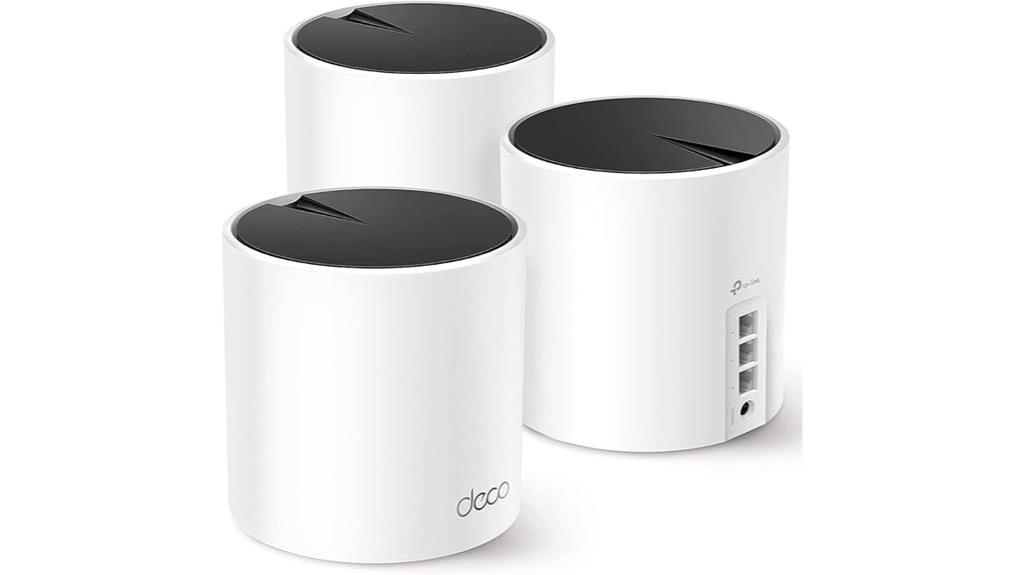
If you’re dealing with thick walls that block your Wi-Fi signal, the TP-Link Deco X55 AX3000 Mesh System is an excellent choice because it can cover up to 6,500 square feet with a seamless network. This 3-pack replaces traditional routers and extenders, eliminating dead zones and buffering. It supports Wi-Fi 6, offering fast speeds and connecting up to 150 devices reliably. Each unit has three Gigabit Ethernet ports and supports wired backhaul for added stability. Easy to set up via the Deco app, it also includes security features like TP-Link HomeShield. This system is compatible with most ISPs, making it a versatile solution for large, thick-walled homes.
Best For: households with large, thick-walled spaces requiring reliable, high-speed Wi-Fi coverage for multiple devices.
Pros:
- Covers up to 6,500 sq. ft., ideal for large homes with thick walls
- Supports Wi-Fi 6 for faster speeds and improved device capacity
- Easy setup and management via the Deco app with security features like TP-Link HomeShield
Cons:
- Requires a modem for most ISP connections, adding to initial setup complexity
- Price may be higher compared to basic routers or extenders
- Wired Ethernet backhaul support requires additional Ethernet cabling for optimal performance
TP-Link Deco XE75 AXE5400 Mesh System (3-Pack)
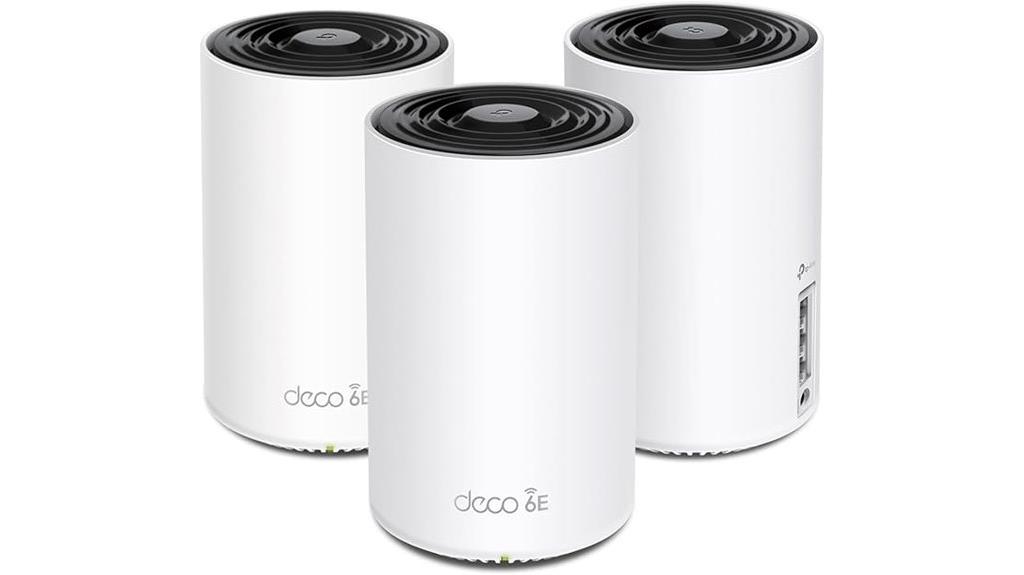
The TP-Link Deco XE75 AXE5400 Mesh System stands out as an excellent choice for homes with thick walls because it offers extensive coverage of up to 7,200 square feet, eliminating dead zones and buffering issues. Its tri-band WiFi 6E technology includes a dedicated 6 GHz band, boosting network stability and reducing interference. With speeds up to 5,400 Mbps, it handles multiple devices effortlessly. The AI-driven mesh adapts to your network needs, while security features like TP-Link HomeShield and U.S. CISA compliance keep your data safe. Setup is simple through the Deco app, and it’s compatible with major ISPs and voice assistants, making it a versatile option.
Best For: households seeking extensive WiFi coverage with high speed and stability, especially those with thick walls or multiple devices.
Pros:
- Covers up to 7,200 sq.ft, ideal for large homes and complex layouts
- Tri-band WiFi 6E with a dedicated 6 GHz band for reduced interference and enhanced performance
- Easy setup via the Deco app with remote management and voice control compatibility
Cons:
- Requires a modem for most ISP services, adding to initial setup costs
- May be overkill for small apartments or minimal device households
- The 3-pack may be more than necessary for smaller spaces, potentially leading to unused nodes
TP-Link Deco Outdoor Mesh WiFi (Deco X50-Outdoor)
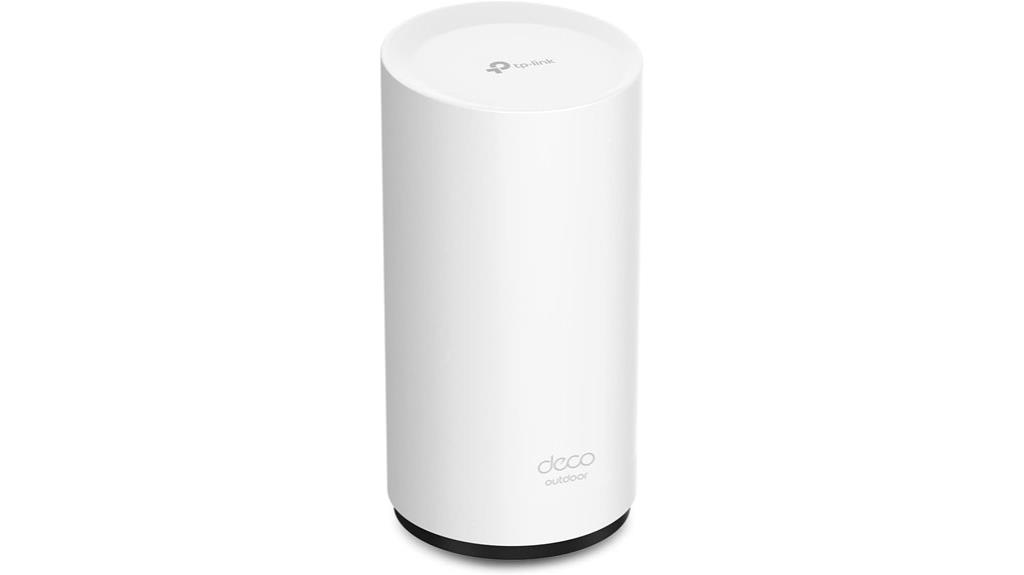
Choosing the TP-Link Deco Outdoor Mesh WiFi (Deco X50-Outdoor) makes sense for those needing a durable, high-performance solution to extend reliable internet coverage outdoors, especially in areas with thick walls or obstacles that weaken signals. This weatherproof device supports WiFi 6, providing fast, stable connectivity over large outdoor spaces like yards or patios. Its sleek design and flexible mounting options—pole, wall, or tabletop—make installation straightforward. With PoE support, it simplifies wiring by combining power and data through a single Ethernet cable. Compatible with all Deco systems, it’s easy to manage remotely via the Deco app, ensuring your outdoor areas stay connected effortlessly.
Best For: homeowners and outdoor enthusiasts seeking a durable, high-performance WiFi solution to extend reliable internet coverage across large outdoor spaces with challenging obstacles.
Pros:
- Weatherproof and weather-resistant design suitable for harsh outdoor conditions
- Supports WiFi 6 for fast, stable, and high-capacity connectivity outdoors
- Flexible mounting options (pole, wall, tabletop) for easy installation
Cons:
- Price may be higher compared to indoor-only WiFi extenders
- Requires PoE or AC power source, which might need additional setup
- Setup and management require the Deco app, which may have a learning curve for some users
NETGEAR Orbi 370 Series Dual-Band WiFi 7 Mesh Network System
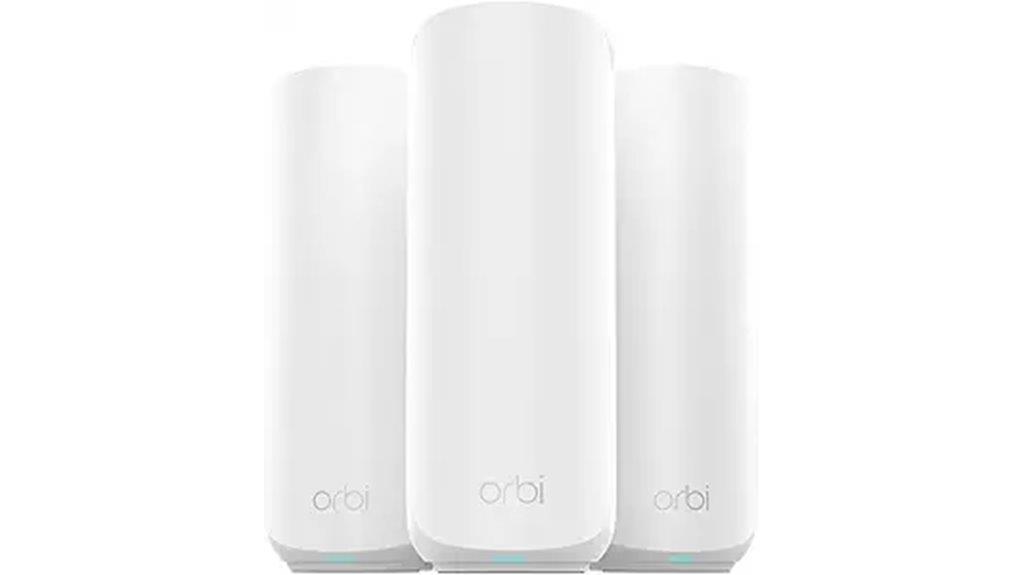
For homeowners dealing with thick walls that weaken Wi-Fi signals, the NETGEAR Orbi 370 Series Dual-Band WiFi 7 Mesh Network System stands out as an ideal solution. With speeds up to 5 Gbps, it’s 1.7 times faster than WiFi 6, ensuring quick, reliable connections. Its dual-band setup with Enhanced Backhaul provides stable, high-speed coverage, supporting multiple devices—up to 70—across 6,000 sq. ft. The system’s easy setup via the Orbi app and sleek design make it user-friendly and stylish. Plus, built-in security features like NETGEAR Armor keep your network safe, making it perfect for large homes with thick walls.
Best For: households with large, multi-story homes and thick walls that require fast, reliable Wi-Fi coverage for multiple devices and high-bandwidth activities.
Pros:
- Delivers ultra-fast speeds up to 5 Gbps, 1.7x faster than WiFi 6, ideal for streaming and gaming.
- Covers up to 6,000 sq.ft. and supports up to 70 devices simultaneously, perfect for large households.
- Easy to set up and manage via the user-friendly Orbi app, with sleek, modern design.
Cons:
- Designed for use in the U.S. only, limiting international availability.
- May be more expensive compared to basic routers or less advanced mesh systems.
- Requires compatible internet service providers and plans to maximize features.
NETGEAR AX1800 Dual-band WiFi 6 Mesh Extender
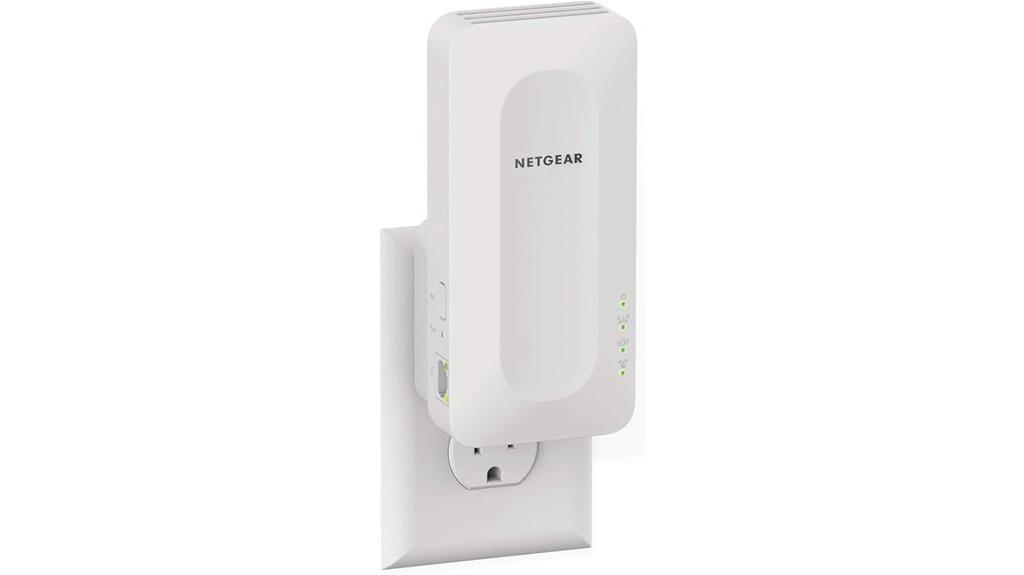
If your home has thick walls that block Wi-Fi signals, the NETGEAR AX1800 Dual-band WiFi 6 Mesh Extender is an excellent solution for extending coverage seamlessly. This wall plug device boosts WiFi coverage up to 1,500 sq. ft., supporting over 20 devices, including smartphones, laptops, IoT gadgets, and IP cameras. It delivers fast speeds up to 1.8Gbps using dual bands and four streams, ideal for streaming and gaming. Setup is straightforward via the Nighthawk app or WPS button, and it features smart roaming to keep your connection stable as you move around. Its compact design blends discreetly into any space.
Best For: households needing seamless Wi-Fi coverage to support multiple devices, streaming, and gaming in spaces with thick walls or extensive areas.
Pros:
- Extends WiFi coverage up to 1,500 sq. ft. with support for over 20 devices
- Easy to set up via Nighthawk app or WPS button, with smart roaming for stable connections
- Supports fast WiFi 6 speeds up to 1.8Gbps and includes a Gigabit Ethernet port for wired devices
Cons:
- As a certified refurbished product, availability and pricing may vary across stores
- Wall plug design may limit placement options compared to standalone extenders
- Customer ratings average 4.0 out of 5 stars, indicating some users may experience connectivity or setup issues
TP-Link Deco BE25 Dual-Band WiFi 7 Mesh System (3-Pack)
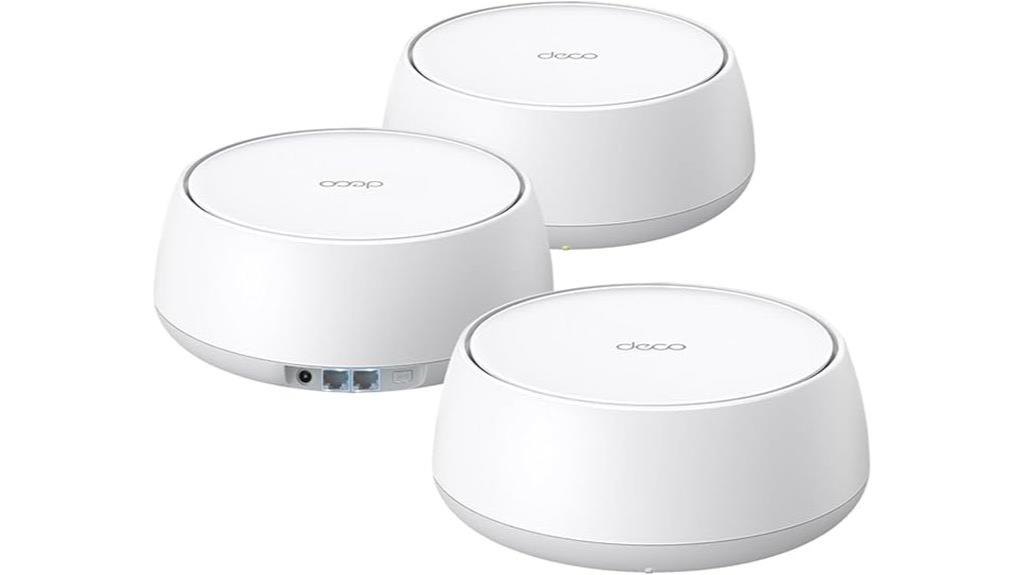
The TP-Link Deco BE25 Dual-Band WiFi 7 Mesh System stands out as an excellent choice for homes with thick walls, thanks to its powerful coverage and advanced technology. It delivers speeds up to 5 Gbps on a dual-band setup, supporting over 150 devices simultaneously, making it perfect for streaming and gaming. With four high-gain antennas and 4K-QAM, it ensures reliable, far-reaching signals across up to 6,600 sq. ft.. The system supports wired and wireless backhaul, utilizing Wi-Fi 7’s Multi-Link Operation for stable connections. Plus, features like AI-Roaming and TP-Link HomeShield security make managing your network simple and secure.
Best For: households needing extensive Wi-Fi coverage with high-speed, reliable connections for streaming, gaming, and smart home devices.
Pros:
- Supports Wi-Fi 7 with speeds up to 5 Gbps and extensive coverage up to 6,600 sq. ft.
- Handles over 150 devices simultaneously, ideal for busy smart homes and gaming setups.
- Features advanced security with TP-Link HomeShield and seamless AI-Roaming for stable, secure connections.
Cons:
- Requires a modem for internet connection, adding to setup complexity.
- Might be more expensive compared to Wi-Fi 6 mesh systems with similar coverage.
- As a new model, some users may experience initial setup or compatibility issues.
TP-Link Deco BE23 Dual-Band WiFi 7 Mesh System (3-Pack)
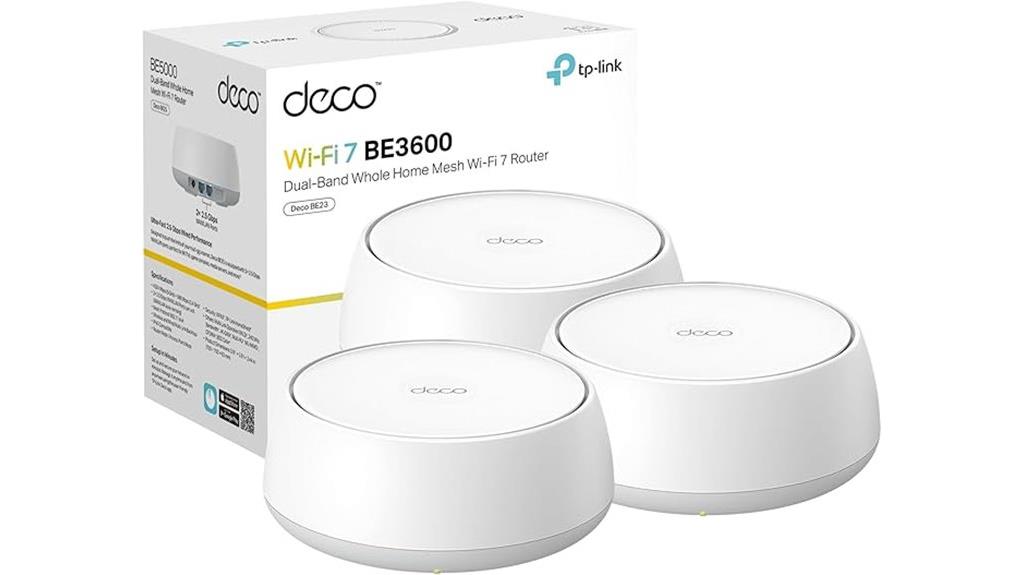
Thanks to its Wi-Fi 7 technology and powerful mesh architecture, the TP-Link Deco BE23 is an excellent choice for homes with thick walls that challenge traditional Wi-Fi signals. Supporting dual-band, 4-stream data, and speeds up to 3.6 Gbps, it provides seamless coverage of up to 6,500 sq.ft with three units. Equipped with four high-gain antennas per node, it guarantees strong signals across large spaces and supports over 150 devices. Features like beamforming, OFDMA, and AI-Roaming optimize performance, reduce latency, and enable smooth device switching. Plus, wired ports for high-speed backhaul and advanced security options make it a future-proof, reliable solution for demanding home networks.
Best For: households seeking a high-performance, future-proof mesh Wi-Fi system capable of covering large areas with strong, reliable signals and supporting numerous devices.
Pros:
- Supports Wi-Fi 7 features like Multi-Link Operation (MLO) and 4K-QAM for faster, more efficient connections
- Seamless coverage up to 6,500 sq.ft with three units, ideal for large homes with thick walls
- Advanced security options including HomeShield, WPA3 encryption, and parental controls for a safer network
Cons:
- Higher price point compared to basic Wi-Fi 6 mesh systems
- Requires a compatible multi-gig modem and Ethernet setup for optimal wired backhaul
- Setup and management may be complex for users unfamiliar with advanced networking features
MeshForce M3 Dot WiFi Extender System
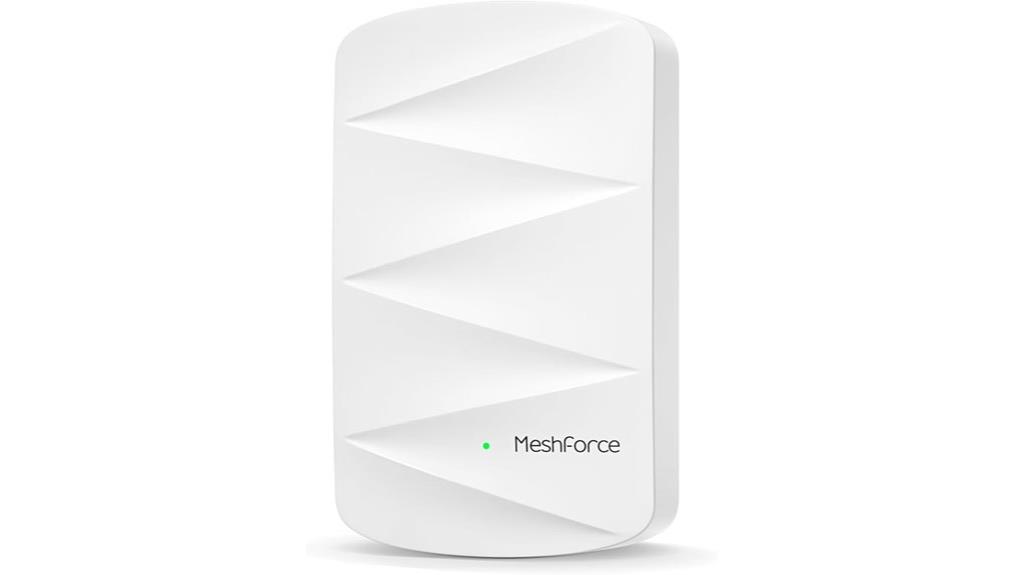
Looking to expand your MeshForce Wi-Fi coverage seamlessly? The MeshForce M3 Dot WiFi Extender System is a perfect addition if you already have a MeshForce M1 or M3 setup. It’s designed specifically for these systems, adding coverage for 1-2 rooms or up to 1,000 square feet per device. You can add up to six dots, reaching around 10,000 square feet total. Setup is quick—just scan a QR code with the My Mesh app, and it integrates automatically. You’ll enjoy centralized control over your network, including device management, guest zones, and parental controls, all from your smartphone.
Best For: homeowners with an existing MeshForce M1 or M3 Wi-Fi system looking to expand coverage seamlessly and centrally manage their network.
Pros:
- Specifically designed to extend MeshForce Wi-Fi coverage up to 10,000 square feet with multiple dots.
- Easy setup via QR code scan and automatic integration into the existing system.
- Offers centralized control over devices, guest networks, and parental controls through a user-friendly app.
Cons:
- Only compatible with MeshForce M1 and M3 systems, not suitable for other brands or standalone use.
- Cannot function as a main router or wireless access point; strictly an extender.
- Limited to adding up to six dots, which may not be sufficient for very large or complex networks.
Amazon eero 6 Mesh WiFi System (3-Pack)
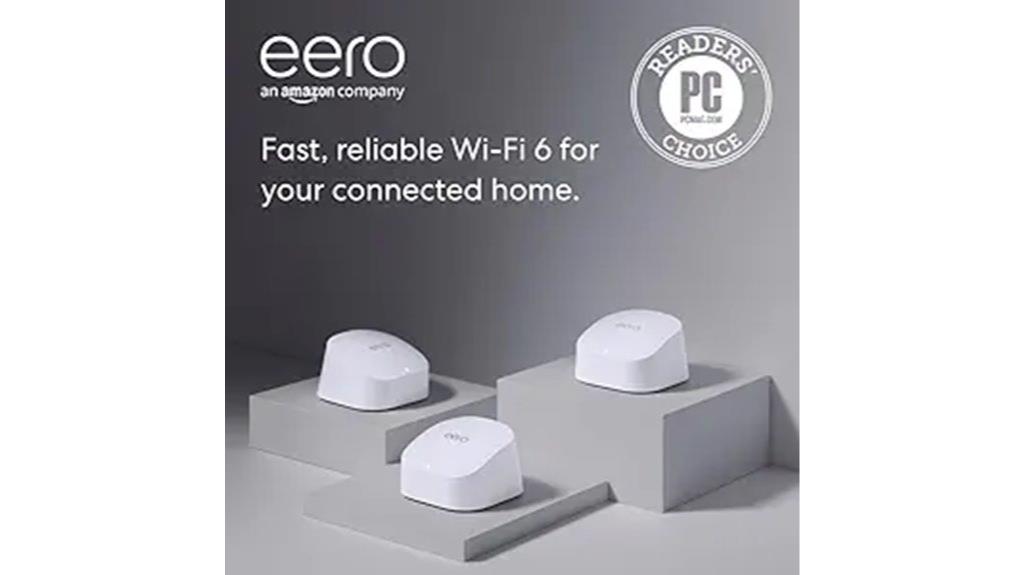
If you’re dealing with thick walls that hinder your Wi-Fi signal, the Amazon eero 6 Mesh WiFi System (3-Pack) stands out as a reliable solution. It covers up to 5,000 sq ft with a router and two extenders, supporting internet plans up to 500 Mbps. With Wi-Fi 6, it handles over 75 devices simultaneously, ensuring smooth streaming and gaming. Setup is straightforward with the eero app, and you can manage your network remotely. Plus, it doubles as a Zigbee smart home hub and offers robust security features like WPA3. Overall, it’s a versatile, easy-to-expand system designed to keep your entire home connected, even through thick walls.
Best For: households with thick walls or large areas seeking reliable and seamless Wi-Fi coverage with smart home integration.
Pros:
- Supports Wi-Fi 6 for fast, reliable connectivity with over 75 devices.
- Easy setup and management via the eero app, with remote control capabilities.
- Doubles as a Zigbee smart home hub, enhancing home automation options.
Cons:
- Coverage and performance may vary depending on interference and building materials.
- Limited to internet plans up to 500 Mbps; may not suit higher-speed requirements.
- Comes with a 1-year limited warranty, which may require additional coverage for long-term use.
Bangcheer Wall Mount for TP-Link WiFi Router (1 Pack)
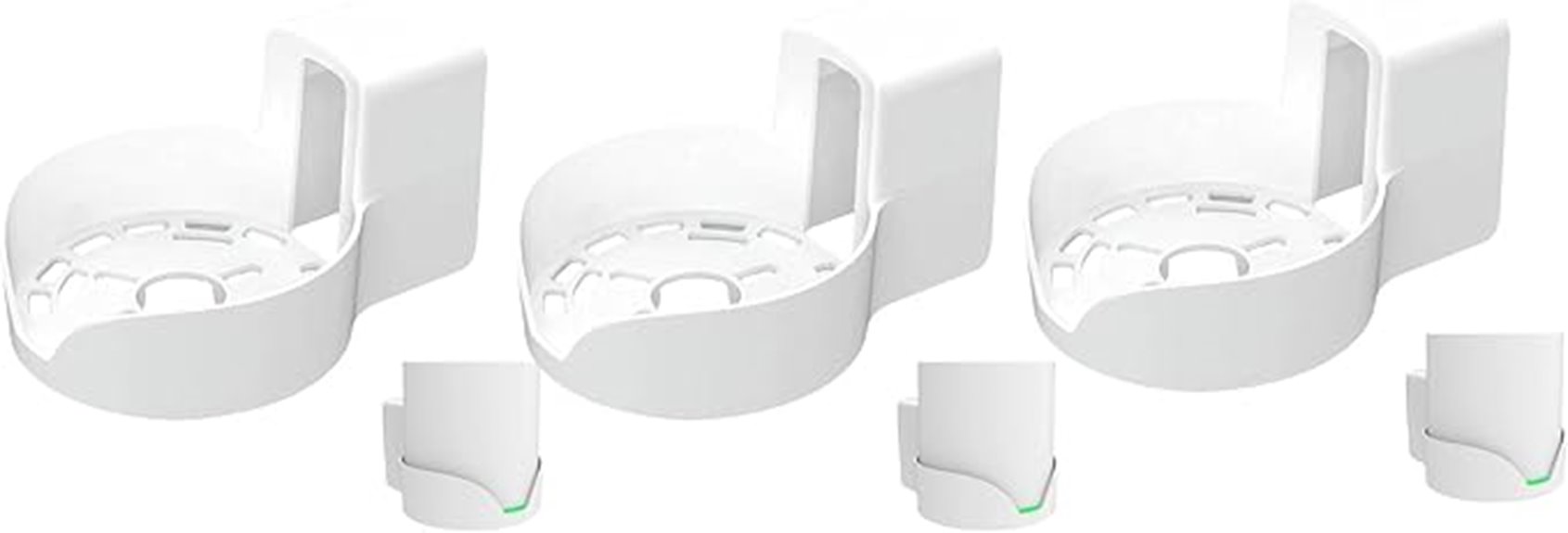
The Bangcheer Wall Mount for TP-Link WiFi Router (1 Pack) is an excellent choice for anyone seeking to optimize their mesh Wi-Fi system’s placement, especially in environments with thick walls. It’s compatible with TP-Link Deco X20, X60, X50, and X55 systems, helping improve coverage and reception. Made from durable metal and plastic, it’s designed to be sturdy yet stylish. The ventilated bottom keeps the router cool, while the cable organizer prevents messy cords. Easy to install and space-saving, this mount keeps your router off desks and floors, protecting it from damage and enhancing overall Wi-Fi performance in challenging environments.
Best For: those looking to optimize Wi-Fi coverage and performance in homes or offices with thick walls using compatible TP-Link Deco mesh systems.
Pros:
- Sturdy metal and plastic construction ensures durability and long-term use
- Space-saving, stylish design enhances room aesthetics and keeps routers off surfaces
- Ventilated bottom and cable organizer promote heat dissipation and neat cable management
Cons:
- Does not include the TP-Link Deco router itself
- Installation may require additional accessories or tools depending on the wall surface
- Compatibility limited to specific TP-Link Deco models; not suitable for other routers
Tenda AX3000 WiFi 6 Mesh System Nova MX12
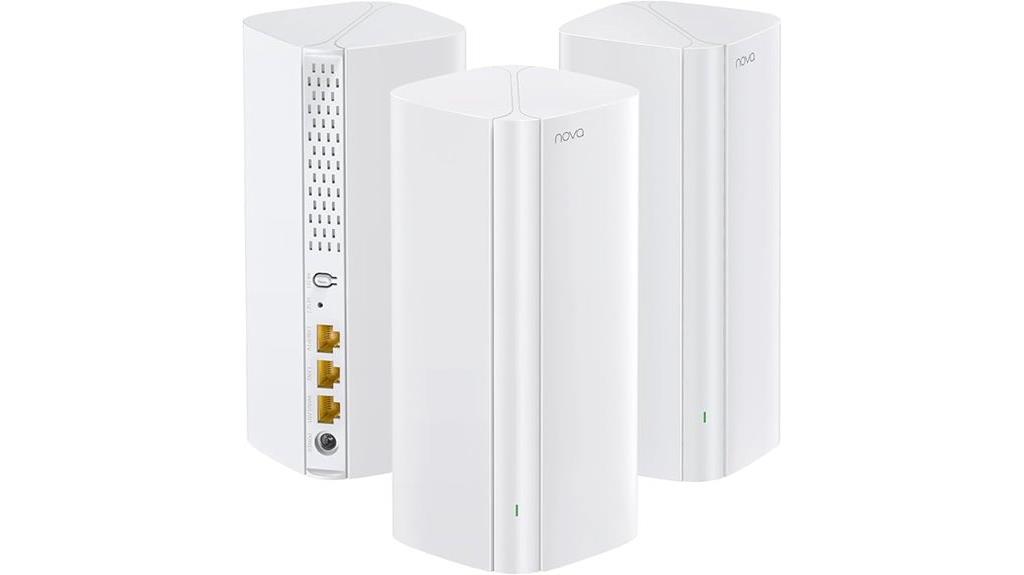
When dealing with thick walls that weaken Wi-Fi signals, the Tenda AX3000 WiFi 6 Mesh System Nova MX12 stands out as an excellent solution. It replaces traditional routers and extenders, offering whole-home coverage up to 7,000 sq.ft. with a 3-pack setup. Powered by Wi-Fi 6, it delivers speeds up to 2976Mbps, supporting over 160 devices simultaneously. The system’s quad-core processor, MU-MIMO, and OFDMA technologies ensure fast, stable connections with minimal latency. Its seamless mesh network provides smooth roaming, and setup is quick via the app or web GUI. Overall, it’s a reliable choice for large homes with thick walls.
Best For: homeowners with large, thick-walled houses seeking reliable, high-speed Wi-Fi coverage across extensive areas.
Pros:
- Provides whole-home coverage up to 7,000 sq.ft. with a 3-pack mesh system.
- Supports Wi-Fi 6 with speeds up to 2976Mbps and handles over 160 devices simultaneously.
- Features a quad-core processor and MU-MIMO, OFDMA technologies for stable, low-latency connections.
Cons:
- May be more expensive than traditional routers or extenders.
- Setup and management require a smartphone app or web GUI, which might be complex for some users.
- The system’s full capabilities are best utilized in large homes; smaller spaces might not need such extensive coverage.
Linksys Multi-gig Mesh WiFi 6 System (3 Pack)
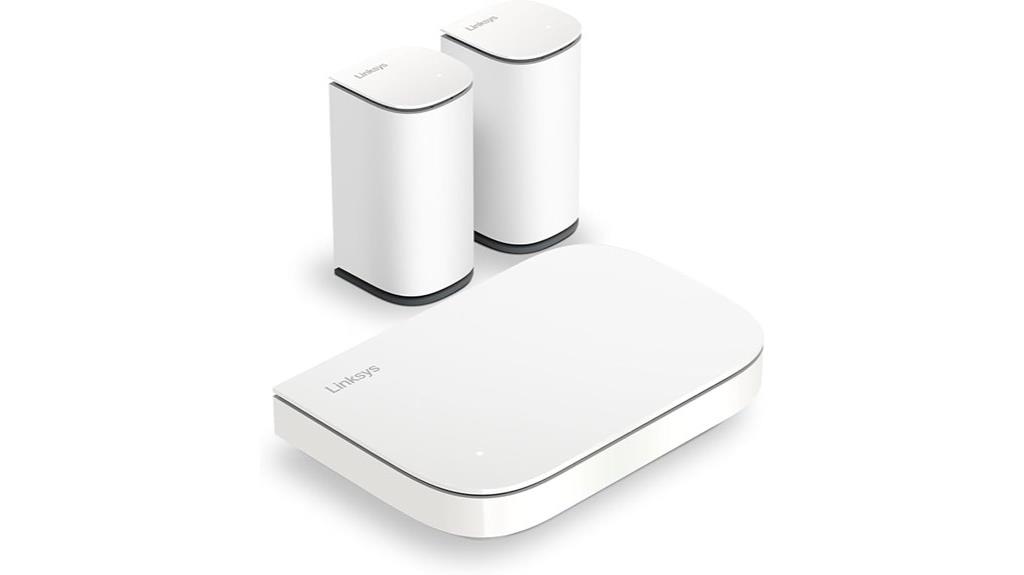
For large homes with thick walls that often block Wi-Fi signals, the Linksys Multi-gig Mesh WiFi 6 System (3 Pack) stands out as an excellent solution. It offers seamless coverage up to 5,000 sq ft and supports over 100 devices simultaneously, making it perfect for busy households. With speeds up to 3.0 Gbps thanks to WiFi 6 technology, it ensures fast, reliable connections for streaming, gaming, and smart devices. Its easy setup requires no app, and the stylish, expandable design lets you add nodes for extra coverage. Plus, it prioritizes security and privacy, making it a smart, future-proof choice for thick-walled homes.
Best For: large households in thick-walled homes seeking reliable, fast, and expandable WiFi coverage for multiple devices.
Pros:
- Seamless coverage up to 5,000 sq ft with easy expansion options
- Supports over 100 devices simultaneously, ideal for smart homes and busy households
- Fast speeds up to 3.0 Gbps with WiFi 6 technology ensuring reliable streaming and gaming
Cons:
- No dedicated app required for setup, which might limit advanced customization options
- May be priced higher than basic routers, though marketed as affordable for a multi-gig system
- Availability begins March 6, 2024, so immediate purchase may be limited
NETGEAR WiFi 6 Mesh Range Extender (EAX15)
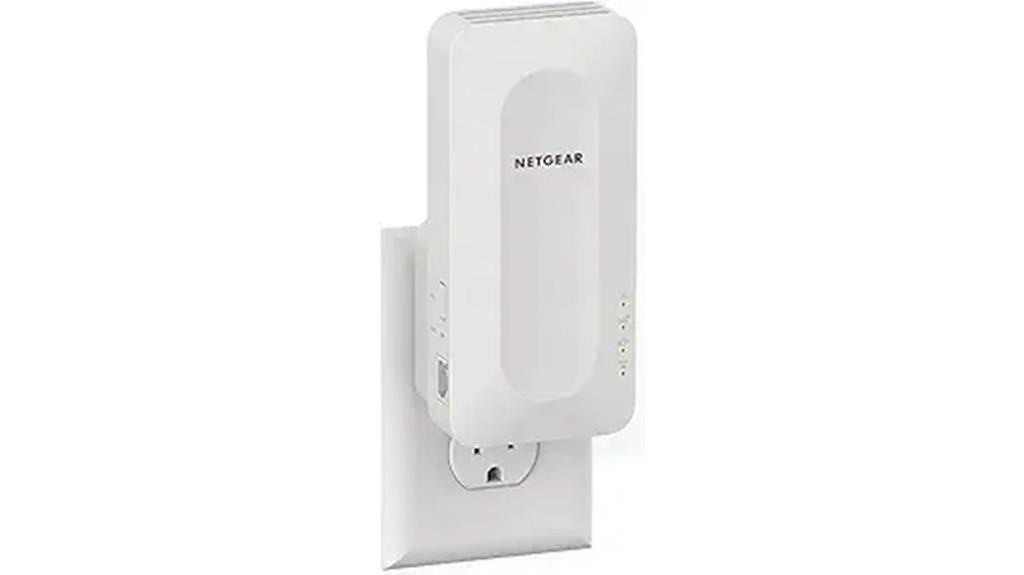
Struggling with thick walls that weaken your Wi-Fi signal? The NETGEAR WiFi 6 Mesh Range Extender (EAX15) might be just what you need. It covers up to 1,500 square feet and supports over 20 devices, including smart home gadgets, laptops, and smartphones. With AX1800 WiFi 6, it offers speeds up to 1.8 Gbps through dual-band technology, supporting multiple streams for better capacity. Easy to set up, it plugs directly into a wall outlet and uses smart roaming for seamless connectivity. Plus, it features a Gigabit Ethernet port and WPA3 security, making it a versatile solution for maintaining strong Wi-Fi through thick walls.
Best For: those seeking to extend Wi-Fi coverage in large homes with thick walls and multiple devices supporting WiFi 6 for seamless connectivity.
Pros:
- Provides up to 1,500 sq. ft. of coverage and supports over 20 devices simultaneously.
- Delivers fast AX1800 WiFi 6 speeds up to 1.8 Gbps with dual-band technology.
- Easy setup with wall outlet plug-in and smart roaming for seamless network transitions.
Cons:
- May be less effective in extremely dense or heavily obstructed environments.
- Requires compatible WiFi 6 devices to fully utilize its performance benefits.
- Limited to 1 Gigabit Ethernet port, which might be insufficient for multiple wired devices.
Outlet Wall Mount for eero 6 & eero 6+ Mesh Wi-Fi System
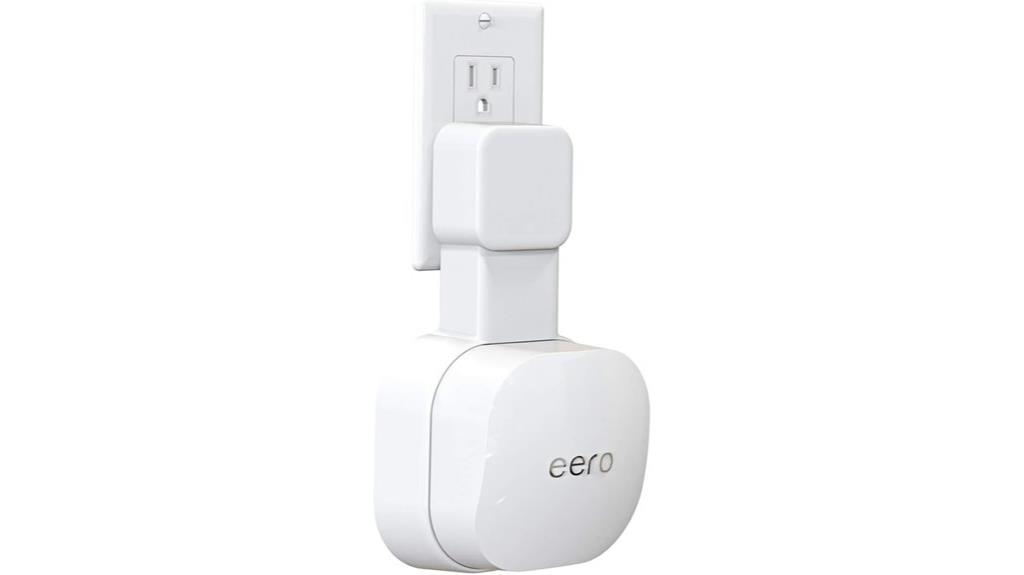
The Outlet Wall Mount for eero 6 & eero 6+ mesh Wi-Fi systems is ideal for anyone seeking a tidy, space-saving setup that enhances network coverage in homes or offices with thick walls. It’s designed specifically for these models, ensuring a secure fit and a neat appearance. The wall-hanging design reduces clutter, promotes even coverage, and frees up floor space. Installation is tool-free—no drilling or screws needed—making it perfect for beginners. The mount features a hidden wire groove to keep cords organized, and it’s made from high-quality materials for stability and safety. Note that the eero router, plug, and cord aren’t included.
Best For: homeowners and office users seeking a neat, space-saving way to securely mount their eero 6 or eero 6+ mesh Wi-Fi routers for optimal coverage and organization.
Pros:
- Tool-free installation suitable for beginners, no drilling or screws required.
- Keeps cords hidden and organized with a dedicated wire groove, reducing clutter.
- Enhances home or office aesthetics by promoting a tidy, wall-mounted setup.
Cons:
- Compatible only with eero 6 and eero 6+ models; not suitable for eero Pro 6 or other variants.
- Router, plug, and cord are not included, requiring additional purchases.
- May not fit perfectly in all wall types or socket configurations, depending on setup.
TP-Link Deco BE67 Tri-Band WiFi 7 Mesh System (3-Pack)
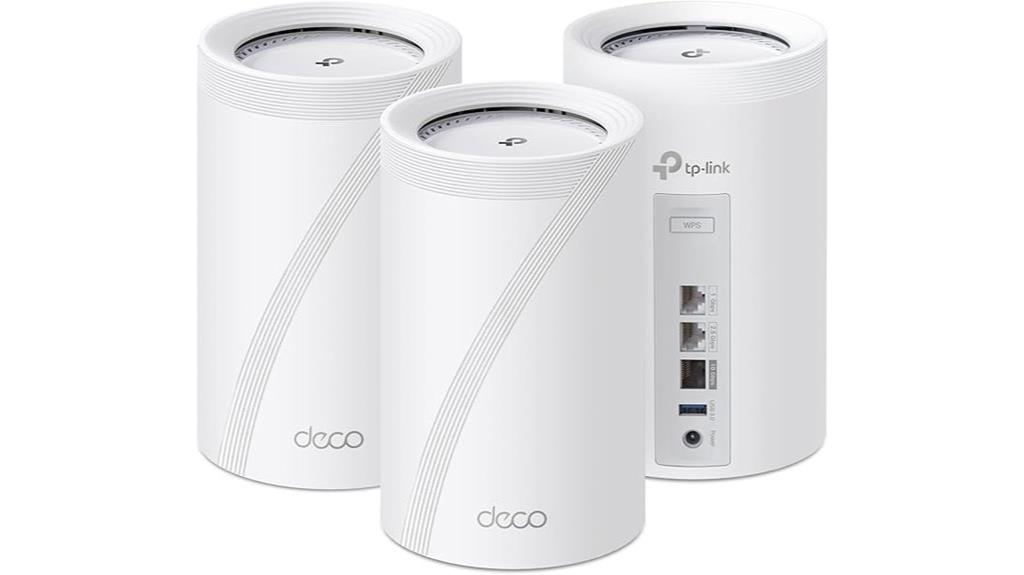
If your home has thick walls that hinder Wi-Fi signals, the TP-Link Deco BE67 Tri-Band WiFi 7 Mesh System (3-Pack) stands out as an excellent solution. It leverages WiFi 7 technology with 8 streams, delivering speeds up to 14 Gbps, perfect for streaming 4K/8K content, gaming, and downloads. Covering up to 8,100 sq. ft. and supporting over 200 devices, it ensures reliable connectivity everywhere. The system features multi-gigabit wired ports, a high-capacity wired backhaul, and seamless AI-roaming for smooth device switching. Easy to set up via the Deco App, it’s compatible with major ISPs and offers robust security features like VPN support and HomeShield protections.
Best For: households with thick walls or large homes needing high-speed, reliable WiFi coverage for multiple devices and advanced streaming or gaming.
Pros:
- Supports WiFi 7 with speeds up to 14 Gbps and multi-gigabit wired connections for optimal performance.
- Covers up to 8,100 sq. ft. and supports over 200 devices, ideal for large or busy households.
- Seamless AI-roaming and easy setup via the Deco App for hassle-free management and device switching.
Cons:
- The system may be more expensive than traditional WiFi routers or mesh systems without WiFi 7.
- Requires compatible WiFi 7 devices to fully utilize the enhanced speeds and features.
- Modem sold separately, which might add to the overall setup cost and complexity.
Factors to Consider When Choosing a Mesh Wi-Fi System for Thick Walls
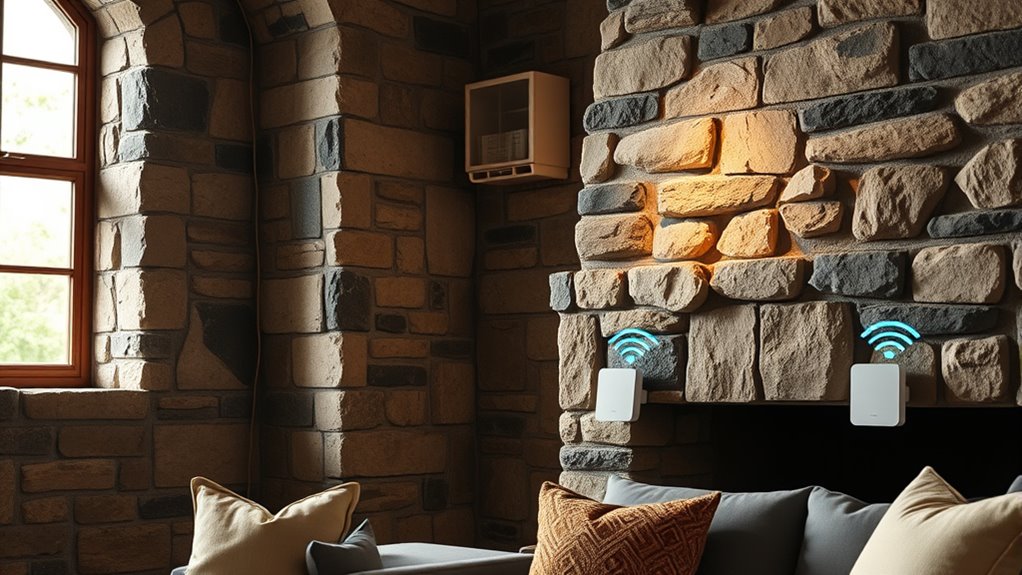
When choosing a mesh Wi-Fi system for thick walls, I consider how well the signals penetrate barriers and where to place the nodes for ideal coverage. It’s also important to look at the available frequency bands, as different options can impact speed and reliability. Plus, I keep in mind how wall materials and bandwidth needs affect overall performance.
Signal Penetration Power
Choosing a mesh Wi-Fi system capable of penetrating thick walls involves examining several key factors that influence signal strength. Higher transmit power and increased antenna gain are essential, as they boost the system’s ability to push signals through dense barriers. Wi-Fi 6 and Wi-Fi 7 technologies, with features like OFDMA and MU-MIMO, improve how signals handle obstacles, ensuring better coverage. Tri-band systems that dedicate a separate backhaul channel help reduce congestion and maintain stronger signals across walls. Devices equipped with multiple high-gain antennas and beamforming focus the Wi-Fi directly toward connected devices, enhancing penetration. Additionally, using wired Ethernet backhaul can markedly improve overall stability and signal strength, making it easier to keep your entire home connected despite thick walls.
Mesh Node Placement
Proper placement of mesh nodes is essential for guaranteeing strong coverage in homes with thick walls. I recommend positioning nodes centrally, away from dense walls and obstructions, to maximize signal reach and minimize dead zones. Elevating nodes—on shelves or wall mounts—can enhance line-of-sight and improve signal strength across multiple rooms. It’s important to keep nodes at a reasonable distance, roughly 30-50 feet apart, depending on wall thickness and materials, to maintain a seamless network. Avoid placing nodes near metal objects or electronic devices that might cause interference and weaken the Wi-Fi signal. Careful placement helps ensure your mesh system performs at its best, providing consistent, fast connectivity throughout your home despite the challenges posed by thick walls.
Frequency Band Options
Selecting the right frequency bands is essential for overcoming thick walls in a mesh Wi-Fi system. Dual-band and tri-band systems can better handle wall obstacles by dedicating separate channels for backhaul and device connections, reducing congestion and boosting performance. The addition of the 6 GHz band in WiFi 6E and WiFi 7 offers higher speeds and less interference, which helps improve coverage through walls. Multiple bands allow devices to switch to the best one for penetration and reduced congestion, enhancing stability. However, higher frequency bands like 5 GHz and 6 GHz generally have shorter ranges and weaker wall penetration compared to 2.4 GHz. Mesh systems with band steering can automatically direct devices to the *most suitable* band, ensuring consistent performance even in challenging environments.
Wall Material Impact
Wall materials play a crucial role in determining how well your Wi-Fi signals penetrate thick walls. Dense materials like concrete and brick considerably weaken signals, reducing both strength and range. Thick walls reinforced with metal can reflect and absorb Wi-Fi signals, leading to dead zones and weak coverage. In contrast, materials such as drywall, wood, and plaster have less impact, allowing signals to pass more easily. However, even with these lighter materials, thick or insulated walls can cause signal loss of 50% or more, making additional mesh nodes necessary for consistent coverage. Understanding your wall material helps you position your mesh nodes strategically, minimizing dead spots and ensuring your home stays connected. Recognizing these differences is key to choosing the right system for thick-walled homes.
Speed and Bandwidth
When choosing a mesh Wi-Fi system for thick walls, considering speed and bandwidth is crucial to guarantee reliable connectivity. Higher bandwidth standards like Wi-Fi 6 and Wi-Fi 7 deliver faster speeds, essential for penetrating dense materials. Dual or tri-band systems can dedicate a separate backhaul channel, reducing congestion and maintaining high speeds across multiple devices. Mesh systems with multiple nodes distribute bandwidth evenly, helping combat signal loss caused by thick walls. Technologies like MU-MIMO and OFDMA optimize data transmission for several devices simultaneously, boosting overall speed. Additionally, wired backhaul options such as Ethernet or Power over Ethernet (PoE) provide a more stable, high-bandwidth connection through challenging materials. Prioritizing these features ensures your network remains fast and reliable, even in difficult environments.
Security Features
Ensuring your mesh Wi-Fi system has strong security features is essential, especially when dealing with thick walls that can make your network more vulnerable. Look for systems that offer WPA3 encryption to better protect your data from unauthorized access. Built-in security services like network firewalls, intrusion detection, and automatic firmware updates help address vulnerabilities quickly. Parental controls and IoT security measures are crucial for safeguarding connected devices and managing user access. Remote management capabilities allow you to monitor and control security settings from anywhere, adding an extra layer of convenience. Prioritize systems that follow cybersecurity standards or have certifications like the U.S. Cybersecurity and Infrastructure Security Agency’s (CISA) Secure-by-Design pledge, ensuring your network’s safety in the long run.
Frequently Asked Questions
How Do Mesh Systems Improve Connectivity Through Thick Walls?
Mesh systems improve connectivity through thick walls by using multiple nodes that work together to create a seamless Wi-Fi network. I’ve found that they distribute the signal evenly, so even the farthest rooms stay connected. The nodes communicate with each other, bypassing obstacles like walls, and guarantee a strong, reliable connection everywhere in my home. This setup minimizes dead zones and keeps my internet fast and stable no matter where I am.
Can Mesh Wi-Fi Systems Be Easily Expanded After Initial Setup?
Absolutely, mesh Wi-Fi systems are like building a digital highway—adding more lanes is simple. Once you’ve set up your initial nodes, expanding is as easy as plugging in a new satellite. Just follow the app’s instructions, and it seamlessly integrates into your existing network. This flexibility means you can grow your coverage as your home expands or your Wi-Fi needs evolve, without starting from scratch.
What Are the Key Differences Between Wi-Fi 6 and Wi-Fi 7 Mesh Systems?
Wi-Fi 6 and Wi-Fi 7 mesh systems differ mainly in speed, efficiency, and capabilities. Wi-Fi 7 offers faster data transfer rates, lower latency, and better performance in crowded environments thanks to advanced technologies like 16 streams and wider channels. Wi-Fi 6 is still very capable but provides slightly lower speeds and efficiency. If you want the latest and greatest for heavy usage, Wi-Fi 7 is the way to go.
Are Outdoor Mesh Systems Suitable for Indoor Thick Wall Environments?
Outdoor mesh systems aren’t ideal for indoor thick wall environments because they’re designed to withstand weather conditions outside. Their stronger signals and rugged build don’t translate well indoors, where walls and furniture block signals. I recommend indoor-specific mesh systems with powerful routers and nodes tailored for thick walls. They’ll give you better coverage and faster speeds, ensuring your whole home stays connected without the outdoor hardware’s durability features.
How Does Wall Material Affect Mesh Wi-Fi Signal Strength and Performance?
Wall material markedly impacts mesh Wi-Fi signal strength and performance. Thick concrete or brick walls can weaken signals, causing slower speeds and dead spots. I’ve found that materials like drywall offer less resistance, maintaining better connectivity. To improve coverage, I recommend placing mesh nodes strategically, avoiding obstructions, and considering systems designed for thick walls. This way, you guarantee a stronger, more reliable Wi-Fi connection throughout your home.
Conclusion
If you’re looking to keep your home truly connected despite thick walls, exploring these top mesh Wi-Fi options might just open new doors for you. With the right system, you’ll enjoy smoother streaming, faster downloads, and fewer frustrating dead zones. Think of it as gently enhancing your home’s digital heartbeat—making connectivity effortless and seamless. So, take your time, choose wisely, and watch your home’s wireless world flourish beyond what you thought possible.