
If you’re after the ultimate competitive edge, I recommend exploring the top 15 1440p 240Hz esports monitors. These models feature blazing-fast response times, vibrant color accuracy, and adaptive sync support to keep gameplay smooth and tear-free. With options like IPS, OLED, and curved designs, you’ll find the perfect balance of immersion, clarity, and responsiveness. Keep going, and you’ll discover detailed insights on each monitor’s strengths to help you make the best choice.
Key Takeaways
- High refresh rates and ultra-low response times ensure smooth, lag-free gameplay crucial for competitive gaming.
- Advanced display technologies like OLED and QD OLED provide superior contrast, vibrant colors, and minimal motion blur.
- Compatibility with G-SYNC and FreeSync Premium eliminates screen tearing and stuttering for seamless performance.
- Curved, ultra-wide, and high-resolution screens enhance immersion and expand field of view in fast-paced titles.
- Multiple connectivity options and ergonomic designs support professional setups and extended gaming sessions.
AOC Gaming Q27G41ZE 27-Inch QHD IPS Gaming Monitor
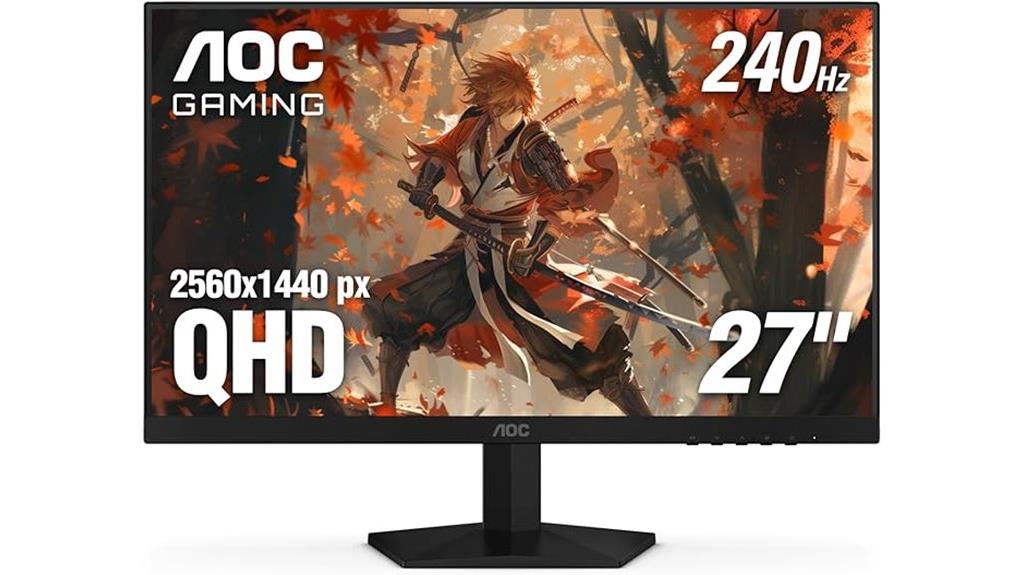
If you’re serious about competitive gaming, the AOC Gaming Q27G41ZE is a top choice thanks to its fast 240Hz refresh rate and 0.3ms response time, which helps reduce motion blur and input lag. Its 27-inch IPS panel delivers sharp, vibrant visuals with wide viewing angles, ensuring you see every detail clearly from any position. The frameless design and sleek black and red finish give it a modern look. With adaptive-Sync support, HDR, and multiple connectivity options like DisplayPort and HDMI, it’s built to enhance your gaming experience. Plus, the VESA mount and tilt adjustments make setup customizable for maximum comfort.
Best For: competitive gamers and tech enthusiasts seeking a high-performance monitor with fast response times and vibrant visuals.
Pros:
- 240Hz refresh rate and 0.3ms response time for smooth, blur-free gameplay
- Wide viewing angles with vibrant, accurate colors thanks to IPS panel
- Multiple connectivity options including DisplayPort and HDMI, plus VESA compatibility
Cons:
- Limited to 300 nits brightness, which may affect HDR performance in very bright environments
- No built-in speakers, requiring external audio setup
- Tilt adjustment only, lacking height adjustment for personalized ergonomic positioning
LG 27-inch UltraGear QHD Gaming Monitor (27GR83Q-B)
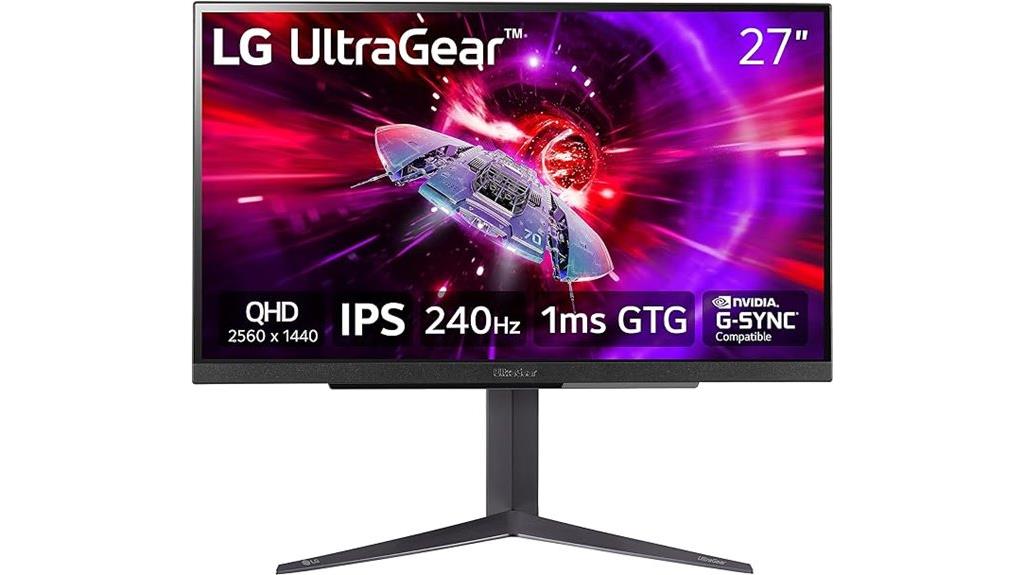
The LG 27-inch UltraGear QHD Gaming Monitor (27GR83Q-B) stands out as an excellent choice for competitive gamers who demand both speed and visual clarity. Its 27-inch IPS panel delivers vibrant colors with 95% DCI-P3 coverage and VESA DisplayHDR 400, ensuring stunning visuals. The 240Hz refresh rate, supported by HDMI 2.1 and DisplayPort 1.4, guarantees ultra-smooth gameplay, while a 1ms response time minimizes motion blur. Compatibility with NVIDIA G-SYNC and AMD FreeSync Premium provides tear-free performance. With customizable gaming modes, ergonomic adjustments, and multiple connectivity options, this monitor offers both responsiveness and comfort for intense gaming sessions.
Best For: competitive gamers and enthusiasts seeking high-speed, vibrant visuals with smooth gameplay and ergonomic comfort.
Pros:
- Supports 240Hz refresh rate via HDMI 2.1 and DisplayPort 1.4 for ultra-smooth visuals.
- Features 95% DCI-P3 color gamut and VESA DisplayHDR 400 for vibrant, high-contrast images.
- NVIDIA G-SYNC and AMD FreeSync Premium compatibility ensure tear-free, responsive gaming.
Cons:
- Slightly heavier at 13.7 pounds, may require sturdy setup.
- Premium features and high refresh rate may increase initial cost.
- Limited to 27 inches, which might be small for users preferring larger displays.
SANSUI 27 Inch WQHD Gaming Monitor with 240Hz, 1440P, 1ms, AMD FreeSync
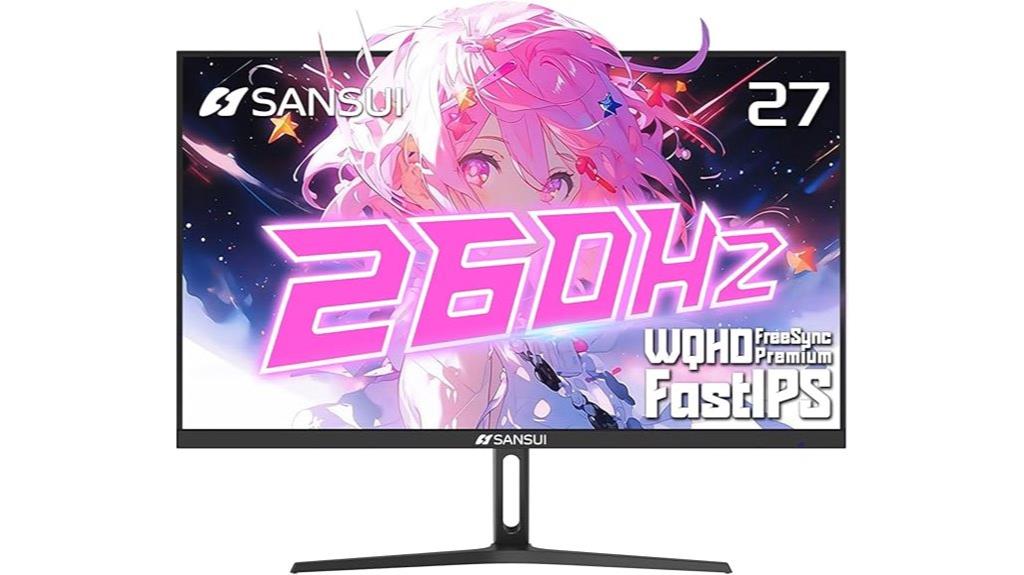
Gamers who prioritize ultra-smooth visuals and precise color accuracy will find the SANSUI 27 Inch WQHD Gaming Monitor an excellent choice. It features a 2560×1440 resolution on a 27-inch Fast IPS panel, delivering vibrant colors with 98% DCI-P3 and 130% sRGB coverage. The 240Hz refresh rate and 1ms MPRT response guarantee minimal motion blur, while FreeSync Premium eliminates screen tearing. HDR10 support, wide viewing angles, and adjustable tilt enhance the gaming experience. Its versatile connectivity options, VESA compatibility, and built-in ergonomic adjustments make it suitable for intense gaming sessions and professional use alike.
Best For: gamers and professionals seeking a high-refresh-rate, color-accurate monitor with versatile adjustability for immersive gaming and detailed work.
Pros:
- 240Hz refresh rate and 1ms MPRT response time for ultra-smooth gameplay
- Wide color coverage with 98% DCI-P3 and 130% sRGB for accurate, vibrant colors
- Adjustable tilt, height, and VESA compatibility for ergonomic comfort
Cons:
- Limited to 27 inches, which may not suit users needing larger displays
- No built-in USB hub or additional ports beyond DisplayPort, HDMI, and audio jack
- Brightness capped at 320 nits, which might be less effective in very bright environments
SANSUI 27-Inch 1440p Gaming Monitor (WQHD, 300Hz, 240Hz, HDR)

For competitive gamers seeking top-tier performance, the SANSUI 27-Inch 1440p Gaming Monitor stands out with its ultra-fast 300Hz refresh rate and 1ms response time, ensuring smooth, lag-free gameplay. Its 27-inch WQHD display delivers sharp visuals with vibrant colors supported by HDR, 10-bit color depth, and a wide color gamut. The fast IPS panel provides excellent viewing angles, while the multiple connectivity options, including HDMI 2.1 and DisplayPort 1.4, support high refresh rates. Ergonomic adjustments and VESA compatibility make setup flexible. Designed for esports, this monitor combines speed, clarity, and versatility for an unbeatable gaming experience.
Best For: competitive gamers and esports enthusiasts seeking ultra-fast refresh rates, sharp visuals, and versatile setup options for an optimal gaming experience.
Pros:
- Ultra-fast 300Hz refresh rate with 1ms response time for smooth gameplay
- Vibrant WQHD display with HDR support, 10-bit color, and wide color gamut for stunning visuals
- Ergonomic stand with multiple adjustments and VESA compatibility for flexible setup
Cons:
- Higher price point compared to standard monitors
- Limited to 27 inches, which may not suit users preferring larger screens
- Some users might experience compatibility issues with certain graphics cards at maximum refresh rates
CRUA 27” Curved Gaming Monitor with 260Hz/240Hz, QHD 1440P, VA Panel, Built-in Speakers, AMD FreeSync, 120% sRGB, Blue Light Filter, HDMI2.0 & DP1.4
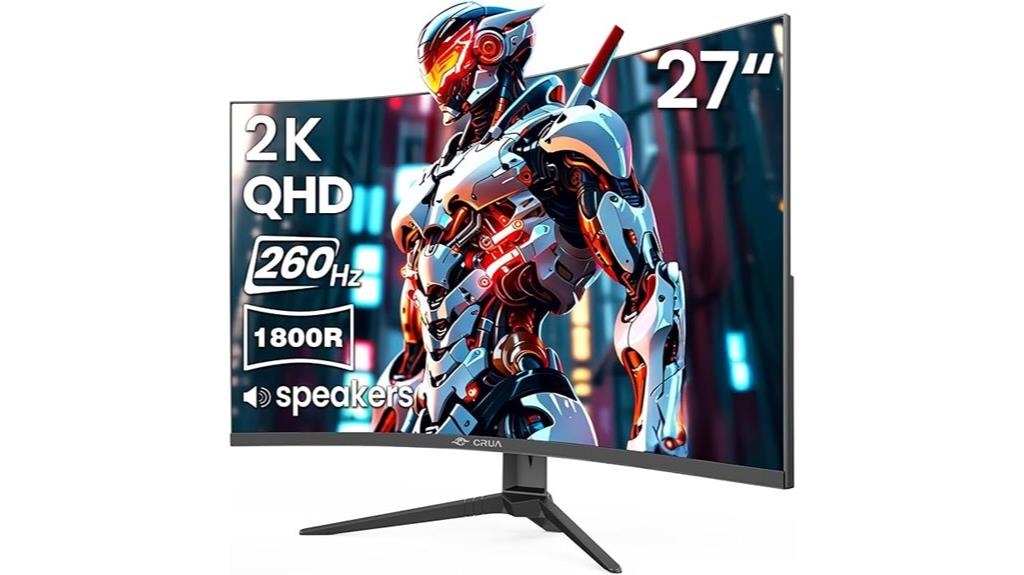
If you’re serious about competitive gaming, this CRUA 27” curved monitor stands out with its lightning-fast 260Hz refresh rate and immersive 1800R curvature. The QHD 1440P resolution provides sharp, detailed visuals, while the VA panel offers rich contrast and vibrant blacks. With AMD FreeSync support, screen tearing becomes a thing of the past, ensuring smooth gameplay. Its 120% sRGB coverage delivers vivid, lifelike colors, and the blue light filter reduces eye strain during long sessions. Connectivity options like HDMI 2.0 and DisplayPort 1.4 make setup flexible. Built-in speakers add convenience, making this monitor a all-encompassing choice for competitive gamers.
Best For: competitive gamers and eSports enthusiasts seeking ultra-smooth visuals, vibrant colors, and immersive experiences.
Pros:
- Ultra-fast 260Hz refresh rate ensures exceptionally smooth motion for fast-paced gameplay.
- 27-inch curved design with 1800R curvature provides immersive viewing experience.
- Support for AMD FreeSync and high contrast VA panel enhances visual fluidity and deep blacks.
Cons:
- High refresh rate may require a powerful GPU to fully utilize the 260Hz performance.
- Limited to 1440P resolution, which might not satisfy users seeking 4K clarity.
- No mention of adjustable height or swivel features for ergonomic customization.
INNOCN 24.5″ 1440P QHD Gaming Monitor
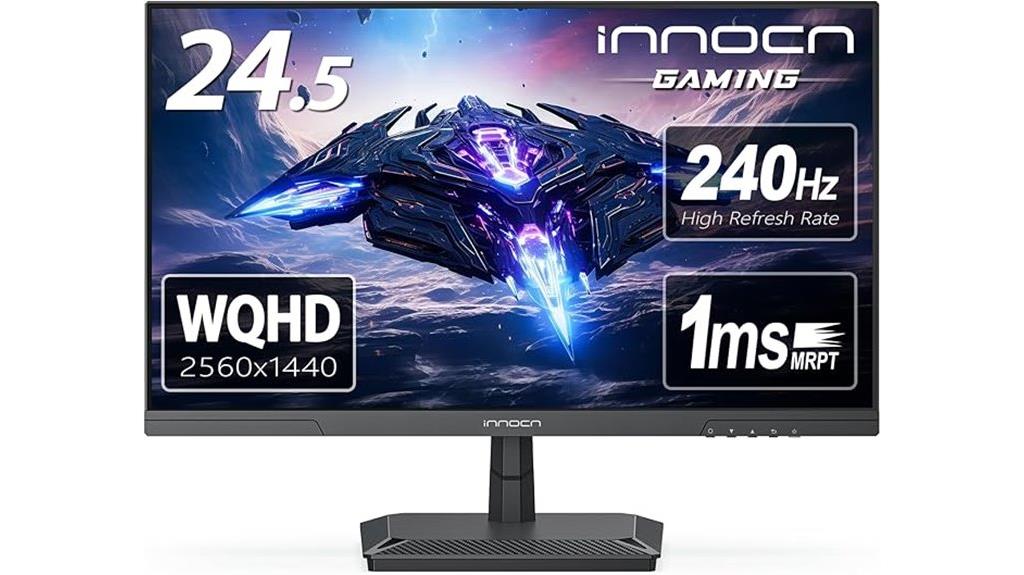
The INNOCN 24.5″ 1440P QHD Gaming Monitor stands out with its lightning-fast 240Hz refresh rate and 1ms response time, making it an excellent choice for competitive esports players seeking smooth, responsive gameplay. Its 24.5-inch IPS panel delivers vibrant visuals with 99% sRGB coverage, ensuring vivid images and a wider color range. It supports multiple refresh rates up to 180Hz and is G-SYNC compatible for tear-free gaming. Connectivity is versatile with HDMI 2.1 and DisplayPort 1.4, compatible with PCs, consoles, and laptops. Its modern, frameless design, eye care features, and VESA mountability make it both functional and sleek for long gaming sessions.
Best For: competitive gamers and esports enthusiasts seeking a high-performance monitor with fast refresh rates and vivid visuals.
Pros:
- Exceptional 240Hz refresh rate and 1ms response time ensure smooth, responsive gameplay.
- Vibrant 99% sRGB color coverage delivers vivid, true-to-life images.
- Versatile connectivity options with HDMI 2.1 and DisplayPort 1.4 support various devices including PCs and consoles.
Cons:
- Slightly heavier with stand (7.03 lbs), which may impact portability.
- Limited to a 24.5-inch size, which might not suit users preferring larger screens.
- Requires compatible graphics cards and hardware to fully utilize high refresh rates.
TITAN ARMY 24.5 Inch Gaming Monitor (P2510S Plus)
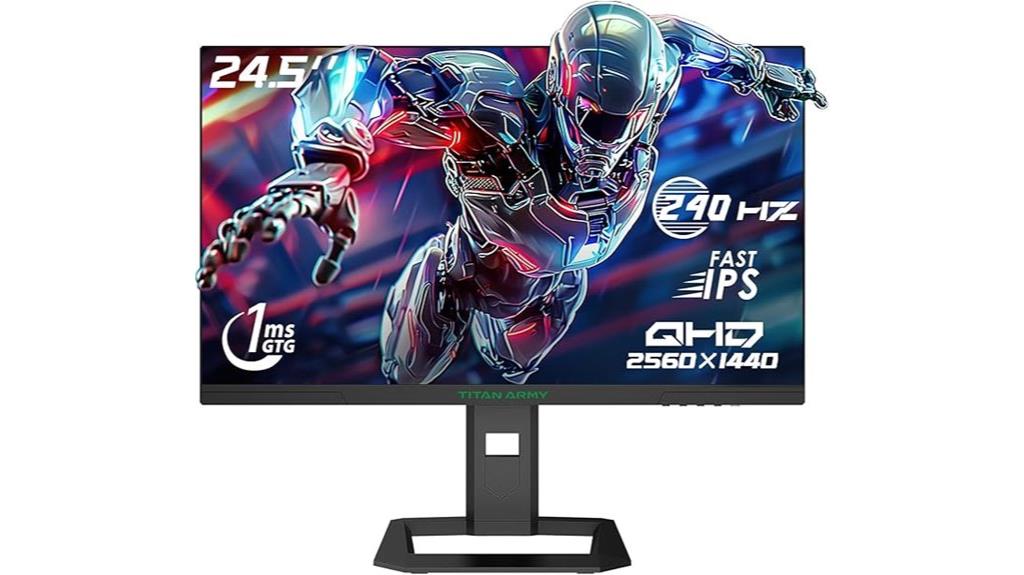
Gamers seeking ultra-responsive performance and vibrant visuals will find the TITAN ARMY 24.5 Inch Gaming Monitor (P2510S Plus) to be an excellent choice, especially for fast-paced FPS and eSports titles. Its 24.5-inch size and three-sided frameless design deliver immersive gameplay. The QHD resolution, combined with 126% sRGB coverage and HDR 500 support, ensures sharp, vivid visuals. The FAST IPS panel provides a 1ms GTG response time, while the 240Hz refresh rate and Adaptive-Sync eliminate tearing and motion blur. Multiple connectivity options, including HDMI and DisplayPort, make it versatile, and VESA compatibility allows easy multi-screen setups.
Best For: gamers who demand ultra-responsive performance, vibrant visuals, and seamless gameplay in fast-paced FPS and eSports titles.
Pros:
- 240Hz refresh rate ensures ultra-smooth motion for competitive gaming
- 1ms GTG response time with FAST IPS panel for quick, responsive visuals
- HDR 500 support and 126% sRGB coverage deliver vivid, accurate colors
Cons:
- May be less suitable for casual or non-gaming use due to high refresh rate focus
- Limited to 2560x1440p resolution, which might not satisfy users seeking 4K clarity
- Requires careful setup to fully utilize VESA mounting and multiple connectivity options
SANSUI 34 Inch Ultrawide Curved Gaming Monitor (UWQHD 3440×1440, 21:9, HDR400)
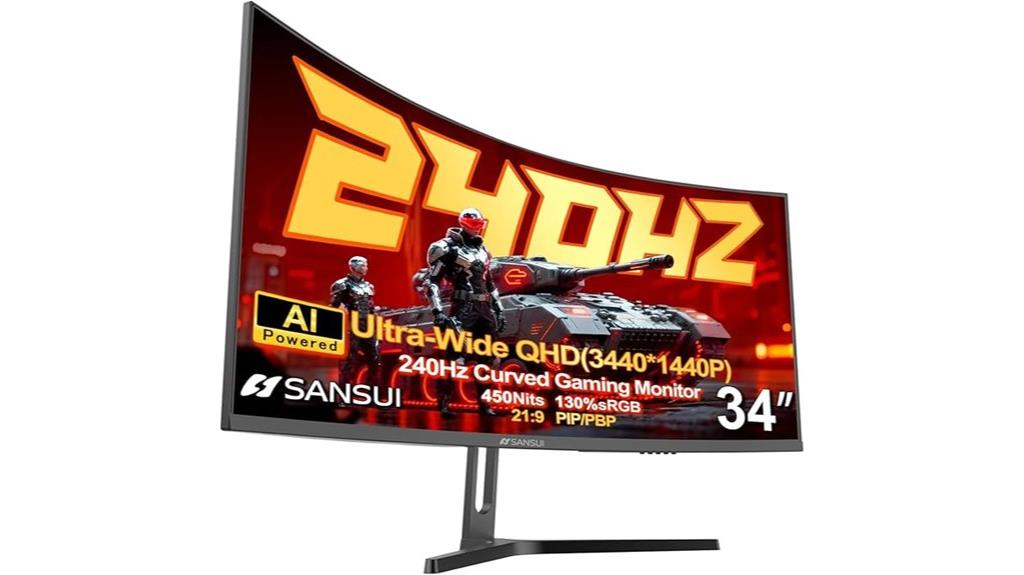
For competitive gamers seeking an immersive and wide field of view, the SANSUI 34 Inch Ultrawide Curved Gaming Monitor stands out with its expansive 3440×1440 UWQHD resolution and 21:9 aspect ratio. Its 1500R curvature enhances immersion, while a 240Hz refresh rate and 1ms response time deliver smooth, responsive gameplay. HDR400 provides vivid visuals, and AI features like Crosshair and Blue Light help optimize accuracy and comfort. With versatile PIP/PBP modes, ample ports, and ergonomic adjustments, this monitor is designed to elevate your gaming experience, making it a solid choice for serious esports enthusiasts.
Best For: competitive gamers and esports enthusiasts seeking an immersive, ultrawide gaming experience with high refresh rates and advanced visual features.
Pros:
- Ultra-wide UWQHD 3440×1440 resolution with 21:9 aspect ratio for expansive views.
- 240Hz refresh rate and 1ms response time ensure smooth, responsive gameplay.
- AI-enhanced features like Crosshair, Blue Light reduction, and HDR400 for optimized visuals and comfort.
Cons:
- No built-in speakers, requiring external audio solutions.
- Limited to VESA mount compatibility with no height adjustment; tilt only.
- Higher price point compared to standard monitors without ultrawide or high refresh rate features.
KTC 32-Inch 240Hz Curved Gaming Monitor

If you’re looking to elevate your gaming setup with a large, immersive display, the KTC 32-Inch 240Hz Curved Gaming Monitor is an excellent choice. Its 1000R curvature matches the human eye, creating a truly immersive experience. The frameless design and tilt adjustment (-5° to 20°) ensure ergonomic comfort. With a 2560×1440 resolution, HDR support, and a 122% sRGB color gamut, images are vivid and detailed. The ultra-fast 240Hz refresh rate, 1ms response time, and Adaptive Sync deliver smooth gameplay free of tearing. Multiple input options make it versatile, and the monitor’s solid ratings reflect its quality for competitive gaming.
Best For: gamers and multimedia enthusiasts seeking an immersive, high-performance display with fast refresh rates and vivid visuals.
Pros:
- Large 32-inch curved screen with 1000R curvature for an immersive experience
- Ultra-fast 240Hz refresh rate and 1ms response time for smooth gameplay
- Supports HDR, wide color gamut, and adaptive sync technology for vivid and tear-free visuals
Cons:
- Bulky size may require ample desk space and setup considerations
- Limited to specific input ports (HDMI and DisplayPort) which may require adapters for some devices
- Potential for higher power consumption due to large display and high-performance features
ASUS ROG Strix 27” 1440P OLED Gaming Monitor

The ASUS ROG Strix 27” 1440P OLED Gaming Monitor stands out as an excellent choice for serious esports enthusiasts who demand top-tier visual performance. Its 26.5-inch OLED panel delivers vibrant colors with 99% DCI-P3 coverage, combined with a blazing 240Hz refresh rate and 0.03ms GTG response time for ultra-smooth gameplay. Advanced third-generation WOLED technology guarantees brighter whites and clearer text, while features like anti-flicker and burn-in reduction extend panel life. The monitor’s cooling system, ASUS OLED Care, and HDR support make it perfect for intense, fast-paced gaming sessions, all wrapped in a sleek design with customizable options.
Best For: esports enthusiasts and competitive gamers seeking a high-performance monitor with ultra-smooth visuals and vibrant color accuracy.
Pros:
- 240Hz refresh rate and 0.03ms GTG response time ensure ultra-smooth gameplay
- 99% DCI-P3 color coverage delivers vibrant, accurate colors
- Advanced cooling and OLED Care features extend panel lifespan and reduce burn-in risk
Cons:
- Premium price point may be prohibitive for some users
- Larger size and weight could limit placement flexibility
- Limited to 1440p resolution, which may not satisfy those seeking 4K clarity
LG 27GS93QE 27-Inch OLED Gaming Monitor
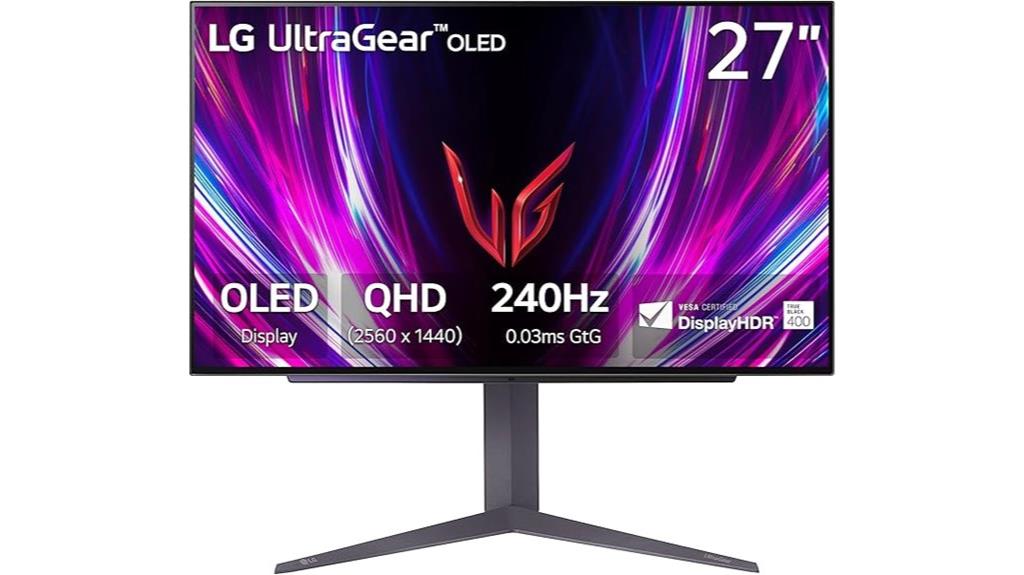
Gamers seeking stunning visuals and ultra-responsive gameplay will find the LG 27GS93QE 27-Inch OLED Gaming Monitor an exceptional choice, especially given its vibrant OLED display and 240Hz refresh rate. Its 2560×1440 QHD resolution combined with a 0.03ms response time guarantees smooth, fast action with minimal motion blur. The monitor’s VESA DisplayHDR True Black 400 certification provides deep blacks and bright highlights, while supporting 98.5% DCI-P3 assures vivid, accurate colors. With HDMI 2.1, DisplayPort 1.4, NVIDIA G-SYNC, and AMD FreeSync Premium Pro, it offers tear-free, stutter-free gameplay. The sleek, adjustable design makes it perfect for an immersive, ergonomic gaming setup.
Best For: gamers seeking stunning visuals, ultra-fast response times, and smooth gameplay with vibrant colors and deep blacks.
Pros:
- Exceptional OLED display with vivid colors, deep blacks, and high contrast for immersive visuals
- Rapid 0.03ms response time and 240Hz refresh rate ensure ultra-smooth, responsive gaming experience
- Supports HDR, G-SYNC, and FreeSync Premium Pro for tear-free, stutter-free gameplay
Cons:
- Requires a high-end graphics card supporting HDMI 2.1 or DisplayPort 1.4 to fully utilize 240Hz capabilities
- Slightly premium price point compared to standard monitors
- Limited to 27-inch size, which may not suit users preferring larger displays
KTC 32-Inch Curved Gaming Monitor 240Hz (QHD)
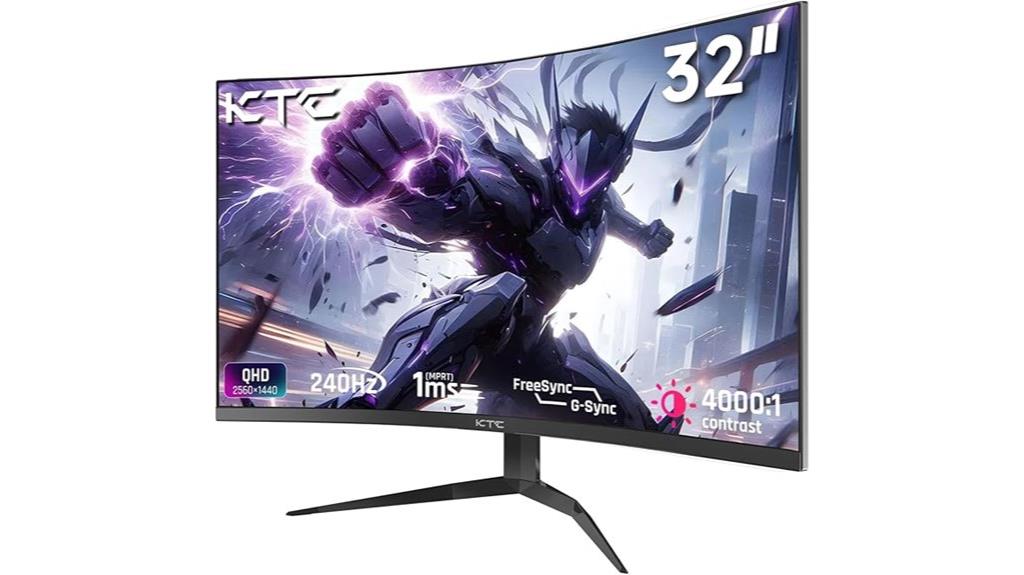
For serious gamers seeking immersive visuals and ultra-smooth performance, the KTC 32-Inch Curved Gaming Monitor with 240Hz refresh rate stands out. Its 1000R curvature mimics natural eye movement, reducing distortion and widening the field of view. The 1440p QHD resolution delivers sharp, vibrant visuals, enhanced by HDR and MPRT for deeper immersion. With FreeSync and G-Sync support, tear-free gameplay is guaranteed. The edge-to-edge frameless design minimizes distractions, perfect for multi-monitor setups. Plus, anti-blue light tech keeps your eyes comfortable during extended sessions. Overall, this monitor combines large, curved visuals with fast refresh rates, making it ideal for competitive gaming.
Best For: serious gamers and immersive gaming enthusiasts seeking high refresh rates, vibrant visuals, and a curved display for competitive and expansive gameplay.
Pros:
- Ultra-smooth 240Hz refresh rate supports tear-free gaming with FreeSync and G-Sync compatibility.
- 1000R curved design mimics natural eye curvature for reduced distortion and an expansive field of view.
- High-quality visuals with 1440p QHD resolution, HDR, and 122% sRGB color gamut for vibrant, accurate colors.
Cons:
- Slightly heavy at 12.98 pounds, which may require sturdy mounting options.
- Limited USB ports (only 1 update-only port), which could affect connectivity options.
- Higher price point compared to standard monitors, reflecting advanced features and size.
ASUS ROG Strix 27” QHD Gaming Monitor (XG27ACS)
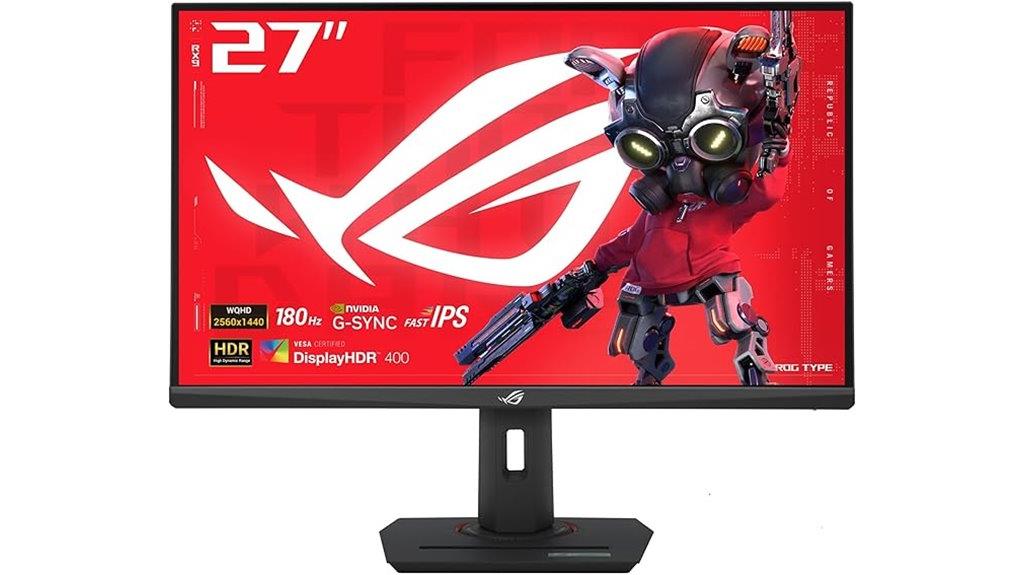
If you’re seeking a high-performance monitor that combines stunning visuals with smooth gameplay, the ASUS ROG Strix 27” QHD Gaming Monitor (XG27ACS) is an excellent choice. It features a 27-inch HDR400 display with fast IPS technology, delivering sharp, vibrant images. The 180Hz refresh rate and 1ms GTG response time ensure fluid motion and minimal blur, while ELMB SYNC eliminates ghosting and tearing. With G-Sync compatibility and USB-C support, it’s versatile for gaming and creative tasks. Plus, the adjustable tripod socket and user-friendly controls make setup easy. Overall, this monitor provides professional-grade visuals perfect for competitive gaming.
Best For: gamers and creative professionals seeking high-refresh-rate, sharp visuals, and versatile connectivity for smooth gameplay and detailed work.
Pros:
- 180Hz refresh rate and 1ms GTG response time for ultra-smooth gaming experience
- Fast IPS technology delivers vibrant, crisp images with minimal motion blur
- G-Sync compatibility and ELMB SYNC eliminate tearing and ghosting for clear visuals during fast action
Cons:
- 27-inch size may be large for small desk setups
- HDR400 support offers limited high dynamic range compared to higher HDR standards
- Premium price point might be costly for budget-conscious users
CRUA 27″ 240Hz Gaming Monitor with 2K QHD IPS Screen
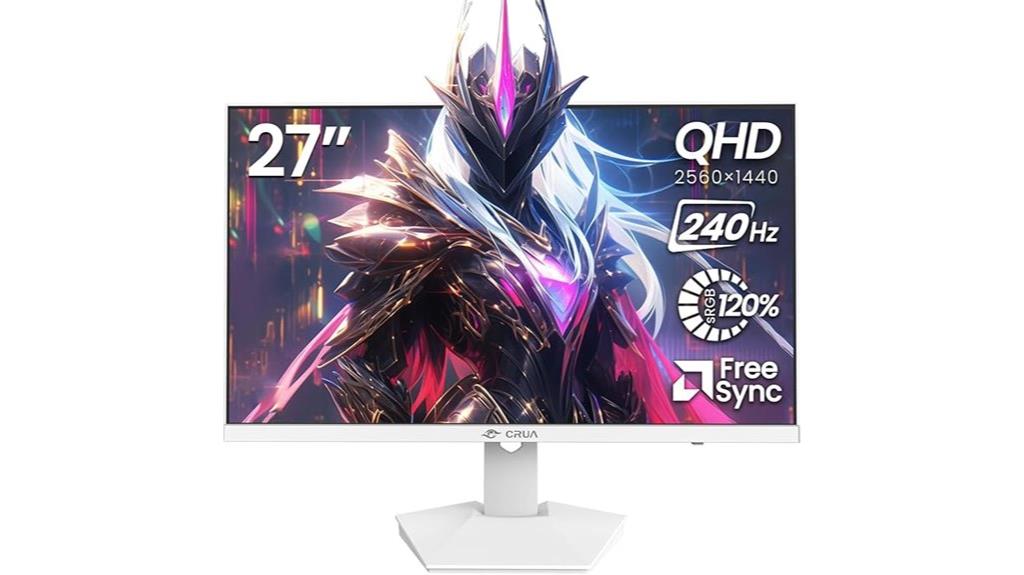
The CRUA 27″ 240Hz Gaming Monitor with a 2K QHD IPS screen is an excellent choice for anyone seeking smooth, detailed visuals during fast-paced gameplay or professional work. Its 27-inch display and 240Hz refresh rate deliver ultra-smooth motion, minimizing blur and input lag. Supporting AMD FreeSync, it prevents tearing and stuttering for seamless gameplay. The 2560×1440 resolution on an IPS panel ensures sharp images, vibrant colors, and wide viewing angles. With 120% sRGB coverage and a blue light filter, it offers accurate colors and eye comfort. Its sleek white design, versatile connectivity, and built-in speakers make it a well-rounded option for gaming and productivity.
Best For: gamers, creative professionals, and multitaskers seeking high-performance visuals with smooth motion and vibrant colors.
Pros:
- Ultra-smooth 240Hz refresh rate minimizes motion blur and input lag for seamless gameplay.
- 2560×1440 QHD IPS panel offers sharp images, vivid colors, and wide viewing angles.
- Versatile connectivity options including HDMI 2.0, DisplayPort 1.4, and VESA compatibility.
Cons:
- The large size and high specs may be more expensive than standard monitors.
- Built-in speakers are convenient but may not deliver high-quality audio.
- Requires a powerful GPU to fully leverage 240Hz refresh rate and 2K resolution during gaming.
AOC Q27G4ZD 27″ QD OLED Gaming Monitor
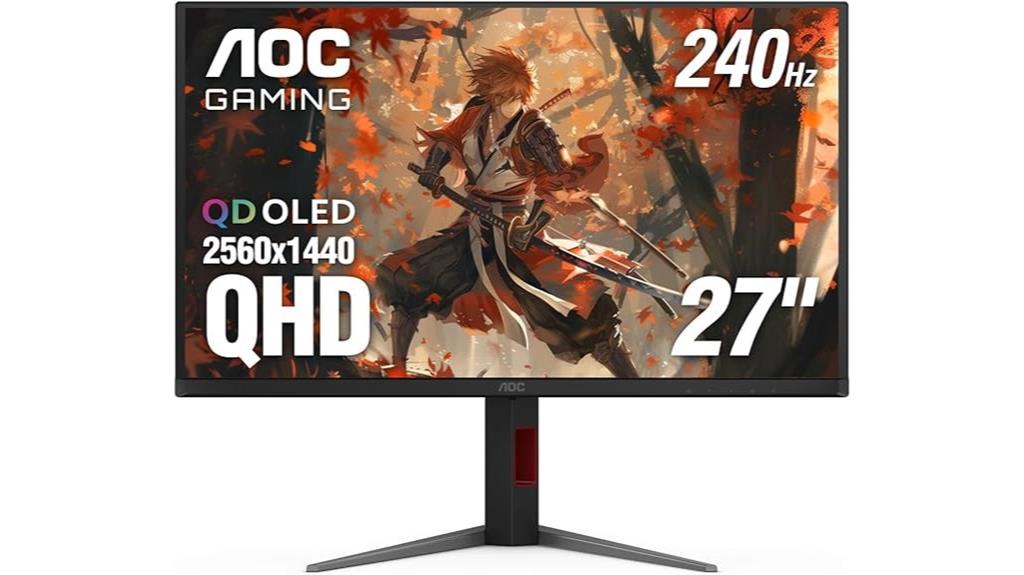
Gamers seeking exceptional image quality and rapid response times will find the AOC Q27G4ZD 27″ QD OLED Gaming Monitor to be a standout choice. Its self-luminous QD OLED panel delivers true blacks, vivid colors, and over a billion shades, making visuals pop. With a sharp 2560×1440 resolution and a blazing 240Hz refresh rate, plus 0.03ms GTG response time, gameplay remains smooth and responsive. HDR10 support enhances contrast and color depth, while the wide color gamut ensures immersive, accurate visuals. Designed for competitive gaming, it offers low latency, G-Sync compatibility, and versatile connectivity, making it a top-tier option for serious gamers.
Best For: competitive gamers and enthusiasts seeking ultra-fast response times, vibrant visuals, and versatile connectivity in a high-performance monitor.
Pros:
- Exceptional image quality with true blacks, vivid colors, and over a billion shades due to QD OLED technology
- Ultra-smooth gameplay with 240Hz refresh rate and 0.03ms GTG response time
- G-Sync compatibility and HDR10 support for tear-free, vibrant visuals
Cons:
- Premium price point may be a barrier for some users
- Limited to 27 inches, which may not suit those preferring larger displays
- Possible burn-in risk inherent to OLED panels if not used carefully
Factors to Consider When Choosing 1440P 240HZ Esports Gaming Monitors
When choosing a 1440p 240Hz monitor, I focus on key factors like refresh rate compatibility and response times to guarantee smooth gameplay. I also consider color accuracy, adaptive sync technology, and the screen size or curvature for an immersive experience. These elements help me find a monitor that balances performance and comfort for esports gaming.
Refresh Rate Compatibility
To guarantee your 1440p 240Hz monitor delivers smooth and responsive gameplay, it’s imperative to verify that its refresh rate is explicitly listed as 240Hz. This ensures you’re getting the high-performance experience you expect. Additionally, support for adaptive sync technologies like G-SYNC or FreeSync is crucial to prevent screen tearing and stuttering at high frame rates. You should also confirm that your graphics card and connection interface, such as DisplayPort 1.4 or HDMI 2.1, can handle the bandwidth needed for 240Hz at 1440p. Compatibility with your gaming setup is essential, so double-check that your hardware supports the monitor’s refresh rate fully. Remember, some monitors offer overclocking options, but native 240Hz support provides the most reliable performance.
Response Time Speed
Choosing a monitor with a rapid response time is essential for ensuring smooth and accurate gameplay, especially at 240Hz. A response time of 1ms or less minimizes motion blur and ghosting during fast movements, which is critical in competitive esports. Faster response times allow rapid on-screen actions to be rendered precisely, giving you a competitive advantage. These speeds are measured in milliseconds, with lower values indicating quicker pixel transitions. Monitors offering 240Hz refresh rates combined with 1ms response times provide ultra-smooth visuals and responsiveness, reducing input lag and ensuring your commands are reflected instantly. This seamless performance helps you react faster and stay ahead in high-stakes gaming environments, making response time speed a crucial factor when selecting your ideal esports monitor.
Color Accuracy & Gamut
A monitor’s response time guarantees smooth gameplay, but color accuracy and gamut are just as vital for an ideal esports experience. A high color gamut, like 95% DCI-P3 or 130% sRGB, delivers vibrant, true-to-life colors that enhance visual clarity and immersion. Monitors supporting HDR10 or VESA DisplayHDR 400 add contrast and depth, making game environments more realistic. Precise color accuracy, with Delta E values below 2, minimizes discrepancies, ensuring consistent visuals across applications. Wide color coverage allows for more immersive, lifelike images, which can be essential during fast-paced competition. Additionally, calibration features let you fine-tune color settings for optimal accuracy, a plus for professional gamers and content creators seeking flawless visuals.
Adaptive Sync Technology
Adaptive Sync technology plays an essential role in delivering smooth, tear-free gameplay, especially at high refresh rates like 240Hz. It synchronizes the monitor’s refresh rate with the GPU’s frame rate, which reduces screen tearing and stuttering that can distract during intense gaming sessions. Compatible with both AMD FreeSync and NVIDIA G-SYNC, it guarantees seamless performance regardless of your graphics card brand. Adaptive Sync dynamically adjusts the display’s refresh rate in real-time, even when frame rates fluctuate, maintaining fluid visuals. Plus, it markedly lowers input lag and boosts responsiveness, giving competitive gamers a critical edge. Monitors supporting Adaptive Sync are highly recommended for esports, as they help maintain visual fluidity and minimize distractions during fast-paced gameplay.
Screen Size & Curvature
When selecting a 1440p 240Hz monitor for esports, screen size and curvature considerably influence your gaming experience. Larger screens, like 27 inches or more, boost immersion but demand higher graphics performance to maintain clarity at 1440p. Curved screens, with radii between 1000R and 1800R, can reduce eye strain and enhance peripheral vision, creating a more natural viewing experience. A more pronounced curve (around 1000R) offers a wraparound effect, while milder curves (around 1800R) provide subtle comfort. It’s vital to consider your desk space and viewing distance to guarantee comfort and ideal performance during long gaming sessions. Proper size and curvature help you stay engaged without sacrificing clarity or causing fatigue.
Connectivity Options
Selecting the right connectivity options guarantees your 1440p 240Hz monitor integrates seamlessly with your gaming setup. Look for multiple input options like HDMI 2.0 or 2.1 and DisplayPort 1.4 to ensure you can fully utilize high refresh rates at 1440p. If you want to connect peripherals directly to the monitor, check for USB hubs or additional ports for keyboards, mice, or external drives. It’s also essential that the monitor supports adaptive sync technologies such as FreeSync or G-SYNC through its connectivity, reducing screen tearing during intense gameplay. Additionally, verify the presence of audio out ports or headphone jacks for easy audio connections without separate speakers. Finally, ensure the monitor’s interfaces are compatible with your gaming devices, whether PC or consoles, to maximize compatibility and performance.
Build & Ergonomics
Choosing the right build and ergonomic features can substantially enhance your gaming experience, especially during long sessions. Look for monitors with adjustable height, tilt, and pivot options to keep your posture comfortable and reduce strain. Curved screens with a radius like 1000R or 1500R improve immersion and lessen visual fatigue by matching the human eye’s natural curvature. A sturdy, VESA-compatible stand ensures stability and easy customization for ideal positioning. Screen size matters too; a 27-inch monitor strikes a good balance between immersion and desk space. Additionally, a frameless or ultra-thin bezel design not only looks sleek but also minimizes distractions. Prioritizing these ergonomic factors helps you stay comfortable and focused during intense gaming marathons.
Frequently Asked Questions
How Does Refresh Rate Impact Competitive Gaming Performance?
A higher refresh rate, like 240Hz, substantially boosts my competitive gaming performance by delivering smoother visuals and reducing motion blur. It allows me to see fast-moving targets more clearly and react quicker, giving me an edge over opponents with lower refresh rates. I’ve noticed that with a 240Hz monitor, my reflexes improve, and I can make more precise, timely decisions, which is essential in high-stakes gaming situations.
What Are the Differences Between IPS, VA, and OLED Panels for Gaming?
IPS panels deliver vibrant colors and wide viewing angles, making them great for immersive gaming. VA panels offer better contrast and deeper blacks, which enhance visual depth but might have slower response times. OLED panels provide stunning contrast, deep blacks, and fast response times, but can be pricier and prone to burn-in. For competitive gaming, I prefer IPS for quick reactions, but OLEDs are perfect for immersive, high-quality visuals.
How Important Is Response Time in Fast-Paced Esports Titles?
When it comes to fast-paced esports titles, response time is pretty much the silent hero. It guarantees that your actions translate instantaneously on screen, giving you that essential edge. I’ve found that even milliseconds matter, especially in competitive play. A monitor with a quick response time minimizes ghosting and motion blur, helping me stay sharp and react faster. Trust me, it’s worth prioritizing for that competitive advantage.
Do Curved Monitors Offer a Competitive Advantage Over Flat Screens?
Curved monitors can give you a slight edge in esports, especially in fast-paced games. I find they reduce glare and distortions, making immersive gameplay more comfortable and natural. The curve helps your eyes track movements better, giving you quicker reflexes. While not a game-changer, I believe the enhanced immersion and comfort can boost your focus, making curved screens a smart choice for competitive play.
What Connectivity Options Are Essential for High-Performance Gaming Setups?
For high-performance gaming setups, I find that having multiple connectivity options is vital. I always look for HDMI 2.1 or DisplayPort 1.4 for smooth, high-resolution signals, along with USB-C for versatility. Having enough USB ports helps connect peripherals easily. Ethernet ports are also a bonus for stable online gaming. These options guarantee I get the best experience without any lag or connectivity issues, giving me a real competitive edge.
Conclusion
Choosing the right 1440p 240Hz gaming monitor is like finding your perfect blade in a battleground—sharp, reliable, and ready to cut through the competition. When you pick a monitor that suits your style, you’re not just investing in gear; you’re arming yourself with a loyal companion that elevates your game and sharpens your edge. So, gear up, stay focused, and let your screen be the window through which victory shines brightly.