

To make video calls less awkward for seniors, choose simple, user-friendly devices with clear screens and easy controls. Introduce technology gradually, showing basic functions step-by-step, and use encouraging language to build confidence. Create a comfortable environment by reducing distractions and setting expectations beforehand. Keep calls short and positive, focusing on connection rather than perfection. With patience and gentle support, you’ll help seniors feel more relaxed and enjoy their virtual chats—learn more about creating smooth and enjoyable calls.

Get health and wellness essentials delivered free with Prime
- Fast, free delivery on millions of items
- Prime Video, Amazon Music and more included
- Member-only deals all year
Key Takeaways
- Use simple, senior-friendly devices with clear audio, large screens, and minimal buttons to reduce navigation stress.
- Introduce technology gradually with straightforward instructions and demonstrations to build confidence.
- Create a comfortable, distraction-free environment to help seniors relax during calls.
- Keep video sessions short, positive, and gradually extend duration to prevent overwhelm.
- Offer ongoing patience, encouragement, and support to foster a relaxed and enjoyable experience.
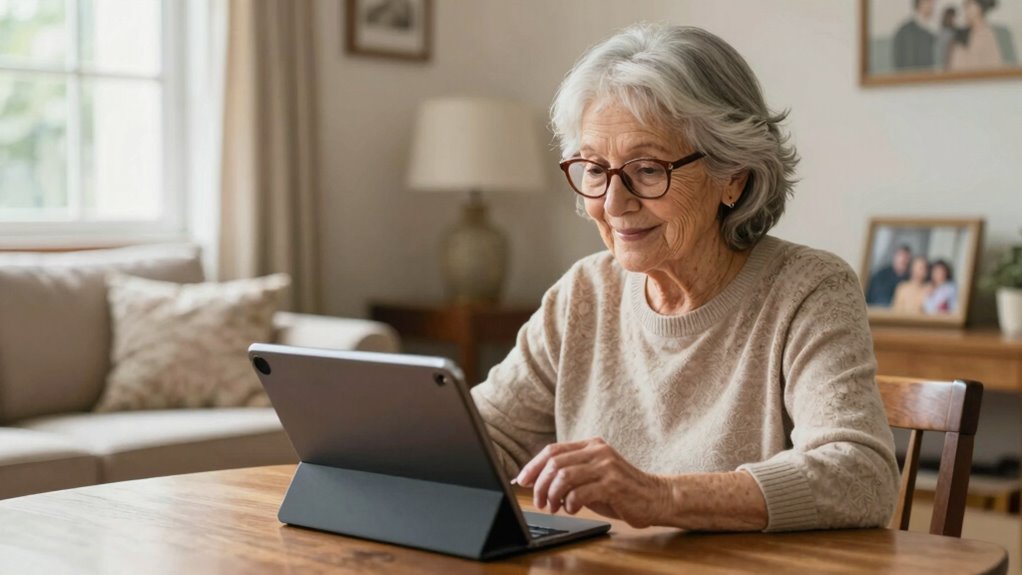
Video calls can sometimes feel uncomfortable or awkward for seniors, especially if they’re new to the technology or unsure of how to navigate it. To help ease this discomfort, start by choosing tech friendly devices that are simple and user-friendly. Devices with large screens, clear audio, and minimal buttons make it easier for seniors to focus on the conversation instead of struggling with the technology. Tablets or smartphones designed specifically for seniors often have features like voice commands, simplified interfaces, and adjustable fonts that make the experience more accessible. When introducing these devices, keep things straightforward. Show them how to turn the device on, open the app, and connect with loved ones. Avoid overwhelming them with too many features at once.
Patience building strategies are key when guiding seniors through video calling. Remember, everyone learns at their own pace, so it’s important to be gentle and encouraging. Break down each step into small, manageable actions. For example, first, help them locate the app on their device, then practice opening it together, and finally, go through the process of making a call. Repeating these steps regularly reinforces their confidence. Celebrate small successes along the way to keep their motivation high. If they forget a step or get frustrated, reassure them that it’s normal and that you’re there to support. Incorporating easy-to-understand instructions can also help them grasp the process more quickly and reduce anxiety.
Creating a comfortable environment also helps lessen awkwardness. Choose a quiet, well-lit space where they won’t be distracted or overwhelmed. Encourage them to wear comfortable clothes and sit in a relaxed position. Sometimes, using familiar objects or photos in the background can make the setting feel more personal and less intimidating. Before starting the call, remind them of what to expect so they aren’t caught off guard by any technical hiccups. Recognizing the digital concepts involved can help them understand the process better and reduce anxiety. Additionally, explaining simple technology fundamentals can boost their confidence and make troubleshooting easier if issues arise.
Finally, keep the sessions short and positive, gradually increasing the length as they become more confident. Remember, the goal isn’t perfection but connection. With the right devices, patience-building strategies, and a supportive attitude, you can help seniors feel more comfortable and natural during video calls. Over time, what once felt awkward can turn into a meaningful and enjoyable experience for both of you.
senior-friendly tablet with large screen
As an affiliate, we earn on qualifying purchases.
As an affiliate, we earn on qualifying purchases.
Frequently Asked Questions
What Devices Are Easiest for Seniors to Use for Video Calls?
You should choose devices with user-friendly interfaces and large screens, making video calls easier for seniors. Tablets like iPads or simplified smartphones with large buttons are ideal because they’re intuitive and easy to navigate. Large screen devices reduce strain and help seniors see their loved ones clearly. These options minimize frustration, making video calls more enjoyable and less intimidating for seniors, encouraging regular and meaningful connections.
How Can I Troubleshoot Common Video Call Connection Issues?
To troubleshoot common video call connection issues, start by checking your internet stability—make sure you’re on a reliable Wi-Fi network. If the video or audio lags, try adjusting your device’s audio settings or reconnecting to the call. Restart your device if problems persist, and close any unnecessary apps that might be hogging bandwidth. Updating your app or device software can also improve connection quality.
Are There Privacy Concerns Seniors Should Be Aware Of?
Think of privacy like a locked door; seniors should be aware of privacy risks when using video calls. They need to understand data protection measures, like secure passwords and avoiding sharing personal info with strangers. For example, a senior once shared a story about accidentally revealing sensitive info, highlighting the importance of privacy awareness. Staying vigilant helps protect their personal data and prevents potential security breaches.
How Often Should Seniors Practice Video Calling?
You should practice video calling at least a few times a week to build confidence and become more comfortable. Consistent practice helps seniors familiarize themselves with the technology, making calls feel less awkward. Start with short, casual chats and gradually increase duration as confidence grows. Regular practice frequency guarantees they stay connected and develop better communication skills, making future calls more natural and enjoyable.
What Are Some Fun Activities to Do During a Video Call?
During a video call, you can make it fun by playing virtual games like trivia or bingo, which keep everyone engaged. Sharing hobbies, like gardening, cooking, or crafting, creates common ground and sparks interesting conversations. You might also do a virtual tour of your home or favorite spots, or even cook together while on the call. These activities foster connection and make the experience enjoyable for seniors.
easy-to-use video calling device for seniors
As an affiliate, we earn on qualifying purchases.
As an affiliate, we earn on qualifying purchases.
Conclusion
Remember, practice makes perfect, and patience is key. As you help seniors become comfortable with video calls, remind them it’s like riding a bike—there might be a few wobbles at first, but with time, they’ll find their balance. Keep encouraging them, celebrate small wins, and stay positive. Soon, those calls will feel natural and enjoyable, bridging distances and strengthening connections. After all, the journey of a thousand miles begins with a single step.
senior smartphone with simplified interface
As an affiliate, we earn on qualifying purchases.
As an affiliate, we earn on qualifying purchases.
large button senior mobile phone
As an affiliate, we earn on qualifying purchases.
As an affiliate, we earn on qualifying purchases.
Fall Picks
fall essentials
As an affiliate, we earn on qualifying purchases.