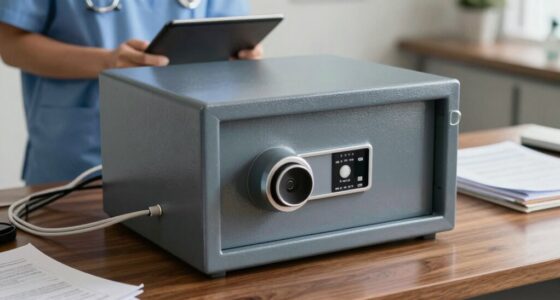

To organize your legal and medical records without panic, start by categorizing important documents like insurance policies, legal agreements, and medical histories. Use secure digital storage, such as encrypted cloud services or password-protected drives, and back up files in different locations. Store physical files in labeled, fireproof containers and review them regularly. Setting a schedule for upkeep and following best practices can make organization feel manageable. Keep going to discover more ways to master your record system.

Get health and wellness essentials delivered free with Prime
- Fast, free delivery on millions of items
- Prime Video, Amazon Music and more included
- Member-only deals all year
Key Takeaways
- Start by sorting records into clear categories like legal and medical, then prioritize essential documents for immediate access.
- Use labeled folders or digital folders with descriptive names to simplify retrieval and reduce overwhelm.
- Digitize older or less frequently used records to save space and create secure backups for peace of mind.
- Schedule regular review sessions to maintain organization and prevent accumulation of unnecessary files.
- Implement strong security measures, such as encryption and password protection, to manage sensitive information calmly.

Managing legal and medical records can feel overwhelming, especially when you’re faced with stacks of papers and confusing files. The key to easing that stress is developing a clear system that keeps everything accessible yet secure. Start by evaluating what you truly need to keep. Not every document warrants long-term storage, so identify essential records like insurance policies, legal agreements, medical histories, and recent bills. Once you know what’s necessary, consider how you’ll store these files.
Create a secure, organized system for essential legal and medical records to reduce stress and improve accessibility.
Digital security is essential when handling sensitive information. Moving to digital storage offers a safer, more organized option, but only if you prioritize security. Use encrypted cloud services or password-protected external drives to keep your data safe from unauthorized access. Regularly update your passwords and enable two-factor authentication whenever possible. Backups are vital—store copies in different locations to prevent data loss from technical failures or theft. Avoid storing sensitive information solely on personal computers or unsecured devices. The goal is to protect confidential data while making it easy for you to retrieve when needed.
When it comes to storage solutions, choose options that suit your space and habits. Physical files should be stored in labeled, fireproof, and waterproof containers, ideally in a dedicated filing cabinet or storage box. Organize documents by categories—medical, legal, financial—and create a logical labeling system. This way, you can find what you need quickly, without rummaging through piles of paper. For digital files, create a folder hierarchy with clear labels, and keep backups updated. Regularly go through your files to remove outdated or unnecessary documents, preventing clutter from building up again. Incorporating secure filing methods can further enhance your organization and peace of mind. Utilizing proper filing techniques can make a significant difference in maintaining an efficient system. Implementing best practices for digital organization can streamline access and improve overall security. Ensuring your storage systems adhere to privacy policies helps maintain confidentiality and compliance.
Creating a routine helps maintain your system. Set aside time weekly or monthly to review, organize, and securely back up your records. Digitizing older documents can save space and improve access. When scanning physical files, ensure your scanner is connected to a secure network and that files are stored with strong passwords. Remember, the goal isn’t just to organize but to do so in a way that maintains privacy and security. Proper storage solutions and digital security measures give you peace of mind, knowing your personal and legal information is protected yet easily accessible when needed. With a bit of planning and discipline, organizing your legal and medical records becomes less of a chore and more of a manageable routine.
fireproof legal document storage box
As an affiliate, we earn on qualifying purchases.
As an affiliate, we earn on qualifying purchases.
Frequently Asked Questions
How Often Should I Update My Medical and Legal Records?
You should update your legal and medical records at least once a year to keep them current. Regular updates help you maintain accurate record categorization, guaranteeing easy access when needed. Review access permissions during each update to ensure only authorized individuals can view sensitive information. Staying organized and consistent prevents panic and delays, making it easier to find critical documents during emergencies or legal situations.
What Should I Do With Outdated or Irrelevant Documents?
You should securely dispose of outdated or irrelevant documents through proper document disposal methods, such as shredding sensitive papers. For important but no longer current records, consider record archiving—storing them in a safe, organized manner for future reference. Regularly reviewing your files helps you identify what to discard and what to archive, reducing clutter and ensuring you keep only essential documents, making your record management more efficient and less stressful.
How Can I Securely Store Sensitive Legal and Medical Files?
You can securely store sensitive legal and medical files by implementing document encryption and access control. Encrypt your files so only authorized people can open them, creating a digital lock and key. Use strong passwords and multi-factor authentication to control access, ensuring only trusted individuals can view your documents. Regularly update security measures, like encrypting new files and reviewing access permissions, to keep your sensitive information safe and protected from unauthorized eyes.
Are Digital Backups Safer Than Physical Copies?
Digital backups can be safer than physical copies if you use cloud storage with strong encryption methods. Cloud storage providers often have advanced security features, like automatic backups and secure access controls, reducing the risk of loss or theft. Make sure you choose services that prioritize encryption, both during transfer and at rest. This way, your legal and medical records stay protected, accessible only to you, and less vulnerable to physical damage or unauthorized access.
How Do I Share Records With Healthcare Providers or Lawyers Securely?
You should share records securely by encrypting your documents to protect sensitive information. Use strong passwords and encryption tools to guarantee data stays private. Set access permissions carefully, allowing only trusted healthcare providers or lawyers to view your records. Avoid sending unencrypted files via email; instead, use secure file-sharing services that support encryption. This way, you control who accesses your records, keeping your information safe and confidential.
encrypted cloud storage service for medical records
As an affiliate, we earn on qualifying purchases.
As an affiliate, we earn on qualifying purchases.
Conclusion
Keeping your legal and medical records organized isn’t just about sorting paper; it’s about reducing stress, gaining control, and ensuring preparedness. When you categorize clearly, label consistently, and review regularly, you create a system that works for you. Remember, organization isn’t a one-time task—it’s a continuous process. Stay proactive, stay consistent, and stay confident. With these habits, you’ll turn chaos into clarity, panic into peace, and confusion into confidence—making your records work for you, not against you.
labeled file folders for legal and medical documents
As an affiliate, we earn on qualifying purchases.
As an affiliate, we earn on qualifying purchases.
password protected external hard drive
As an affiliate, we earn on qualifying purchases.
As an affiliate, we earn on qualifying purchases.
Halloween Picks
halloween
As an affiliate, we earn on qualifying purchases.